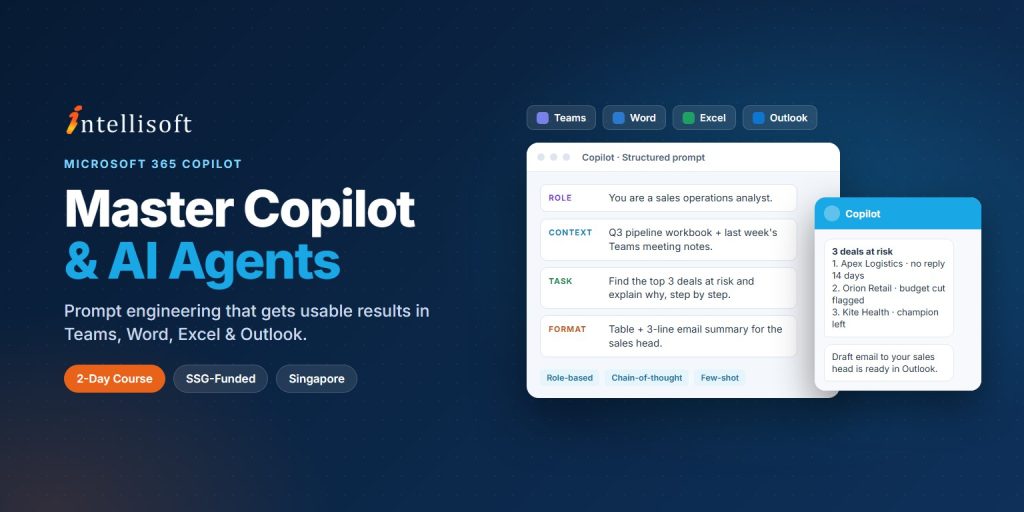
Microsoft Copilot is now built into the Microsoft 365 apps most professionals use every day — but most people only scratch the surface, getting generic answers that still need heavy editing. This 2-day Microsoft 365 Copilot Agents course gives you a practical grounding in Copilot and its agentic capabilities across Teams, Word, Excel and Outlook.
You will build the prompt engineering skills to get accurate, relevant, high-quality output from AI. The course covers fundamental and advanced techniques — zero-shot, one-shot and few-shot prompting, role-based and persona prompting, chain-of-thought reasoning, iterative refinement and prompt optimisation — applied to real business scenarios.
Through hands-on activities you will learn to use Copilot and AI agents to improve productivity, automate routine tasks, enhance collaboration and support decision-making. Designed for beginner to intermediate learners, no advanced technical background is required.
As organisations roll out Microsoft 365 Copilot, the ability to direct it with precision has become a valuable workplace competency. The skills from this course support job upgrading and let you contribute more effectively to digital transformation initiatives.
Stop getting generic answers — learn to prompt Copilot and its agents with the precision that produces work you can actually use.
🖥️
Learn By Doing
Hands-on exercises on real Singapore business datasets from the very first module.
👥
Small Class Sizes
10–25 participants for personal attention.
📧
Post-Training Support
We provide email support for our participants. Simply email us your questions.
What You'll Walk Away With
🤖
Understand how Copilot and AI agents work across Teams, Word, Excel and Outlook.
✍️
Write structured prompts with context, instructions and constraints that get usable output first time.
🧠
Apply zero-shot, few-shot, role-based and chain-of-thought prompting to real workplace tasks.
🔄
Refine and optimise prompts so Copilot output is consistent and aligned to business goals.