
Artificial Intelligence is changing very fast.
Many people have already used tools like ChatGPT, Claude, Gemini, or Microsoft Copilot.
These tools are useful. They can write, summarise, explain, translate, and create ideas.
This is called Generative AI.
But now, a new type of AI is becoming more important.
It is called Agentic AI.
Agentic AI can do more than answer questions. It can plan, take action, use tools, check results, and complete work.
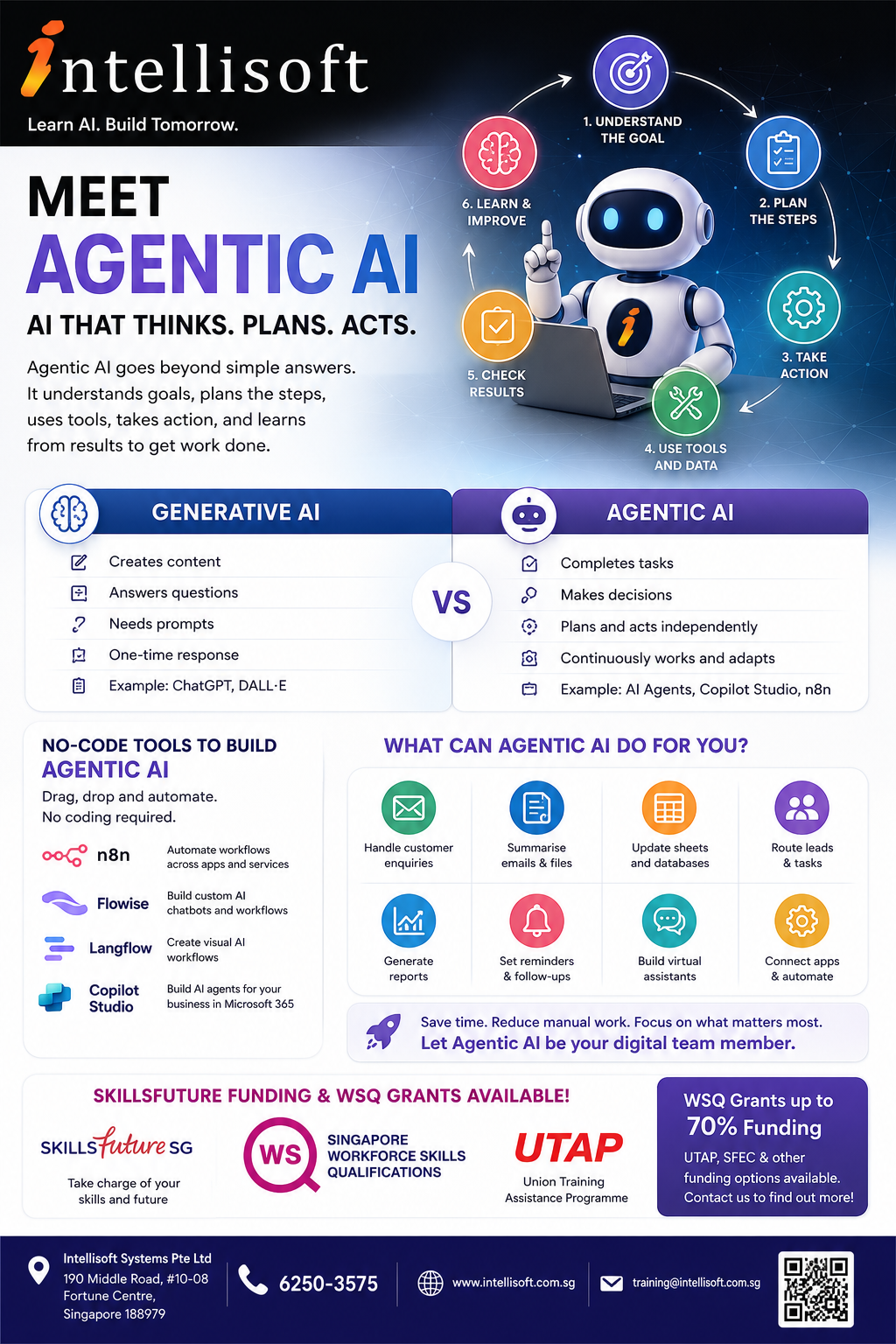
What is Agentic AI – An Explainer for All from Intellisoft Training
What is Agentic AI?
Agentic AI means AI that can work towards a goal.
It does not only wait for one prompt and give one answer.
It can understand what needs to be done.
It can break the task into steps.
It can use tools and data.
It can take action.
It can check the result and improve the next step.
In simple words, Agentic AI is AI that helps get work done.
Generative AI vs Agentic AI
Generative AI is mainly used to create content.
Agentic AI is mainly used to complete tasks.
Generative AI can help you:
- Write emails
- Summarise documents
- Create reports
- Generate ideas
- Create images
- Explain difficult topics
- Translate text
- Write code or formulas
Agentic AI can help you:
- Read information from different sources
- Decide what needs to happen next
- Use apps, tools, and databases
- Send replies
- Update records
- Create follow-up reminders
- Route work to the right person
- Continue a workflow with less manual effort

Simple Example of Agentic AI
Imagine a customer sends an enquiry about a course.
A normal AI tool can help you write a reply.
An Agentic AI workflow can do much more.
- Read the customer enquiry
- Understand what the customer wants
- Check the correct course information
- Draft a reply
- Send the lead to the sales team
- Update a spreadsheet or CRM
- Create a follow-up reminder
This is not just content creation.
This is task automation with intelligence.
How Agentic AI Works
Most Agentic AI workflows follow a simple pattern.

- Set the goal
- Break down the steps
- Use tools and data
- Take action
- Check the result
- Learn and improve
The AI may use different tools during the process.
For example, it may read an email, search a document, update a spreadsheet, send a message, or create a report.
Where Can You Use Agentic AI at Work?
Agentic AI can be used in many departments.
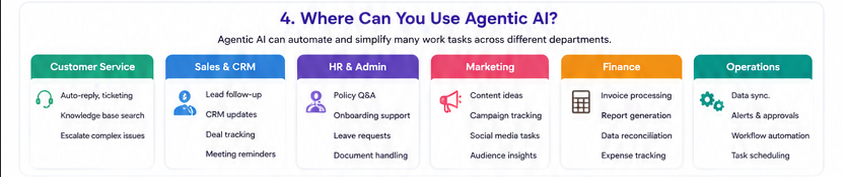
Customer Service
- Answer common questions
- Classify customer enquiries
- Suggest replies
- Escalate difficult cases
- Search knowledge bases
Sales and CRM
- Handle new leads
- Prepare follow-up emails
- Update CRM records
- Track customer conversations
- Remind sales staff to follow up
HR and Admin
- Answer staff policy questions
- Prepare onboarding checklists
- Summarise resumes
- Handle leave or document requests
- Route requests to the right person
Marketing
- Create campaign ideas
- Draft social media posts
- Prepare email campaigns
- Summarise customer feedback
- Analyse campaign responses
Finance and Operations
- Extract invoice details
- Prepare simple reports
- Check data from spreadsheets
- Send reminders
- Track approvals
No-Code Tools to Build Agentic AI

You do not always need to be a programmer.
Many Agentic AI tools now use drag-and-drop interfaces.
You can connect apps, AI models, documents, forms, emails, and databases visually.
n8n
n8n is a workflow automation tool.
You can use it to connect apps and build AI-powered automations.
Flowise
Flowise is a visual tool for building AI chatbots, AI agents, and LLM workflows.
Langflow
Langflow helps users build AI applications and agent workflows using a visual interface.
Microsoft Copilot Studio
Copilot Studio helps organisations create AI agents for Microsoft 365, Teams, SharePoint, websites, and business workflows.
Benefits of Agentic AI

- Saves time
- Reduces repeated manual work
- Improves response speed
- Helps staff focus on higher-value tasks
- Reduces copying and pasting between systems
- Improves customer experience
- Supports 24/7 workflows
- Can scale as your business grows
Benefits of Generative AI
Generative AI is still very useful.
It is excellent for content, communication, research, and idea generation.
- Helps you write faster
- Improves email quality
- Summarises long documents
- Explains complex topics
- Creates first drafts
- Helps with brainstorming
- Supports learning and training
So Which One Should You Learn?
You should learn both.

Generative AI helps you create better content.
Agentic AI helps you build smarter workflows.
Together, they can improve productivity in almost every job role.
How to Get Started with Agentic AI
- Pick one repeated task
- Write down the steps
- List the tools involved
- Decide where AI can help
- Build a small workflow
- Test it carefully
- Improve it step by step
Good First Projects for Beginners
- Email enquiry assistant
- FAQ chatbot
- Document summary assistant
- Lead follow-up workflow
- Training feedback analyser
- Simple report generator
- Customer support triage bot
- HR policy assistant
Frequently Asked Questions About Agentic AI
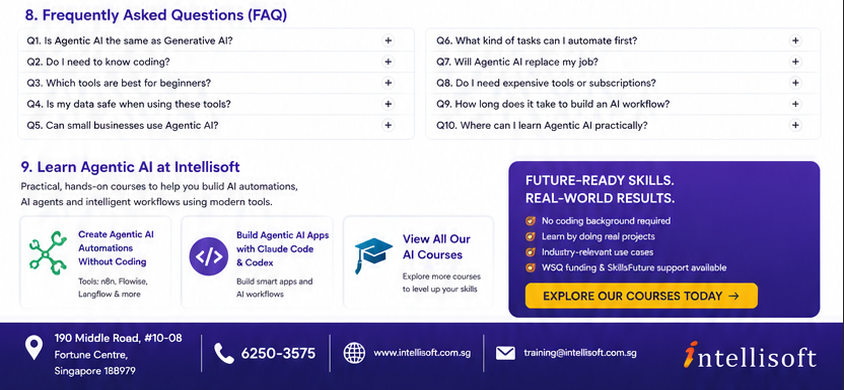
1. Is Agentic AI the same as Generative AI?
No. Generative AI creates content. Agentic AI plans and completes tasks using tools and workflows.
2. Do I need to know coding?
Not always. Many tools such as n8n, Flowise, Langflow, and Copilot Studio use visual drag-and-drop interfaces.
3. Is Agentic AI only for IT people?
No. Business users, managers, HR teams, sales teams, marketing teams, trainers, and administrators can also use it.
4. What is the easiest way to start?
Start with one repeated task. For example, handling enquiries, summarising documents, or sending follow-up reminders.
5. Can Agentic AI replace employees?
Agentic AI is best used to support employees. It can handle repeated tasks so people can focus on judgement, creativity, service, and decision-making.
6. Is Agentic AI safe to use?
It depends on how it is set up. You should control access to data, check outputs, review permissions, and test workflows before using them in real business processes.
7. Can small businesses use Agentic AI?
Yes. Small businesses can use Agentic AI for enquiries, admin work, marketing, customer support, reporting, and follow-up tasks.
8. What tools should beginners learn first?
Good beginner tools include ChatGPT or Copilot for Generative AI, and n8n, Flowise, Langflow, or Copilot Studio for Agentic AI workflows.
9. How long does it take to build a simple AI workflow?
A simple workflow can be built in a few hours once you understand the tool. More advanced workflows need more planning, testing, and improvement.
10. What kind of tasks should I not automate immediately?
Do not start with high-risk tasks such as legal decisions, medical advice, financial approvals, or sensitive HR decisions. Start with low-risk support tasks first.
11. Can Agentic AI connect to Excel, email, forms, and CRM systems?
Yes. Many automation tools can connect to email, spreadsheets, forms, CRM systems, databases, and websites.
12. What is the main benefit of learning Agentic AI now?
You can understand how AI is moving from simple answering to real workflow automation. This helps you stay relevant and productive at work.
Learn Agentic AI at Intellisoft
At Intellisoft, we conduct practical AI courses for working professionals.
Our courses are hands-on and beginner-friendly.
You will learn how to use AI tools for real work situations.
You can explore courses on no-code Agentic AI, n8n, Flowise, Copilot Studio, Claude Code, Codex, and other modern AI tools.
- Create Agentic AI Automations Without Coding
- Build Agentic AI Apps with Claude Code and Codex
- ChatGPT, Gemini, Copilot & New AI Tools for Enhanced Productivity
- Empower Your Workforce With Microsoft 365 Copilot Use Cases
- View All Intellisoft Courses

Conclusion
Generative AI helps you create.
Agentic AI helps you complete work.
Both are important.
If you learn how to use them well, you can save time, reduce manual work, and build smarter ways of working.
Agentic AI is not only for the future.
It is already becoming useful today.