Build Agentic AI Apps with Claude Code & Codex

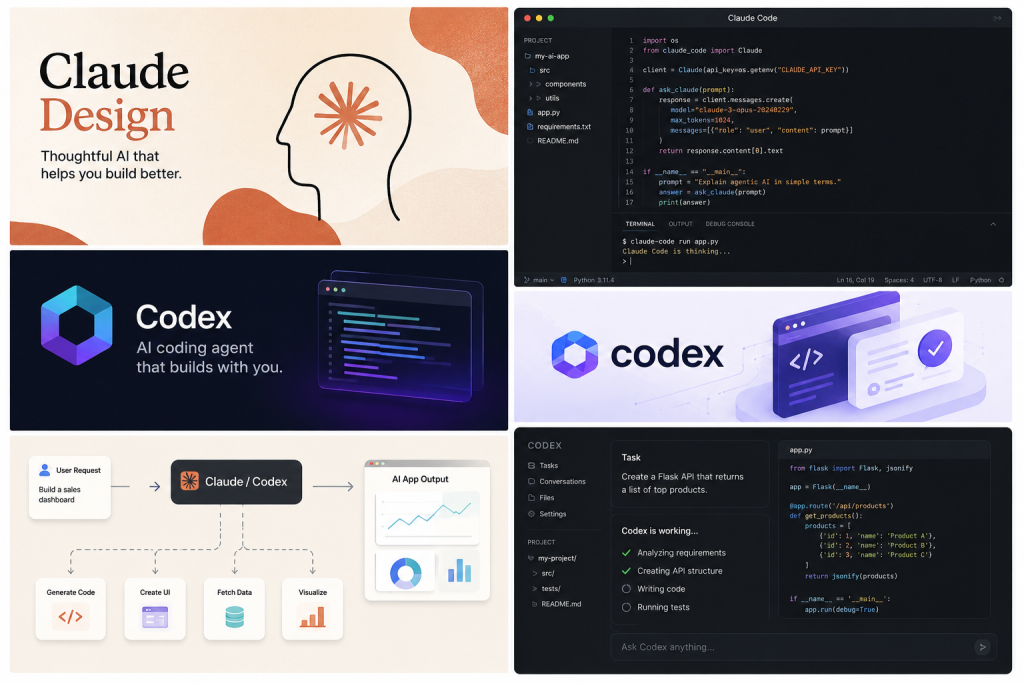
Claude Design Apps

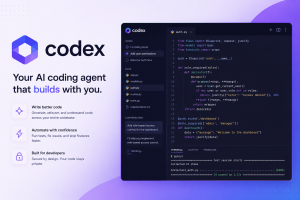
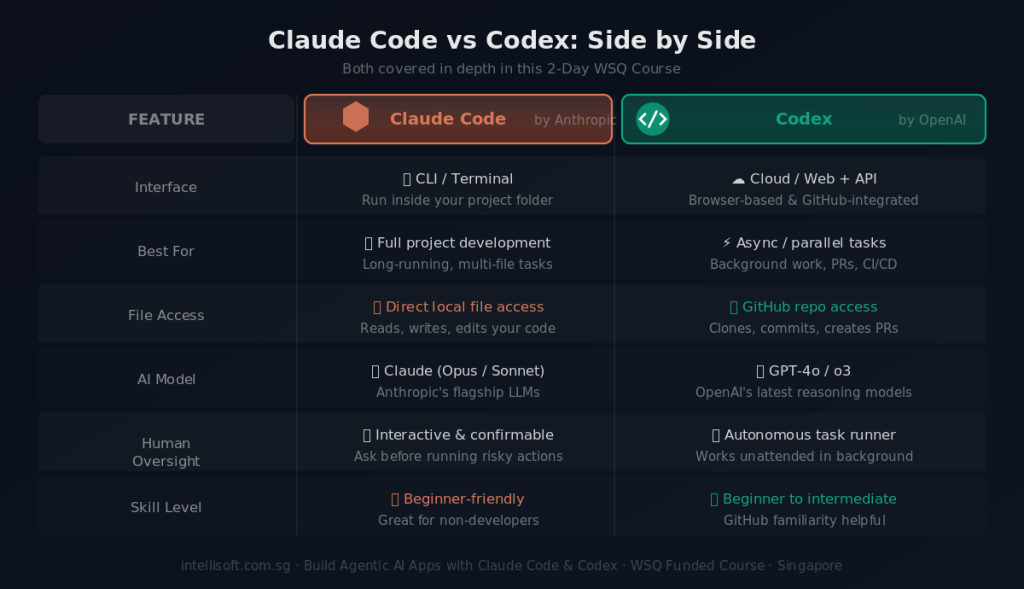
Codex and Claude Code Course for Agentic AI coding

Artificial Intelligence is rapidly transforming the way applications are designed, developed, and automated. Modern AI coding assistants such as Claude Code and Codex now enable users to generate code, automate workflows, create intelligent assistants, and accelerate software development using natural language instructions.

This highly practical and beginner-friendly course introduces learners to the fundamentals of Agentic AI application development using Claude Code and Codex. Participants will explore how AI-powered coding tools can assist in generating applications, improving productivity, automating repetitive tasks, and supporting intelligent business workflows.

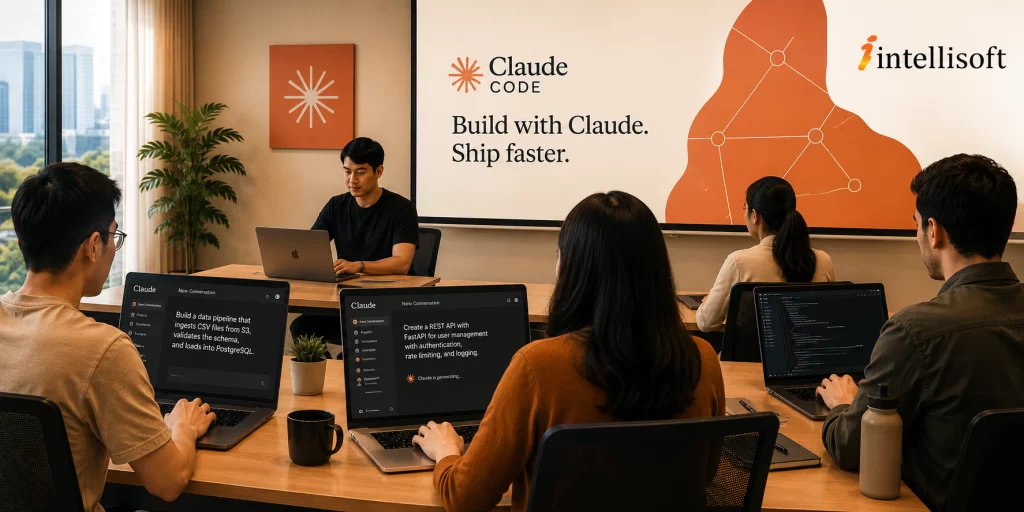
Claude Code Training in Singapore at Intellisoft. Master Claude Code & Codex with WSQ and SkillsFuture Grants

The course covers key concepts including generative AI, agentic AI, prompt engineering, AI-assisted coding, workflow automation, and responsible AI practices. Learners will also gain hands-on exposure to creating simple AI-powered applications, generating and refining code, building AI workflows, and evaluating AI-generated outputs.

Designed for both technical and non-technical professionals, this course focuses on practical use cases and real-world demonstrations to help learners confidently begin their journey into AI-powered application development and automation.

Codex Course For Agentic AI Application Development in Singapore with SkillsFuture & WSQ Grants

SkillsFuture for Build Agentic AI Apps with Claude Code & Codex  course: Individual Singaporeans aged 25 and above can use their Skills Future Credit (Opening Credit) for this Agentic AI App Dev using Claude course  training class. SkillsFuture Credit (Mid-Career) CANNOT be used for this course.

By the end of this course, learners will be able to:

  • Understand the core concepts of Generative AI and Agentic AI
  • Differentiate between generative AI systems, AI agents, and traditional automation approaches
  • Understand how Claude Code and Codex can be used for AI-assisted application development
  • Apply prompt engineering techniques to improve AI-generated outputs
  • Generate and refine code using AI coding assistants
  • Build simple AI-powered applications and workflows
  • Evaluate AI-generated content and code for accuracy, quality, and reliability
  • Understand the limitations, risks, and ethical considerations associated with AI-generated outputs
  • Identify practical workplace and business use cases for Agentic AI technologies

Go To Top

  • This course is suitable for:

    • Business professionals exploring AI tools and automation
    • Executives and managers interested in AI transformation initiatives
    • Data analysts and power users
    • IT professionals and system administrators
    • Beginner developers and aspiring AI developers
    • Process improvement and operations teams
    • Innovation and digital transformation teams
    • Educators, trainers, and consultants
    • Anyone interested in learning how AI coding assistants can help build intelligent applications and workflows

Go To Top

LU1: AI Fundamentals

T1: Underlying Principles, Core Concepts and Theories Governing Generative AI

  • Introduction to Generative AI and Agentic AI
  • Understanding LLMs and AI coding assistants
  • Introduction to Claude Code and Codex
  • AI reasoning, workflows, and automation concepts
  • Fundamentals of AI-powered app development

T2: Difference Between Generative and Discriminative Models

  • Generative vs discriminative AI models
  • AI chatbots vs AI agents
  • Single-agent and multi-agent systems
  • AI copilots and autonomous workflows
  • Comparing Claude, Codex, ChatGPT, and Gemini

T3: Demonstrate the Use of AI in Diverse Applications

  • AI for coding, summarisation, and automation
  • Building simple AI-powered applications
  • Creating AI workflows and assistants
  • Business use cases for Agentic AI
  • Hands-on AI app demonstrations

LU2: Prompt Engineering for Agentic Coding

T1: Importance of Data Quality, Preprocessing, Model Pipeline and Model Training

  • Importance of data quality and context
  • Understanding prompts and model pipelines
  • Managing hallucinations and AI limitations
  • AI-assisted development workflows
  • Testing and refining AI-generated outputs

T2: Impact of Prompt Engineering on Model Outputs of Generative AI

  • Fundamentals of prompt engineering
  • Structuring effective prompts
  • Multi-step and chain-of-thought prompting
  • Prompt engineering for Claude Code and Codex
  • Generating and refining AI-generated code

T3: Apply Understanding of Generative AI Principles to Use Cases

  • Creating AI assistants and chatbots
  • Building simple AI productivity tools
  • Automating business workflows
  • AI-assisted coding and debugging
  • Beginner-friendly AI app exercises

T4: Analyse Generative AI Models’ Performance Metrics and Evaluate the Influence of Prompt Variations

  • Evaluating AI-generated outputs
  • Measuring accuracy and relevance
  • Comparing prompt variations
  • Improving consistency and reliability
  • Validating AI-generated code and content

LU3: Ethical Considerations

T1: Generative AI Model Workings, Including Training Data, Algorithms, and Outputs

  • How AI models are trained
  • Data privacy and governance considerations
  • AI security and responsible AI usage
  • Risks of exposing confidential information

T2: Identify the Ethical Implications and Societal Impact of AI-Generated Content

  • Ethical use of AI-generated content
  • Human-AI collaboration
  • Workplace impact of AI adoption
  • Responsible AI implementation

T3: Analyze Limitations and Potential Biases in AI-Generated Content

  • Biases and hallucinations in AI systems
  • Risks of inaccurate AI-generated outputs
  • Human validation and review practices
  • Best practices for trustworthy AI usage

Go To Top

Participants are not required to have prior programming or AI development experience.

However, learners should ideally have:

  • Basic computer literacy
  • Familiarity with using web applications and online tools
  • Basic understanding of business processes or workflows
  • Interest in AI, automation, or application development

Prior exposure to coding, scripting, or generative AI tools such as ChatGPT or Claude would be beneficial but is not mandatory.

Go To Top

Post-Course Support

  • We provide free consultation related to the subject matter after the course.
  • Please email your queries to training@intellisoft.com.sg and we will forward your queries to the subject matter experts.

SkillsFuture Ready

Singaporeans can use $500 SkillsFuture Credits for this training to offset the course fees.

Contact us for advise on how to go about claiming your SkillsFuture.

Get Started Today!

Learn By Doing

You learn best when you Do It Yourself.

We teach you, step by step, how you can learn new skills, build your knowledge and enhance your career prospects quickly & easily, with Practical Tips & Tricks!

Do You Have Any Questions or Need a Quotation?

Simple. Just tell us what you need. We’ll be glad to help you!

Some of the companies that experienced our trainings

"What I love about this training is that the trainers make sure we learn the steps and are able to do it on our own. This is a real advantage and I will definitely come back for more practical training"
Michele Martin
HR Manager
“The training was everything I hoped for, and more. Intellisoft Systems really makes a difference, I would have never discovered the hidden features of the sotftware on my own. Thanks a lot Intellisoft !"
Joy Tan
Project Engineer

How To Register

Register for the 2 Days Build Agentic AI Apps with Claude Code & Codex  course in Singapore today.

Claude Code Training in Singapore at Intellisoft. Master Claude Code & Codex with WSQ and SkillsFuture Grants

Click on the chosen course date for Building Agentic AI Apps with Claude Code & Codex.  Training course dates are available at the top of this page.

Need Help in Registering for Claude Code Course in Singapore?

Call us at +65 6252-5033, WhatsApp: +65 9066-9991

Build Agentic AI Apps with Claude Code & Codex Corporate Training Program in Singapore (Physical Class or Virtual Classroom using Zoom or Microsoft Teams)

Request a Course Brochure here or enquire about any questions regarding Agentic AI Coding training. We offer Corporate Training for your company too.

If you are looking to train your entire team, we can arrange to conduct the Claude Code training at your office location too. Just contact us for the quotation and suitable dates for the training.

Accelerate Your Career With the Most Effective & Practical Training.

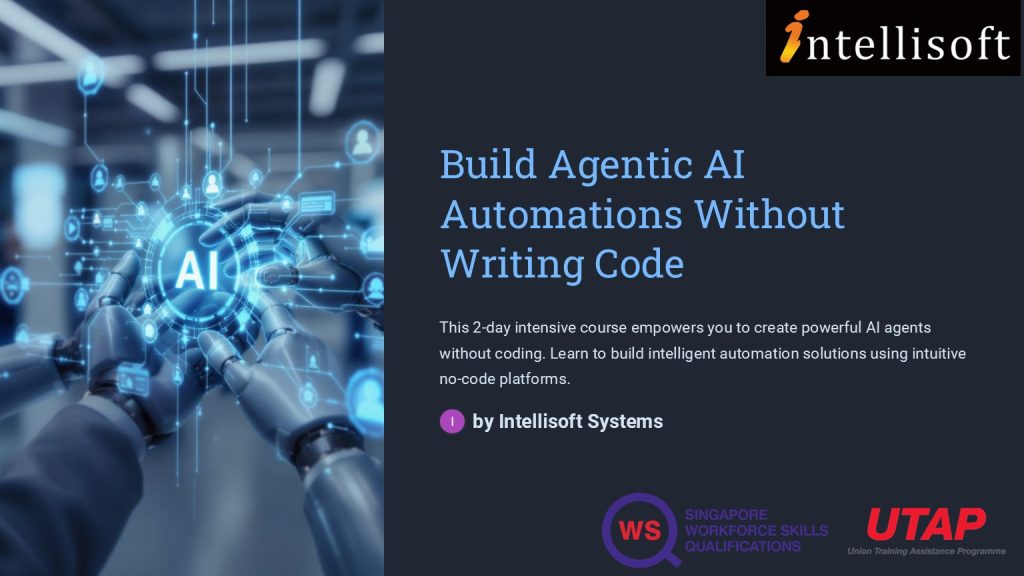
Agentic AI Course: Automate Without Coding in Singapore

N8N Course Singapore at Intellisoft. SkillsFuture N8N LangFlow Singapore Course Intellisoft.
Create Agentic AI Automations Without Coding SkillsFuture Credits Eligible in Singapore.

Course Overview: Build Agentic AI Automations Without Writing Code

This practical, hands on Agentic AI automation development without any code is offered to companies and individuals. The course follows a very systematic, step by step approach to guide you on the path to begin building Agentic AI automations without writing code.

Section 1: Introduction to AI Agents and Workflows

Build AI Agents with No Code at Intellisoft Systems Singapore - SkillsFuture Eligible Course in Singapore
Build AI Agents with No Code at Intellisoft Systems Singapore – SkillsFuture Eligible Course in Singapore

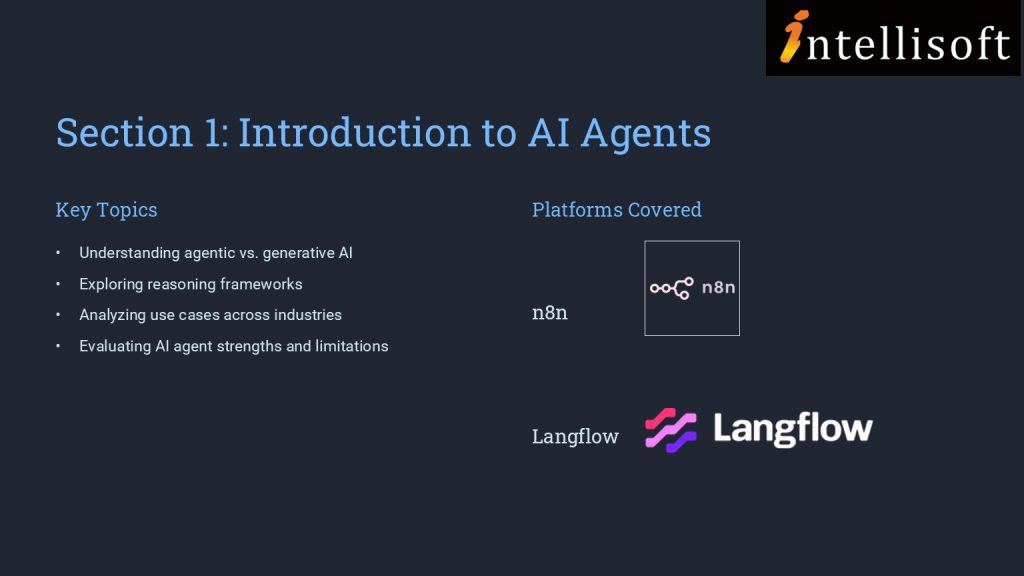
In section 1, we establish the foundational knowledge by introducing you to AI agents and agentic AI workflows. This section covers the basics of AI agents, differentiating between agentic and generative AI, and explores reasoning frameworks and use cases.

You are also introduced to agentic AI platforms like n8n and Langflow, setting the stage for creating AI agents. This foundational knowledge is crucial for analyzing AI agents’ algorithms and identifying their strengths and limitations, addressing the initial performance gap.

Section 2: Developing AI Chatbots

Building on the foundational knowledge, Section 2 delves into the practical aspects of developing AI chatbots on no-code platforms. You are introduced to platforms such as Agentx, Promptly, and Flowise, and engage in creating AI chatbots and digital human avatars.

This section enhances your ability to correlate AI agents’ algorithm design with efficiency and assess improvements in AI applications.

 Implementing RAG Applications

Section 3 moves to a higher level of complexity where you will explore the development of Retrieval Augmented Generation (RAG) applications on no-code platforms. This section covers the overview of RAG, creation of agentic RAG applications, and introduces agentic search and deep research.

You will also engage with Microsoft Copilot Studio to create AI agents and RAG applications.

This section equips you with the skills to evaluate AI application effectiveness and assess feasibility for product and maintenance processes.

More information about Creating AI Agentic Automations Without Writing Code

In the fast-evolving world of AI, understanding how to design and deploy intelligent agents—without writing a single line of code—is becoming an essential skill. This course on Agentic AI provides a practical, step-by-step journey into the world of AI agents, empowering learners to conceptualize, build, and deploy AI workflows using non-coding platforms.

Designed for professionals and enthusiasts in product management, technology, and innovation roles, this course demystifies the concepts of agentic AI, chatbot development, and Retrieval Augmented Generation (RAG). Learners will explore no-code tools like n8n, Langflow, Agentx, Flowise, HeyGen, and Microsoft Copilot Studio, gaining hands-on experience to rapidly prototype and deploy AI applications.

By the end of the course, you’ll not only understand the difference between generative and agentic AI, but also be able to create functional AI agents that solve real-world problems—boosting efficiency, user engagement, and business innovation.

If you are new to generative AI, you can join our WSQ Funded course on Digital Transformation with AI Tools.

In this Practical, Prospecting & Lead Generation, you would learn to

  • Identify prospects
  • Implement both traditional and new marketing methods
  • Use the pipeline effectively
  • Educate customers
  • Track activity and make adjustments as needed

Go To Top

Best suited for individuals, as well as employees in Sales, Marketing, Customer Service, Purchasing, IT, HR, Finance, Manufacturing, Data Analysis, and other departments in companies.

Go To Top

Module One: Getting Started

Module Two: Prospecting

Module Three: Traditional Marketing Methods

Module Four: New Marketing Methods

Module Five: Generating New Leads

Module Six: Avoid Common Lead Generation Mistakes

Module Seven: Educate Prospects

Module Eight: The Pipeline

Module Nine: Follow up Communication

Module Ten: Track Activity

Module Eleven: Create Customers

Module Twelve: Wrapping Up

Go To Top

Anyone can attend who wants to improve the skills to generate leads and prospects for any business. No specific skills or pre-requisites.

However, you must have a basic understanding of English.

Go To Top

Post-Course Support

  • We provide free consultation related to the subject matter after the course.
  • Please email your queries to training@intellisoft.com.sg and we will forward your queries to the subject matter experts.

Venue:

All courses are conducted at:

190 Middle Road, 10-08 Fortune Centre, Singapore 188979.  5 mins walk from Bencoolen MRT station. Bugis, Rochor, Bras Basah MRT are nearby, within walking distance.

The venue is disabled-friendly.

SkillsFuture Ready

Singaporeans can use $500 SkillsFuture Credits for this training to offset the course fees.

Contact us for advise on how to go about claiming your SkillsFuture.

Get Started Today!

Learn By Doing

You learn best when you Do It Yourself.

We teach you, step by step, how you can learn new skills, build your knowledge and enhance your career prospects quickly & easily, with Practical Tips & Tricks!

Do You Have Any Questions or Need a Quotation?

Simple. Just tell us what you need. We’ll be glad to help you!

Some of the companies that experienced our trainings

"What I love about this training is that the trainers make sure we learn the steps and are able to do it on our own. This is a real advantage and I will definitely come back for more practical training"
Michele Martin
HR Manager
“The training was everything I hoped for, and more. Intellisoft Systems really makes a difference, I would have never discovered the hidden features of the sotftware on my own. Thanks a lot Intellisoft !"
Joy Tan
Project Engineer

How To Register

Register for the 2 Days Create Agentic AI Automation Without Coding Training in Singapore today.

Click on the chosen Create Agentic AI Automations Without Coding course dates available at the top of this page.

Need Help in Registering for Create Agentic AI Automations Without Coding Course?

Call us at +65 6250-3575, WhatsApp: +65 9066-9991 

If you have any questions about your target audience, pre-requisites for this course or want to arrange a corporate training for your company, do let us know. Email to training@intellisoft.com.sg

Create Agentic AI Automations Without Coding Corporate Training Program in Singapore (Physical Class or Virtual Classroom using Zoom or Microsoft Teams)

Request a Course Brochure here or enquire about any questions regarding Agentic AI training. We offer Corporate Training for your company too.

If you are looking to train your entire team, we can arrange to conduct the Agentic AI  training at your office location too. Just contact us for the quotation and suitable dates for the training.

Accelerate Your Career With the Most Effective & Practical Training.

Training Course Fees & Funding

Full course fee: S$1,000.00 (before GST & government funding) TGS: TGS-2025054773

Highest Funding
70% Grant

70% SSG Grant

Baseline + Enhanced Training Support

  • SG Citizens aged 40+ (Individual, SME or MNC)
  • SME-sponsored SG Citizens (21+)
  • SME-sponsored PRs (21+)
Course Fee S$1,000.00
SSG Funding (70%) − S$700.00
Nett Fee S$300.00
GST (9%) S$90.00
You Pay S$390.00
SSG Funded
50% Grant

50% SSG Grant

Baseline WSQ Funding

  • SG Citizens aged 21–39 (Individual or MNC)
  • MNC company-sponsored PRs (21+)
  • Individual PRs (21+)
Course Fee S$1,000.00
SSG Funding (50%) − S$500.00
Nett Fee S$500.00
GST (9%) S$90.00
You Pay S$590.00
Foreigners & other pass holders: Government grants are not applicable. Full course fee of S$1,000.00 + 9% GST = S$1,090.00 applies. Contact us for more details.

Need help with funding applications? We'll guide you through the process.

* Terms & conditions apply. Funding subject to eligibility and approval by respective agencies. GST applies on full course fee before subsidy. Fee information is accurate as of May 2026.

N8N Course Singapore at Intellisoft. SkillsFuture N8N LangFlow Singapore Course Intellisoft.

Microsoft Excel, Word, PowerPoint Combined 3 Day Training With CoPilot

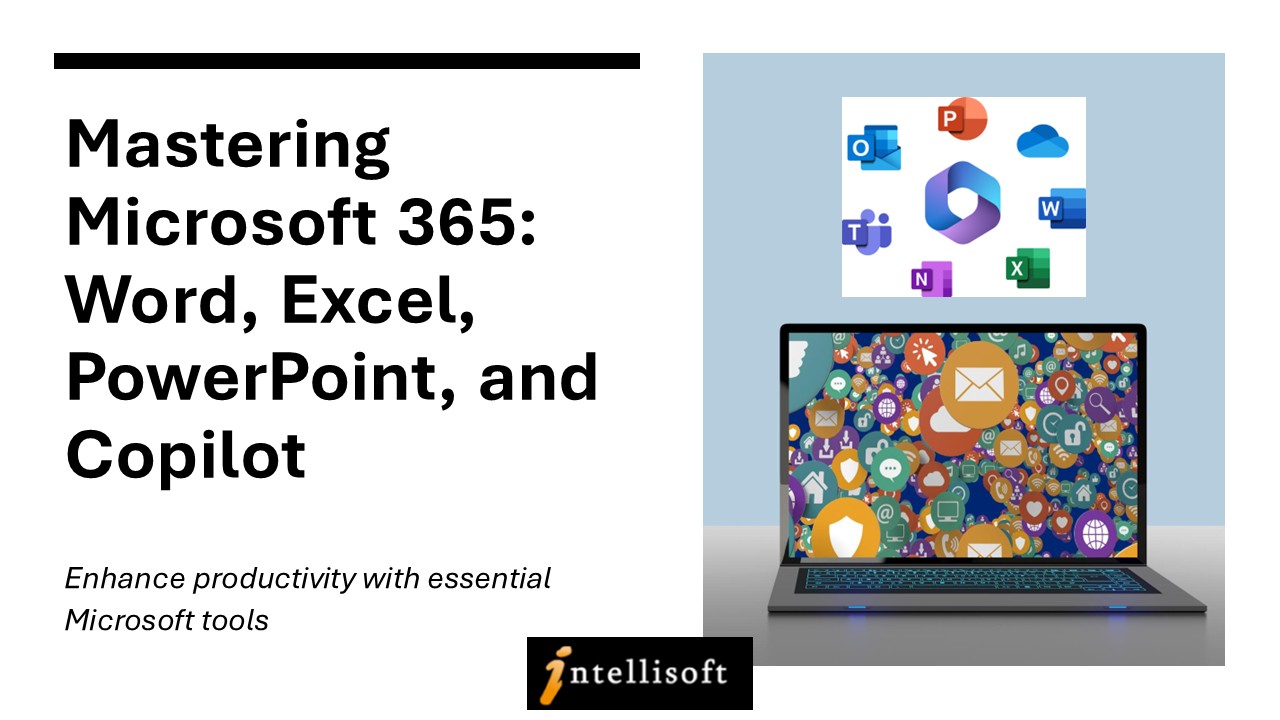
Microsoft 365 Excel, PowerPoint, Word & Copilot Training course at Intellisoft Singaporeu

Microsoft 365 Excel, PowerPoint, Word & Copilot Training course at Intellisoft Singapore

Microsoft Word, Excel, and PowerPoint  Training Workshop in Singapore – Combined Class

Word,PowerPoint,Excel 2010 Training @Intellisoft Singapore
Word, PowerPoint, Excel with Copilot in Microsoft 365Training @Intellisoft Singapore

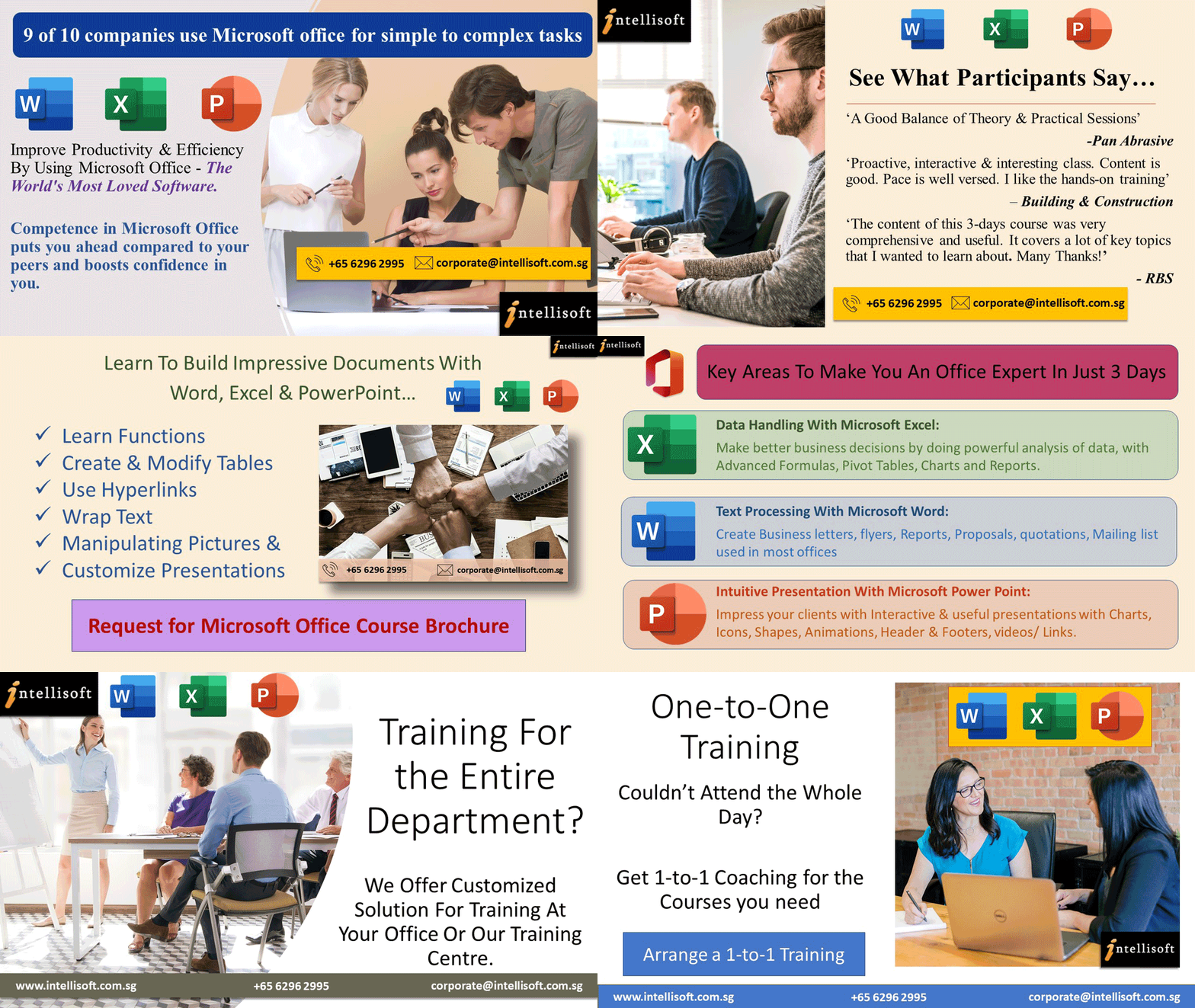
Improve your PowerPoint Presentation skills, Work better with Numbers and Data in Excel  Microsoft 365, and create stunning documents in Microsoft Word by attending a short, 3 day, Hands-on & Practical workshop on Microsoft Office in Singapore.

Course Duration : 3 days is available to Singapore Companies (For company sponsored candidates). Call +65 6250-3575 for Details.

If you want to join our dedicated Excel course in Singapore & improve your skills, we have multiple courses – Basic Excel for Analytics, Advanced Excel Courses in Singapore & VBA Macro Programming Courses.

Learn Microsoft Word,PowerPoint,Excel2010 at Intellisoft
Learn Microsoft 365 Word, PowerPoint, Excel at Intellisoft with Copilot

Microsoft Office (Word, Excel & PowerPoint) for Basic to Intermediate Level is best suited for people who want to get more out of Microsoft Office Suite and make the best use of the software in their day-to-day use.

Learn Office 365 tips and techniques that will make your work you work faster, efficiently, and you will be able to do complex tasks in a short time.

Excel, Word & PowerPoint are simple office productivity tools from Microsoft, and are very easy to pick up, once you follow our step-by-step, practical and useful approach to learning the software to maximize your efficiency and effectiveness with the use of these popular software packages.

Learn Copilot for Office 365 - Word, Excel, PowerPoint
Learn Copilot for Office 365 – Word, Excel, PowerPoint

Go To Top

This program is highly recommended for those who want to understand the concepts of Documents, Spreadsheets and Presentations, and want to demonstrate the ability to expertly use these applications on a personal computer.

Beginner users and People who know the basics, but want to learn the Intermediate features of Microsoft Excel, Word & PowerPoint will find this program extremely useful.

Go To Top


Day 1: Microsoft Excel 

Section 1: Formulas and Functions 

Entering Formulas
Excel Arithmetic Operators
Using AutoFill Options
Commonly Used Functions

Section 2: Organizing Worksheet and Table Data

Create and Modify Tables
Sort and Filtering Data
Get Summary Information in a Table

Section 3: Working with Charts

Summarizing Data Using Charts
Customizing Chart Data
Format Chart Legend and Titles
Creating a Pie Chart

Section 4: Working with Graphics

Add Pictures into a Worksheet
Customize Pictures and Objects
Add Drawing Objects
Add SmartArt

Section 5: Managing Large Workbook

Manage Large Workbook Printing
Worksheets Setting
Page Setup Options

Section 6: Customizing & Enhancing Workbooks

Customizing Excel to Your Work
Creating Hyperlinks
Customizing Quick Access Toolbar

Section 7: Analyze and transform data with Microsoft 365 Copilot in Excel

Analyze your data
Transform your data
Add Tables
Add Charts
Sort & Filter Data

Day 2: Microsoft Word 

Section 1: Manage documents

Format documents
Save and share documents
Insert text and paragraphs
Format text and paragraphs
Create and configure document sections

Section 2: Manage tables and lists

Create tables
Modify tables
Create and modify lists

Section 3: Create and manage references

Create and manage reference elements
Create and manage reference tables

Section 4: Insert and format graphic elements

Insert illustrations and text boxes
Insert shapes
Insert pictures
Insert SmartArt graphics
Insert screenshots and clips
Insert text boxes
Format illustrations & text boxes
Add text to graphic elements

Section 5: Manage document collaboration

Add and manage comments
Manage change tracking

Section 6: Maximize the AI features using Copilot in Microsoft Word
Draft a new document
Use the Copilot pane to chat with Copilot in Word
Linking files in Copilot in Word
Facilitate Collaboration using real-time coauthoring

Day 3: Microsoft PowerPoint 

Section 1: Working With Text 

Using an Outline Adding Text Using Bullets and Numbering Formatting Text & Paragraphs Using Text Boxes Setting Tabs

Section 2: Adding Multimedia Elements

Using Multimedia Elements Working With Pictures Applying Styles & Effects Modifying Hyperlinks Working With SmartArt

Section 3: Enhancing Presentations

Adding Audio & Video Media
Using Animation
Managing Multiple Transitions
Changing Animation Order
Using Slide Transitions

Section 4:  Preparing The Slide Show

Reviewing The Presentation Customizing the Presentation Proofing the Presentation Setting up a Slide Show Using Presentation Tools
Using Presenter View Rehearsing a Presentation Presenting The Slide Show

Section 5: Design captivating presentations with Microsoft 365 Copilot in PowerPoint

Create a new presentation
Transform written documents into presentations
Adjust layouts, reformat text, and time animations

Microsoft 365 Course in Singapore with Excel, Word, PowerPoint & Copilot - With WSQ Funding, UTAP, SkillsFuture, SFEC Grants & Absentee Payroll
Microsoft 365 Course in Singapore with Excel, Word, PowerPoint & Copilot – With WSQ Funding, UTAP, SkillsFuture, SFEC Grants & Absentee Payroll

Go To Top

Basic knowledge of computers, using the keyboard, mouse and Windows is required. This is an Intermediate level program, so we will teach you all about Microsoft Office and then how to get the most of it for day to day use at your office or home.

Go To Top

Post-Course Support

  • We provide free consultation related to the subject matter after the course.
  • Please email your queries to training@intellisoft.com.sg and we will forward your queries to the subject matter experts.
Microsoft Training at Intellisoft

Learn Practical Skills

Companies sponsoring their staff for this Microsoft Excel, Word, PowerPoint training will benefit from increased employee productivity.

Your team will learning the fundamentals of Microsoft Office 365 easily.

Excel Dashboard Training Participants

3 Days Workshop

Enhance your team's efficiency and effectiveness with Microsoft Excel, Word, PowerPoint Combined 3 Day Training.

Contact us for advise on how to go about how to get started in learning the fundamentals of Microsoft Office 365 easily.

Get Started Today!

Learn By Doing

You learn best when you Do It Yourself.

We teach you, step by step, how you can learn new skills, build your knowledge and enhance your career prospects quickly & easily, with Practical Tips & Tricks!

Training Course Fees & Funding

Full course fee: S$980.00 (before GST & government funding) TGS: TGS-2025052673

Highest Funding
70% Grant

70% SSG Grant

Baseline + Enhanced Training Support

  • SG Citizens aged 40+ (Individual, SME or MNC)
  • SME-sponsored SG Citizens (21+)
  • SME-sponsored PRs (21+)
Course Fee S$980.00
SSG Funding (70%) − S$686.00
Nett Fee S$294.00
GST (9%) S$88.20
You Pay S$382.20
SSG Funded
50% Grant

50% SSG Grant

Baseline WSQ Funding

  • SG Citizens aged 21–39 (Individual or MNC)
  • MNC company-sponsored PRs (21+)
  • Individual PRs (21+)
Course Fee S$980.00
SSG Funding (50%) − S$490.00
Nett Fee S$490.00
GST (9%) S$88.20
You Pay S$578.20
Foreigners & other pass holders: Government grants are not applicable. Full course fee of S$980.00 + 9% GST = S$1,068.20 applies. Contact us for more details.

Need help with funding applications? We'll guide you through the process.

* Terms & conditions apply. Funding subject to eligibility and approval by respective agencies. GST applies on full course fee before subsidy. Fee information is accurate as of May 2026.

Do You Have Any Questions or Need a Quotation?

Simple. Just tell us what you need. We’ll be glad to help you!

Some of the companies that experienced our trainings

How To Register

Register for the 3 Days of Microsoft Office 365 with Copilot training today by simply clicking on the chosen course date available at the top of this page. Need Help?

  1. Call us at +65 6250-3575, SMS / WhatsApp: +65 9066–9991
  2. Send an email  to  training@intellisoft.com.sg  OR
  3. Submit an online enquiry if you have  any questions regarding Microsoft 365 Excel, Word and PowerPoint with Copilot training.

You can call us at +65  6250-3575 for your Customized Corporate training enquiry.

Learn Microsoft Office 365 With CoPILOT
&
Enhance Your Productivity

Microsoft Office Training in Singapore - Learn Word, Excel, PowerPoint in 3 days

ChatGPT, Gemini, Copilot & New AI Tools for Enhanced Productivity

Digital Transformation With AI Tools in Singapore at Intellisoft Systems
Intellisoft offers WSQ funded, UTAP supported SkillsFuture Credits Eligible Courses in Singapore

Learn ChatGPT, Gemini, CoPilot & Other AI Tools
for Content Generation, Digital Marketing
& Transformation of Process

AI Tools Training at Intellisoft Systems Singapore

Our Best & Most Useful AI Tools Course in Singapore

Best AI ChatBot for SEODigital Transformation with AI Tools

This course covers ChatGPT, Gemini, Copilot & New AI Tools for Enhanced Productivity. It employs a step-by-step framework to ensure you develop a comprehensive understanding of how AI tools can drive digital transformation within your business.

The course begins by introducing fundamental concepts like artificial intelligence and generative AI, and advances to topics such as various AI tools such as ChatGPT, Gemini, Claude, Copilot etc. and Feasibility analysis.

You will explore How to Implement the Latest AI Tools like ChatGPT to your business scenarios.

Use ChatGPT or Gemini or Copilot for Creating Marketing Newsletters, Social Media Posts, Tweets, LinkedIn Posts, Facebook Posts easily.

ChatGPT, Gemini, Copilot & New AI Tools for Enhanced Productivity

Generative AI can now create Images too!

AI Tools Training at Intellisoft Systems Singapore

Master ChatGPT, Gemini, Copilot & New AI Tools for Enhanced Productivity

Section 1: Introduction to AI-Driven Digital Transformation

  • Digital transformation driven by AI Tools
  • Overview of Generative AI technologies and applications
  • Enhancing Business Processes with AI Tools like Copilot
  • Improving Customer Experiences with AI Tools like ChatGPT

Section 2: Identify Generative AI Tools for Businesses

  • Understanding digitization and its applications in business
  • Identify AI tools to improve businessCreate Digital Transformation With Photoshop Courses in Singapore at Intellisoft Systems Singapore

Section 3: Conduct Feasibility Analysis and Cost-Benefit Analysis

  1. Viability of using Generative AI tools
  2. Conducting feasibility analysis and and weigh the costs-benefits using Generative AI tools

Section 4: Implement AI Tools for Businesses

  • Building a culture of innovation
  • Apply AI tools for content creation
  • Apply AI tools for digital marketing
  • Apply AI tools for business processes
  • Apply AI tools for hard skills

How to Use ChatGPT for Social Media Posts

Overall Course Objectives for Digital Transformation With AI Tools
(ChatGPT, Gemini, Copilot & New AI Tools for Enhanced Productivity)

  • Equip participants with a comprehensive understanding of AI’s role in digital transformation.
  • Enable learners to identify, analyze, and implement the most suitable AI tools for their business needs.
  • Foster a practical and strategic mindset for integrating AI technologies effectively and sustainably in business environments.
  • Encourage innovation and continuous learning in the rapidly evolving field of AI.

This course aims to provide a blend of theoretical knowledge and practical skills, preparing participants to lead and execute AI-driven digital transformation initiatives effectively.

Go To Top

The ideal target audience for a course on “Digital Transformation with AI Tools” encompasses a range of professionals who are either directly involved in or influencing the integration and application of technology in business processes. This includes:

  1. Business Leaders and Executives:
    • CEOs, CTOs, CIOs, and other C-suite executives who are responsible for driving strategic decisions and implementing digital transformation initiatives in their organizations.
  2. Digital Transformation Consultants:
    • Professionals who advise businesses on digital transformation strategies and need to stay abreast of the latest AI tools and technologies.
  3. Marketing Professionals:
    • Digital Marketers, Content Creators, and Social Media Managers who can use AI tools for enhancing digital marketing strategies and content creation.
  4. Entrepreneurs and Startup Owners:
    • Business owners who are looking to leverage AI tools to gain a competitive edge and innovate within their industries.
  5. HR Professionals:
    • Human Resources Managers and Recruiters who can use AI tools for talent acquisition, employee engagement, and analyzing workforce data.
  6. Students in Business and Technology Fields:
    • University students specializing in business, technology, or related fields who are preparing for careers in an increasingly digital and AI-driven world.
  7. Policy Makers and Government Officials:
    • Individuals involved in shaping policies around technology, AI, and digital transformation who need to understand the practical implications of these tools in the business sector.

By targeting this diverse audience, the course can address a wide range of interests and needs, ensuring relevance and applicability across various industries and professional roles. The course will be particularly beneficial for those who are in positions to influence or implement digital strategies and innovations in their organizations.

Go To Top

WSQ Funded Digital Transformation With AI Tools Course in Singapore

ChatGPT, Gemini, Copilot & New AI Tools for Enhanced Productivity

Section 1: Introduction to AI-Driven Digital Transformation

• Digital transformation driven by AI
• Overview of Generative AI technologies and application
• Enhancing Business Processes with AI
• Improving Customer Experiences with AI

Section 2: Identify Generative AI tools for Businesses

• Understanding digitization and its applications in business
• Identify AI tools to improve business

Section 3: Conduct Feasibility Analysis and Cost-Benefit Analysis

• Viability of using Generative AI tools
• Conducting feasibility analysis and and weigh the costs-benefits using Generative AI tools

Section 4: Implement AI Tools for Businesses

Chat Prompts for ChatGPT for Social Media Posts

• Building a culture of innovation
• Apply AI tools for content creation
• Apply AI tools for digital marketing
• Apply AI tools for business processes
• Apply AI tools for hard skills

Go To Top

Please ensure that you and your participants have a sufficient background to grasp the concepts and applications discussed. Here are some basic prerequisites:

  1. Basic Understanding of Digital Technologies:
    • Familiarity with fundamental digital concepts and technologies. This doesn’t require deep technical expertise but a general understanding of how digital tools are used in a business context.
  2. Business Acumen:
    • An understanding of basic business principles and processes. This is important for comprehending how AI can be integrated into various business operations and strategies.
  3. Basic Computer Literacy:
    • Proficiency in using computers and common software applications. While advanced programming skills are not necessary, comfort with technology is essential.
  4. Awareness of AI and Machine Learning Concepts:
    • A basic understanding of what AI and machine learning are. This doesn’t require in-depth knowledge, but a general awareness of these technologies and their potential impact.
  5. Openness to Learning New Technologies:
    • A willingness and enthusiasm to learn about new technologies and their applications in business. This mindset is crucial for fully benefiting from the course.
  6. Problem-Solving Skills:
    • Ability to think critically and solve problems. As the course will cover how AI can be used to address business challenges, these skills will be valuable.
  7. Communication Skills:
    • Good verbal and written communication skills, as the course may involve group discussions, presentations, and collaborative projects.

Go To Top

Post-Course Support

  • We provide free consultation related to the subject matter after the course.
  • Please email your queries to training@intellisoft.com.sg and we will forward your queries to the subject matter experts.

SkillsFuture Ready

Singaporeans can use $500 SkillsFuture Credits for this training to offset the course fees.

Contact us for advise on how to go about claiming your SkillsFuture.

Get Started Today!

Learn By Doing

You learn best when you Do It Yourself.

We teach you, step by step, how you can learn new skills, build your knowledge and enhance your career prospects quickly & easily, with Practical Tips & Tricks!

Do You Have Any Questions or Need a Quotation?

Simple. Just tell us what you need. We’ll be glad to help you!

Some of the companies that experienced our trainings

"What I love about this training is that the trainers make sure we learn the steps and are able to do it on our own. This is a real advantage and I will definitely come back for more practical training"
Michele Martin
HR Manager
“The training was everything I hoped for, and more. Intellisoft Systems really makes a difference, I would have never discovered the hidden features of the sotftware on my own. Thanks a lot Intellisoft !"
Joy Tan
Project Engineer

How To Register

To register for this 2-day course on Chat GPT and Generative AI Tools & Technologies at Intellisoft Systems, you can visit our office or simply register on the website.

The Registration form allows you to directly register the participants.

Additionally, you can reach us by phone at +65 6250-3575 for more information or to register directly.
How to use chatgpt to Create Social Media Content

Accelerate Your Career With the Most Effective & Practical Training.


Upto 70% WSQ Funding* from SkillsFuture Singapore

Training Course Fees & Funding

Full course fee: S$750.00 (before GST & government funding) TGS: TGS-2024043430

Highest Funding
70% Grant

70% SSG Grant

Baseline + Enhanced Training Support

  • SG Citizens aged 40+ (Individual, SME or MNC)
  • SME-sponsored SG Citizens (21+)
  • SME-sponsored PRs (21+)
Course Fee S$750.00
SSG Funding (70%) − S$525.00
Nett Fee S$225.00
GST (9%) S$67.50
You Pay S$292.50
SSG Funded
50% Grant

50% SSG Grant

Baseline WSQ Funding

  • SG Citizens aged 21–39 (Individual or MNC)
  • MNC company-sponsored PRs (21+)
  • Individual PRs (21+)
Course Fee S$750.00
SSG Funding (50%) − S$375.00
Nett Fee S$375.00
GST (9%) S$67.50
You Pay S$442.50
Foreigners & other pass holders: Government grants are not applicable. Full course fee of S$750.00 + 9% GST = S$817.50 applies. Contact us for more details.

Need help with funding applications? We'll guide you through the process.

* Terms & conditions apply. Funding subject to eligibility and approval by respective agencies. GST applies on full course fee before subsidy. Fee information is accurate as of May 2026.

Free Tips, Tutorials & Training Grants Info

Learn from expert tips, tricks and resources for Excel, PowerPoint, Photoshop, Python, Power BI, Project Management, IT, Soft Skills & more with our Email Newsletter.
Plus get the latest news on Grants. Join Today!

Found What You Were
Looking For?

Just Tell us...

We're Here To Help You!