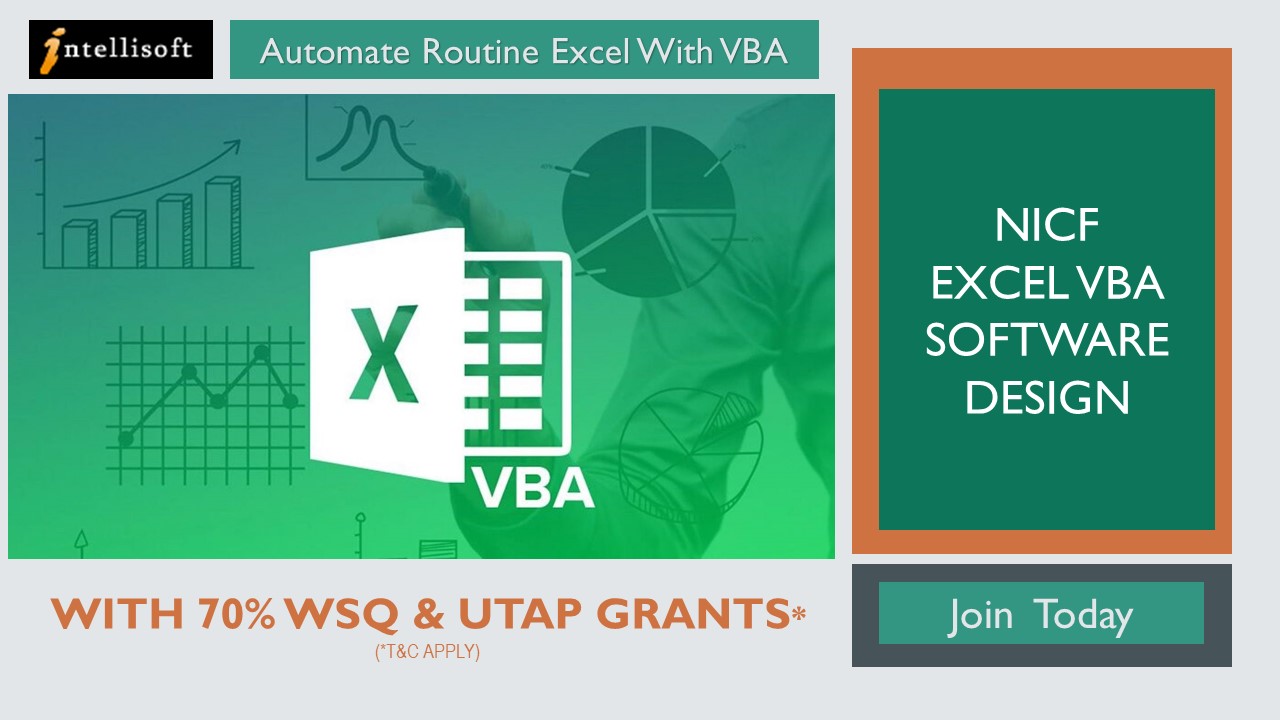
This Excel VBA course in Singapore is a 3-day, hands-on Excel programming course. You learn to record, edit and debug macros, then write VBA code that formats worksheets, builds reports and runs repeated Excel tasks in one click.
If you want an Excel macro course in Singapore that goes past the macro recorder, this macros and VBA training takes you from recorded macros to code you write yourself. VBA uses English-like syntax, so you do not need a coding background. VBA code saves time and cuts errors, because the same steps run the same way every time.
VBA is built into desktop Excel, so the macros you write run on your colleagues’ computers with nothing extra to install. By writing the VBA code, employees increase their productivity and make themselves more valuable to current and future employers.
For tasks like data consolidation, data analysis, forecasting, or reporting, users can effectively automate a large portion of their work in areas such as Finance, Banking, Healthcare, Customer Service, and Management Reporting.
Learning Forms and Controls helps users to build User Interactive Windows or Forms, including getting the data from various sources and interacting with other applications.
In addition, VBA can automate most tasks, including report generation, creating a spreadsheet, calculating a large amount of data, and performing data analysis.
Excel Automation Course: Automate Reports with VBA Macros
Turn the Excel work you repeat every week into one click: consolidate monthly reports, clean imported data, and build dashboards and input forms that run themselves. This VBA macro training is hands-on from the first hour.
Course Outline
Course Objectives
Pre-Requisites
Target Audience
Support
Course Outline
Module One: Getting Started
Module Two: Introduction to Recruitment
Module Three: The Selection Process
Module Four: Goal Setting
Module Five: The Interview
Module Six: Types of Interview Questions
Module Seven: Avoiding Bias in Your Selection
Module Eight: The Background Check
Module Nine: Making Your Offer
Module Ten: Orientation and Retention
Module Eleven: Measuring the Results
Module Twelve: Wrapping Up
Course Objectives
The Key objectives of Building a Good Employee Recruitment Process are:
Defining recruitment.
Understanding the selection process.
Recognizing the GROW model and how to set goals.
Preparing for the interview and question process.
Identifying and avoiding bias when making offers.
Discovering ways to retain talent and measure growth.
Pre-Requisites
Anyone can attend who wants to improve the skills to hire Employee in the company. No specific skills or pre -requisites.
You must have basic knowledge of English and be interested in the Recruitment process.
Target Audience
Best suited for HR Employees, Managers, as well as companies involved in Recruitment Business.
Managers & HR in all companies, who are recruiting employees must know the process well.
Support
Post-Course Support
We provide free consultation related to the subject matter after the course.
Please email your queries to training@intellisoft.com.sg and we will forward your queries to the subject matter experts.
Venue:
All courses are conducted at Intellisoft Training Rooms at 190 Middle Road, 10-08 Fortune Centre, Singapore 188979.
Short walk from Bencoolen MRT, Bugis, Rochor, Bras Basah MRT stations. The venue is disabled-friendly. For directions, click Contact Us.
We provide free consultation related to the subject matter after the course.
Please email your queries to training@intellisoft.com.sg and we will forward your queries to the subject matter experts.
Venue:
All courses are conducted at:
190 Middle Road, 10-08 Fortune Centre, Singapore 188979. 5 mins walk from Bencoolen MRT station. Bugis, Rochor, Bras Basah MRT are nearby, within walking distance.
The venue is disabled-friendly.
SkillsFuture Ready
Singaporeans can use $500 SkillsFuture Credits for this training to offset the course fees.
Contact us for advice on how to go about claiming your SkillsFuture.
Get Started Today!
Learn By Doing
You learn best when you Do It Yourself.
We teach you, step by step, how you can learn new skills, build your knowledge and enhance your career prospects quickly & easily, with Practical Tips & Tricks!
Do You Have Any Questions or Need a Quotation?
Simple. Just tell us what you need. We’ll be glad to help you!
Some of the companies that experienced our trainings
"What I love about this training is that the trainers make sure we learn the steps and are able to do it on our own. This is a real advantage and I will definitely come back for more practical training"
Michele Martin
HR Manager
“The training was everything I hoped for, and more. Intellisoft Systems really makes a difference, I would have never discovered the hidden features of the sotftware on my own. Thanks a lot Intellisoft !"
Joy Tan
Project Engineer
How To Register
How To Register For Excel VBA Software Design Course in Singapore
Register for the 3 Days Excel VBA Macro Course today by simply clicking on the chosen course date available at the top of this page.
Need Help? Call us at +65-6250-3575, SMS / WhatsApp: 9066-9991
We have regular public classes For Excel VBA Programming training each month, and Corporate Training can be arranged at your office too!
Note: This class uses a convenient and hands-on approach to gain Excel VBA Mastery. It requires you to take part in VBA programming exercises during the class. You can bring your own laptop or request to use our computer during the class beforehand.
WSQ Funded Excel VBA Training:
Join today, and begin to Master Excel VBA coding with our step-by-step instructions and helpful, patient Microsoft Certified Trainers to guide you.
Foreigners & other pass holders: Government grants are not applicable. Full course fee of S$960.00 + 9% GST = S$1,046.40 applies. Contact us for more details.
* Terms & conditions apply. Funding subject to eligibility and approval by respective agencies. GST applies on full course fee before subsidy. Fee information is accurate as of Oct 2026.
Performing Scenario Analysis for multi-variate testing & forecasting,
PLUS, many more techniques to filter the noise, and visualize the data for Better Decision Making
You should know Excel well to join this course, and it will help you to get closer to Excel mastery.
Now, With up to 70% WSQ Grant*
Analyze & Visualize Data like a Pro with Hidden Excel Features
WSQ Grant of up to 50-70%
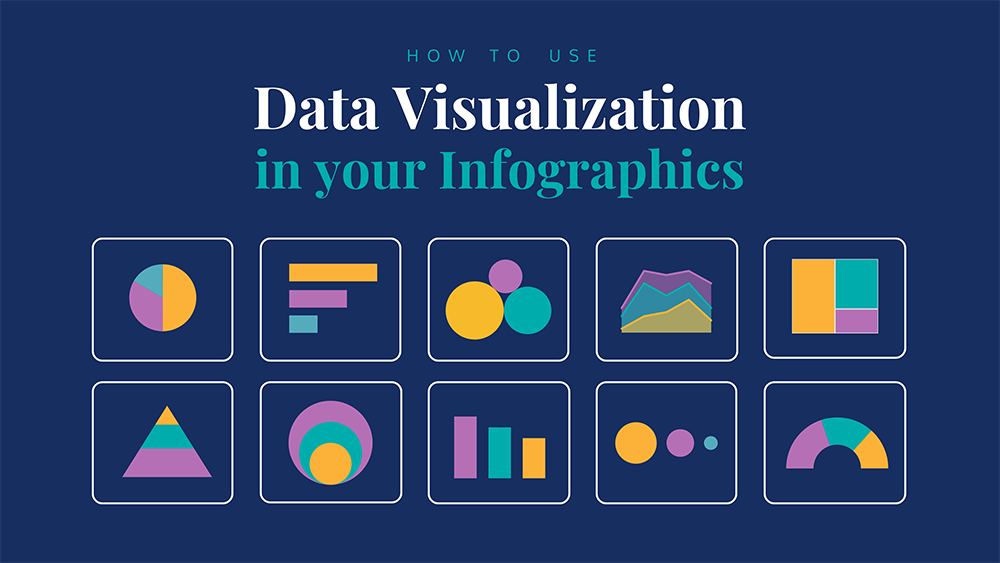
A good visualization tells a story, removing the noise from data and highlighting useful information, curating data into a form easier to understand, and highlighting the trends and outliers.
Advanced Data Analytics and Visualization course using Microsoft Excel, helps build complex models, making it easy to reach meaningful conclusions, and simplifies the decision-making process.
Companies can then use these insights to identify areas to improve upon and factors that influence customer satisfaction and make better predictions for sales and growth. Looking for a general or advanced Excel course instead? Compare all Excel courses.
Data storytelling helps the data feel alive and ensures that the message it’s conveying is meaningful and relevant, by balancing logic and facts with the emotional impact of a story, companies can better engage their audiences and enhance interactions with their customer base during business events.
By the end of this practical business intelligence with Excel course, you will be able to apply advanced data analytics and data visualization techniques to identify underlying trends and patterns in data with Microsoft Excel.
Data Analysis & Visualization training at Intellisoft Singapore
Learning Data Science, Data Visualization & Data Analysis are critical skills in gaining a deeper understanding of your data and making better decisions. They help in analyzing the performance of the business & continuous improvement of processes.
This course covers a number of Statistical Data Analysis Techniques for Predictive Analytics, Data Mining, Advanced Data Visualization Techniques & much more… all using Microsoft Excel. Each method is demonstrated with examples & exercises for your own business analytics.
This Excel Dashboard Masterclass is our most advanced Excel course for data visualisation and business analytics.
Classroom-based lectures with hands-on exercises on analyzing data using Microsoft Excel are used in this workshop to analyze & visualize data and find meaningful information. Data and business analytics provide valuable insights to management.
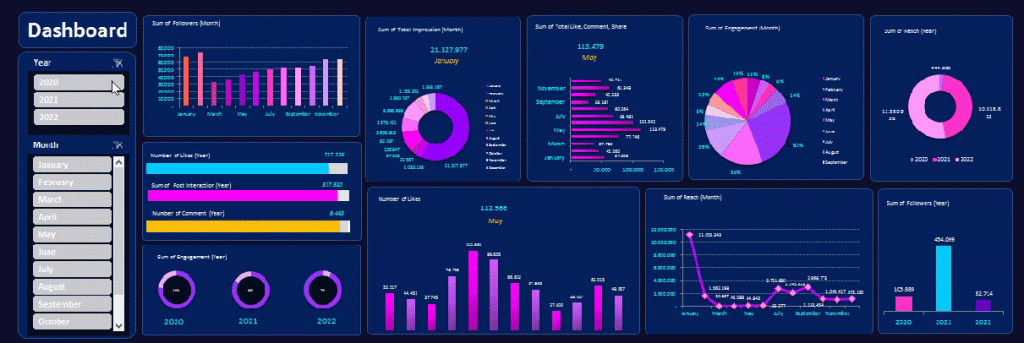
Dynamic Excel Dashboard Sample
Course Outline
Course Objectives
Pre-Requisites
Target Audience
Support
Course Outline
Advanced Data Analytics & Data Visualization Course With Excel Course Outline
This is a very practical, hands-on, and insightful course, full of advanced Excel techniques to bring in the data, analyze it quickly, identify trends, and visualize the information in charts, graphs and dashboards.
Module 1: Data Modeling Using Pivot Tables & Pivot Charts
Introduction to Data Modeling
Data Filtering & Transformation
Use Pivots to identify patterns across multiple data sets
Visual Analysis with Pivot Charts
Module 2: Solver and Scenarios to Manage Multiple Constraints
Managing Multiple Constraints
Proof of concept using Data Solver
Decision Making using Scenarios
Module 3: Data Modeling & Linear Regression for Better Forecasts
Data Modeling Principles
Building a Model With Excel
Using Linear Regression
Module 4: Data Mining and Goal Seek To Derive Business Insights
Data Mining With Lookup Functions
Business Insights From Goal Seek
Advanced Use Cases for Data Mining With Excel Functions
Module 5: Statistical Analysis and Data Visualization Dashboards
Key Principles of Data Visualization
Presentation of qualitative data-driven visualization
Statistical analysis of data
Learn The Secrets of Data Analysis With Excel Today in Singapore with Excel Advanced formulas course Singapore
Join This Practical Training To Get Ahead With Advanced
Business Data Analysis & Visualization.
Learn The Best Excel Functions & Features for Data Analytics!
Business Data Analytics With Excel Course Trainer:
Advanced Data Analytics and Data Visualization with Excel Training at Intellisoft.
This Excel Data Analysis course is created and delivered by Vinai Prakash, Master Trainer & Founder of Intellisoft Systems.
Vinai has authored several articles on Data Analysis, Excel Dashboarding Techniques, Data Warehousing, Data Mining, Using SQL Databases for Creating Data-Rich applications, published in leading magazines, newspapers & books.
Excel Data Analysis Course in Singapore at Intellisoft Systems, Singapore
Data visualization allows business users to gain insight into their vast amounts of data.
It benefits them to recognize new patterns and errors in the data.
The main goal of data visualization is to make it easier to identify patterns, trends and outliers in large data sets.
Making sense of these patterns can lead to enhanced quality and speed of decision-making processes, as well as measurable increases in productivity and efficiency.
The objective of this Advanced Data Analytics & Data Visualization training is to help companies in using business intelligence tools to turn raw data into consumable insights, making it a powerful tool people can use to make better, data-driven decisions.
In this course, learners will learn how to leverage the power of Excel to organize and summarize data. They will learn how to use Trend Analysis, Advanced Pivot Table Techniques and Advanced charts to summarize data in a dynamic way based on a selection of values from a list or other Pivot tables.
Data Interpretation & Analysis training at Intellisoft
The course covers Advanced Excel Data Analytics & Data Visualization Topics, like:
Best Excel functions for deeper data analysis, data mining & business analytics
Tips for cleansing, transforming & modelling data,
Sensitivity Analysis with Data Tables,
Goal Seek Find the missing pieces,
Advanced Excel Visualisation Techniques using Multiple Charts, Pivots & Slicers
Data Modeling & Linear Regression for Predictive Analysis
Creation of Excel Dashboards for Business Intelligence & Management Reporting of Insights
Learn The Secrets of Data Analytics With Excel, & Become a Power Ninja Data Analyst!
Pre-Requisites
It would be great if you have good knowledge of Excel and could write simple formulas like SUM, IF, Create Bar Charts and use Excel on a regular basis for basic analysis and reporting.
Good knowledge and experience in using Excel on a regular basis.
Familiarity with Basic Excel functions is a must.
A passion for acquiring Data Analysis Superpowers.
Note: Anyone with Database, Business Intelligence, IT Programming, or similar experience are pretty qualified to take this course, even if lacking in everyday Excel experience.
Microsoft Excel software is available for download from the Microsoft website as a subscription. We will provide you with a copy of Microsoft Excel for use in the class, on our laptops.
Target Audience
Most data analysts, managers, decision-makers, and even end users typically struggle with report creation as they lack knowledge of features such as data analysis, data cleanup, advanced pivot tables techniques, and visualization techniques within Excel.
With this WSQ course, we target such people and will help such people learn advanced data analytic and data visualization techniques to organize data better and represent the same in both a dynamic tabular and chart format.
After attending this WSQ Advanced Excel Data Analytics & Visualization course, our audience will be better able to:
Organize data within excel in a “normalized” way to create dynamic reports.
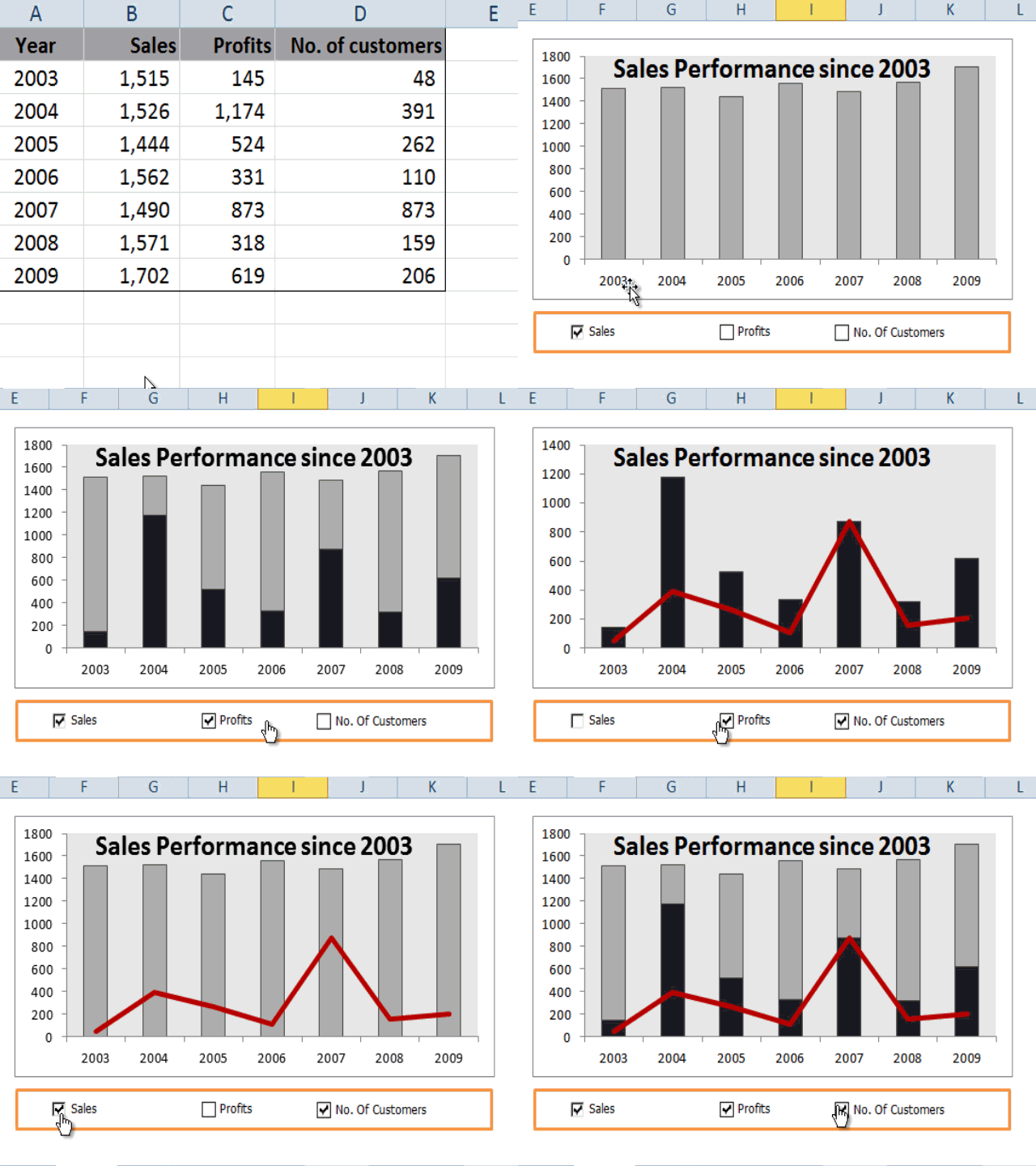
Create Pivot tables and charts that provide a dynamic view of data based on slider selections.
Create infographics summaries that are linked to the analyzed data and Pivot tables.
Support
Post-Course Support
We provide free consultation related to the subject matter after the course.
Please email your queries to training@intellisoft.com.sg and we will forward your queries to the subject matter experts.
Venue:
All courses are conducted at Intellisoft Training Rooms at 190 Middle Road, 10-08 Fortune Centre, Singapore 188979.
Short walk from Bencoolen MRT, Bugis, Rochor, Bras Basah MRT stations. The venue is disabled-friendly. For directions, click Contact Us.
Excel Data Analysis Course in Singapore at Intellisoft Systems, Singapore
Data visualization allows business users to gain insight into their vast amounts of data.
It benefits them to recognize new patterns and errors in the data.
The main goal of data visualization is to make it easier to identify patterns, trends and outliers in large data sets.
Making sense of these patterns can lead to enhanced quality and speed of decision-making processes, as well as measurable increases in productivity and efficiency.
The objective of this Advanced Data Analytics & Data Visualization training is to help companies in using business intelligence tools to turn raw data into consumable insights, making it a powerful tool people can use to make better, data-driven decisions.
In this course, learners will learn how to leverage the power of Excel to organize and summarize data. They will learn how to use Trend Analysis, Advanced Pivot Table Techniques and Advanced charts to summarize data in a dynamic way based on a selection of values from a list or other Pivot tables.
Data Interpretation & Analysis training at Intellisoft
The course covers Advanced Excel Data Analytics & Data Visualization Topics, like:
Best Excel functions for deeper data analysis, data mining & business analytics
Tips for cleansing, transforming & modelling data,
Sensitivity Analysis with Data Tables,
Goal Seek Find the missing pieces,
Advanced Excel Visualisation Techniques using Multiple Charts, Pivots & Slicers
Data Modeling & Linear Regression for Predictive Analysis
Creation of Excel Dashboards for Business Intelligence & Management Reporting of Insights
Learn The Secrets of Data Analytics With Excel, & Become a Power Ninja Data Analyst!
Most data analysts, managers, decision-makers, and even end users typically struggle with report creation as they lack knowledge of features such as data analysis, data cleanup, advanced pivot tables techniques, and visualization techniques within Excel.
With this WSQ course, we target such people and will help such people learn advanced data analytic and data visualization techniques to organize data better and represent the same in both a dynamic tabular and chart format.
After attending this WSQ Advanced Excel Data Analytics & Visualization course, our audience will be better able to:
Organize data within excel in a “normalized” way to create dynamic reports.
Create Pivot tables and charts that provide a dynamic view of data based on slider selections.
Create infographics summaries that are linked to the analyzed data and Pivot tables.
Advanced Data Analytics & Data Visualization Course With Excel Course Outline
This is a very practical, hands-on, and insightful course, full of advanced Excel techniques to bring in the data, analyze it quickly, identify trends, and visualize the information in charts, graphs and dashboards.
Module 1: Data Modeling Using Pivot Tables & Pivot Charts
Introduction to Data Modeling
Data Filtering & Transformation
Use Pivots to identify patterns across multiple data sets
Visual Analysis with Pivot Charts
Module 2: Solver and Scenarios to Manage Multiple Constraints
Managing Multiple Constraints
Proof of concept using Data Solver
Decision Making using Scenarios
Module 3: Data Modeling & Linear Regression for Better Forecasts
Data Modeling Principles
Building a Model With Excel
Using Linear Regression
Module 4: Data Mining and Goal Seek To Derive Business Insights
Data Mining With Lookup Functions
Business Insights From Goal Seek
Advanced Use Cases for Data Mining With Excel Functions
Module 5: Statistical Analysis and Data Visualization Dashboards
Key Principles of Data Visualization
Presentation of qualitative data-driven visualization
Statistical analysis of data
Learn The Secrets of Data Analysis With Excel Today in Singapore with Excel Advanced formulas course Singapore
Join This Practical Training To Get Ahead With Advanced
Business Data Analysis & Visualization.
Learn The Best Excel Functions & Features for Data Analytics!
Business Data Analytics With Excel Course Trainer:
Advanced Data Analytics and Data Visualization with Excel Training at Intellisoft.
This Excel Data Analysis course is created and delivered by Vinai Prakash, Master Trainer & Founder of Intellisoft Systems.
Vinai has authored several articles on Data Analysis, Excel Dashboarding Techniques, Data Warehousing, Data Mining, Using SQL Databases for Creating Data-Rich applications, published in leading magazines, newspapers & books.
It would be great if you have good knowledge of Excel and could write simple formulas like SUM, IF, Create Bar Charts and use Excel on a regular basis for basic analysis and reporting.
Good knowledge and experience in using Excel on a regular basis.
Familiarity with Basic Excel functions is a must.
A passion for acquiring Data Analysis Superpowers.
Note: Anyone with Database, Business Intelligence, IT Programming, or similar experience are pretty qualified to take this course, even if lacking in everyday Excel experience.
Microsoft Excel software is available for download from the Microsoft website as a subscription. We will provide you with a copy of Microsoft Excel for use in the class, on our laptops.
We provide free consultation related to the subject matter after the course.
Please email your queries to training@intellisoft.com.sg and we will forward your queries to the subject matter experts.
SkillsFuture Ready
Singaporeans can use $500 SkillsFuture Credits for this training to offset the course fees.
Contact us for advice on how to go about claiming your SkillsFuture.
Get Started Today!
Learn By Doing
You learn best when you Do It Yourself.
We teach you, step by step, how you can learn new skills, build your knowledge and enhance your career prospects quickly & easily, with Practical Tips & Tricks!
Do You Have Any Questions or Need a Quotation?
Simple. Just tell us what you need. We’ll be glad to help you!
Some of the companies that experienced our trainings
"What I love about this training is that the trainers make sure we learn the steps and are able to do it on our own. This is a real advantage and I will definitely come back for more practical training"
Michele Martin
HR Manager
“The training was everything I hoped for, and more. Intellisoft Systems really makes a difference, I would have never discovered the hidden features of the sotftware on my own. Thanks a lot Intellisoft !"
Joy Tan
Project Engineer
How To Register
How To Register For Advanced Excel Course in Singapore
Register for the 2 Days Advanced Excel Data Analytics & Data Visualization MasterClass Course today by simply clicking on the chosen course date available at the top of this page.
Need Help? Call us at +65-6250-3575, SMS / WhatsApp: 9066-9991
We have regular public classes For Advanced Data Analytics & Visualization With Excel MasterClass each quarter, and Corporate Training can be arranged at your office too!
Note: This class uses a convenient and hands-on approach to gain Excel Analytics & Visualization Mastery. It requires you to take part in Data Analysis & Data Visualization exercises during the class. You can bring your own laptop or request to use our computer during the class beforehand.
WSQ Funded Data Analytics and Visualization With Microsoft Excel Training:
Join today, and begin to Master Excel Data Analytics with our Step-by-step instructions and helpful, patient, Microsoft Certified Trainers to guide you.
Accelerate Your Career With the Most Effective & Practical Training.
Excellent workshop. Great and Patient Trainer! I am able to clean up the data, using lookup functions more efficiently, and Pivot table analysis & visualization was the best. Mr Vinai is great, he's a real expert in Excel and look forward to attending more of his sessions.
Being able to concisely explain formulas and techniques in a short time and stay relevant is the highlight. We loved the real-world exercises that helped us hone our business analysis skills. The trainer is very passionate about sharing his knowledge and keeps the lessons relevant.
Training Course Fees & Funding
Full course fee: S$900.00
(before GST & government funding)
TGS: TGS-2022017399
Foreigners & other pass holders: Government grants are not applicable. Full course fee of S$900.00 + 9% GST = S$981.00 applies. Contact us for more details.
* Terms & conditions apply. Funding subject to eligibility and approval by respective agencies. GST applies on full course fee before subsidy. Fee information is accurate as of Oct 2026.
Practical Skills to Clean, Analyze & Visualize Data
🔧 Data Cleanup (Preparing Your Data for Analysis)
Master practical Excel techniques to ensure your data is clean, consistent, and analysis-ready. Learn how to:
Detect and remove duplicate rows and inconsistent or missing data
Use TRIM, CLEAN, FIND & REPLACE to standardize text formats
Apply LEFT, RIGHT, MID, and FIND functions to extract values from text
Use Data Tools to remove duplicates and Advanced Filter to extract unique records
Format dates consistently and clean up invalid or irregular entries
Convert cross-tab reports into proper tabular format
Correct inaccurate values and update missing information efficiently
Use Excel Tables with filters to explore and correct data issues.
🎯 These skills ensure you’re always working with accurate, clean data – the foundation of every good analysis.
📊 Data Analysis (Extracting Insights from Data)
Develop strong analytical skills using Excel’s powerful formulas and tools. You will learn how to:
Use XLOOKUP, VLOOKUP, OFFSET, INDEX & MATCH to fetch and combine data from multiple sources
Apply COUNTIFS, SUMIFS, and logical functions to summarize and evaluate complex data sets
Use TEXTJOIN, TEXTSPLIT, and TRANSPOSE for advanced data manipulation
Analyze work schedules with date functions like NETWORKDAYS, WORKDAY, TEXT
Handle errors with formulas like IFERROR, and understand Excel error types
Work with 3D References and Data Modeling Techniques to consolidate data across multiple sheets
Use Range Names for cleaner formulas and easier navigation.
🔍 By mastering these tools, you’ll be able to extract insights, solve problems, and make confident decisions from your data.
📈 Data Visualization (Presenting Data Effectively)
Turn your raw data into meaningful visuals and dashboards. You’ll be able to:
Create dynamic Pivot Tables and advanced summaries
Add Slicers and Timelines for interactive data filtering
Build dashboards with Excel Tables, custom filters, and visuals
Design impactful charts – bar, column, line, and pie – to tell your data story
Perform Pareto analysis to identify top contributing factors and solve problems
Use Conditional Formatting to highlight trends, outliers, and insights at a glance
Optimize Excel Table Design for professional and structured reporting
📊 These skills will help you present your findings clearly, impress stakeholders, and support data-driven decisions.
✅ Why Join This Excel Data Analytics Course?
Whether you’re in HR, finance, operations, or marketing – you’ll walk away with job-ready Excel skills to clean, analyze, and visualize data like a pro. If you’ve ever felt frustrated with messy spreadsheets or unsure how to get insights from raw data, this course will empower you with real-world techniques that make a difference.
We teach you, step by step, how you can learn new skills, build your knowledge and enhance your career prospects quickly & easily, with Practical Tips & Tricks!
Claim WSQ Grant
Singaporeans & PRs (individuals or Company Sponsored) can claim up to 70% WSQ Grant*.
* Subject to SSG Eligibility Criteria
Contact us To Calculate Your Grant Amount
SkillsFuture Ready
Singaporeans can use $500 SkillsFuture Credits for this training to offset the course fees.
Contact us for advice on how to go about claiming your SkillsFuture.
Get Started Today!
Training Course Fees & Funding
Full course fee: S$750.00
(before GST & government funding)
TGS: TGS-2023017925
Foreigners & other pass holders: Government grants are not applicable. Full course fee of S$750.00 + 9% GST = S$817.50 applies. Contact us for more details.
* Terms & conditions apply. Funding subject to eligibility and approval by respective agencies. GST applies on full course fee before subsidy. Fee information is accurate as of Oct 2026.
Do You Have Any Questions or Need a Quotation?
Simple. Just tell us what you need. We’ll be glad to help you!
Some of the companies that experienced our trainings
"What an insight into Infographics & Data Analysis. The trainers make sure we learn the steps and do it on our own. I will come back for more practical training"
Daniel Martin
Sales Director
“The training was everything I hoped for, and more. I would have never discovered the hidden infographic features of Excel on my own. Thanks a lot Intellisoft !"
Patrick Han
Finance Controller
How To Register
Accelerate your Career With the Most Effective Training!
We teach you, step by step, how you can learn new skills, build your knowledge and enhance your career prospects quickly & easily, with Practical Tips & Tricks!
Claim WSQ Grant
Singaporeans & PRs (individuals or Company Sponsored) can claim up to 70% WSQ Grant*.
* Subject to SSG Eligibility Criteria
Contact us To Calculate Your Grant Amount
SkillsFuture Ready
Singaporeans can use $500 SkillsFuture Credits for this training to offset the course fees.
Contact us for advice on how to go about claiming your SkillsFuture.
Get Started Today!
Training Course Fees & Funding
Full course fee: S$750.00
(before GST & government funding)
TGS: TGS-2023017925
Foreigners & other pass holders: Government grants are not applicable. Full course fee of S$750.00 + 9% GST = S$817.50 applies. Contact us for more details.
* Terms & conditions apply. Funding subject to eligibility and approval by respective agencies. GST applies on full course fee before subsidy. Fee information is accurate as of Oct 2026.
Do You Have Any Questions or Need a Quotation?
Simple. Just tell us what you need. We’ll be glad to help you!
Some of the companies that experienced our trainings
"What an insight into Infographics & Data Analysis. The trainers make sure we learn the steps and do it on our own. I will come back for more practical training"
Daniel Martin
Sales Director
“The training was everything I hoped for, and more. I would have never discovered the hidden infographic features of Excel on my own. Thanks a lot Intellisoft !"
Patrick Han
Finance Controller
How To Register
Accelerate your Career With the Most Effective Training!
The Basic Excel Course in Singapore at Intellisoft is a 2-day hands-on WSQ Excel course in a classroom, designed for beginners and intermediate users who need to organize data, build formulas, create charts, and produce reliable reports faster.
Funded by SkillsFuture, SFEC, UTAP and the Workforce Skills Qualifications (WSQ) framework, the course gets you confidently using Excel for real Singapore workplace tasks — from financial summaries and HR rosters to operational dashboards — in just 2 Days.
Data analysis is the foundation of good business decisions and effective action.
Hence this basic data analytics with Excel course will start with an overview of data analytics strategy aligned to the organization’s overall data analytics metrics for various products and services.
Then the participants will learn to use Excel for data preparation.
After learners learn Excel’s basic data preparation techniques, they can proceed to data analysis and visualization using Microsoft Excel for business. You finish at an intermediate level, ready for everyday reports at work.
Master Excel To Get Work Done Fast,
Create Tables, Formulas, Charts, Sort, Filter & Visualize Like a Pro...
Learn Basic-Intermediate Excel (Course Outline)
Course Outline
Course Objectives
Pre-Requisites
Target Audience
Support
Course Outline
Section 1: Data Preparation
Lesson 1: Data & Corporate Strategy: Introduction to Microsoft Excel
Understanding Organization’s product and services
Current and emerging data analytics tools and technology trends
The need for Microsoft Excel
Lesson 2: Introduction to Excel for Business
Getting Started with Excel
Using the Ribbon as the Excel User Interface
Navigating within the Worksheet
Selecting a Cell or Range of Cells
Entering Data
Cutting, Copying, and Pasting Cell Values
Copy and Paste Special
Saving & Opening your Workbook
Lesson 3: Managing Rows & Columns in Excel
Inserting, Moving & Deleting Cells
Managing Columns and Rows
Hide and Unhide Rows & Columns
Changing Column Width & Row Height
Lesson 4: Organize and Prepare Data
Format Worksheet Tabs
Insert and Delete Worksheet
Move and Copy Worksheet
Hide & Unhide Worksheet
Lesson 5: Formatting Cells in Excel
Formatting the Cell
Number and Date Formatting
Finding and Replacing Text
Spell Check
Section 2: Data Operations & Data Analysis in Excel
Lesson 6: Formulas & Functions of Microsoft Excel
Excel Arithmetic Operators & Order of Operations
Using Auto Fill Options
Using Basic Functions
Writing simple & practical Formulas on your own
Absolute Referencing
Lesson 7: Basic Data Analysis With Tables, Sorting, Filtering, Summary Information
Create and Modify Tables
Sorting and Filtering Data in a Table
Getting Summary Information in a Table
Formatting a Table For Reporting
Lesson 8: Large Workbooks & Reporting
Managing Large Workbooks
Printing Worksheets
Setting Page Setup Options
Setting Page Breaks
***Section 3: Data Visualization***
Lesson 9: Creating Charts For Data Visualization in Microsoft Excel
Summarizing Data Visually Using Charts
Customizing Chart Data
Format Chart Legend and Titles
Change the Chart Body
Creating a Pie Chart
Using Chart Titles & Placing Charts
Lesson 10: Evaluate Data Analysis Findings
Tables
Visualizations
Reports
Course Objectives
Objectives of WSQ Course for Beginners in Excel in Singapore:
Upon completion of the Basic Excel for Beginners course, you will be able to perform basic analytics with Excel. You will be able to understand better customer activities and behavior using Excel for business. Effective visualization techniques with charts enhance the data understanding and make it easier to report the data analytics findings.
Basic Excel Fundamentals with Microsoft 365 Training @Intellisoft
Improve your productivity and efficiency with the new time saving features in Excel 365.
A very Practical, Hands – on approach to learning Microsoft Excel – by doing exercises, and learning simple tips and tricks in the class.
The class is taught by Certified, Experienced Microsoft Trainers with years of experience in using Microsoft Excel.
Learn Microsoft Excel tips & techniques that will make your work faster, efficient, and you will be able to do complex tasks in a matter of minutes.
Pre-Requisites
Basic knowledge of computers, using the keyboard, mouse and Windows is required.
Looking for a general Excel course instead? Compare all Excel courses. This is a beginner-level data analytics with Excel course, so we will teach you all about getting started with Microsoft Excel, and then how to get the most out of it for day-to-day use at your office or home.
All you need is basic PC skills to make the most of this Basic Data Analytics course with Excel Training in Singapore.
Please Note that:
Participants must sit & pass the short assessment at the end of the training to be eligible for the WSQ grant.
At least 75% of attendance is required by SSG to be eligible for the WSQ funding.
Participants will receive a WSQ certificate of Attainment upon successful completion of training and assessment.
Target Audience
This program is highly recommended for those who want to understand the basic concepts of spreadsheets and want to demonstrate the ability to expertly use Microsoft Excel for keying in, manipulating, analysing, visualizing and reporting data easily.
Be prepared to do a lot of Hands-On Exercises on Excel to learn the new concepts and shortcuts, tips & techniques of Microsoft Excel. This is what makes this Excel Training program unique and beneficial for you.
Support
Post-Course Support
We provide free consultation related to the subject matter after the course.
Please email your queries to training@intellisoft.com.sg and we will forward your queries to the subject matter experts.
Venue:
All courses are conducted at Intellisoft Training Rooms at 190 Middle Road, 10-08 Fortune Centre, Singapore 188979.
Short walk from Bencoolen MRT, Bugis, Rochor, Bras Basah MRT stations. The venue is disabled-friendly. For directions, click Contact Us.
Objectives of WSQ Course for Beginners in Excel in Singapore:
Upon completion of the Basic Excel for Beginners course, you will be able to perform basic analytics with Excel. You will be able to understand better customer activities and behavior using Excel for business. Effective visualization techniques with charts enhance the data understanding and make it easier to report the data analytics findings.
Basic Excel Fundamentals with Microsoft 365 Training @Intellisoft
Improve your productivity and efficiency with the new time saving features in Excel 365.
A very Practical, Hands – on approach to learning Microsoft Excel – by doing exercises, and learning simple tips and tricks in the class.
The class is taught by Certified, Experienced Microsoft Trainers with years of experience in using Microsoft Excel.
Learn Microsoft Excel tips & techniques that will make your work faster, efficient, and you will be able to do complex tasks in a matter of minutes.
This program is highly recommended for those who want to understand the basic concepts of spreadsheets and want to demonstrate the ability to expertly use Microsoft Excel for keying in, manipulating, analysing, visualizing and reporting data easily.
Be prepared to do a lot of Hands-On Exercises on Excel to learn the new concepts and shortcuts, tips & techniques of Microsoft Excel. This is what makes this Excel Training program unique and beneficial for you.
Basic knowledge of computers, using the keyboard, mouse and Windows is required.
Looking for a general Excel course instead? Compare all Excel courses. This is a beginner-level data analytics with Excel course, so we will teach you all about getting started with Microsoft Excel, and then how to get the most out of it for day-to-day use at your office or home.
All you need is basic PC skills to make the most of this Basic Data Analytics course with Excel Training in Singapore.
Please Note that:
Participants must sit & pass the short assessment at the end of the training to be eligible for the WSQ grant.
At least 75% of attendance is required by SSG to be eligible for the WSQ funding.
Participants will receive a WSQ certificate of Attainment upon successful completion of training and assessment.
We provide free consultation related to the subject matter after the course.
Please email your queries to training@intellisoft.com.sg and we will forward your queries to the subject matter experts.
Do You Have Any Questions or Need a Quotation?
Simple. Just tell us what you need. We’ll be glad to help you!
Claim WSQ Grant
Companies sponsoring their staff for training can get upto 70% WSQ Funding.
Individual Singaporeans & PRs are also eligible for up to 70% WSQ Funding.
* SSG Terms & Conditions Apply
SkillsFuture Ready
Singaporeans can use SkillsFuture Credits for this training.
NTUC Members can utilize UTAP.
Get Started Today!
Learn By Doing
You learn best when you Do It Yourself.
We teach you, step by step, how you can learn new skills, build your knowledge and enhance your career prospects quickly & easily, with Practical Tips & Tricks!
Training Course Fees & Funding
Full course fee: S$500.00
(before GST & government funding)
TGS: TGS-2026066420
Foreigners & other pass holders: Government grants are not applicable. Full course fee of S$500.00 + 9% GST = S$545.00 applies. Contact us for more details.
* Terms & conditions apply. Funding subject to eligibility and approval by respective agencies. GST applies on full course fee before subsidy. Fee information is accurate as of Oct 2026.
Some of the companies that experienced our trainings
“The expert trainers really made a difference. I would have never discovered so many shortcuts, tips & tricks of Excel on my own! The training was everything I hoped for, and more..."
Michele Martin
Project Engineer
"What I love about this training is that the trainers made sure we practice the steps on our own. The practical exercises & examples helped a lot. I will definitely come back for more trainings"
Joy Tan
HR Manager
How To Register
How To Register For Basic – Intermediate Excel Class in Singapore
Submit an online enquiry if you have any questions regarding Excel Basic Data Analyticstraining.
We have regular public classes For Microsoft Excel Training each month, and Corporate Training can be arranged at your office too!
Note: This class is a very practical, and hands-on workshop session. It requires you to take part in Excel exercises during the class. A laptop with Excel pre-loaded is provided to each participant for use during this workshop.
SkillsFuture Microsoft Excel Training:
Join today, and begin to Master Excel with our Step-by-step instructions and helpful, patient, Microsoft Certified Trainers to guide you.
What are you waiting for? Get Started Right away…
Accelerate your Career With the Most Effective Training!
Course Overview: Build Agentic AI Automations Without Writing Code
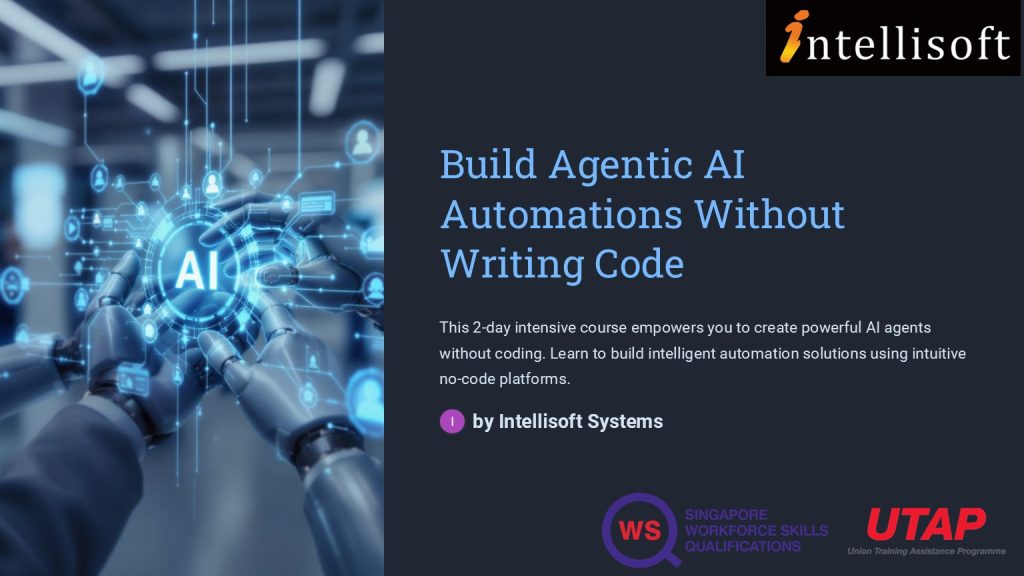
This is a 2-day, hands-on AI agent course in Singapore for people who don’t code. You build AI agents and automations in n8n, Langflow and Microsoft Copilot Studio, in class at Fortune Centre. The course follows a very systematic, step by step approach to guide you on the path to begin building Agentic AI automations without writing code.
Section 1: Introduction to AI Agents and Workflows
Build AI Agents with No Code at Intellisoft Systems Singapore – SkillsFuture Eligible Course in Singapore
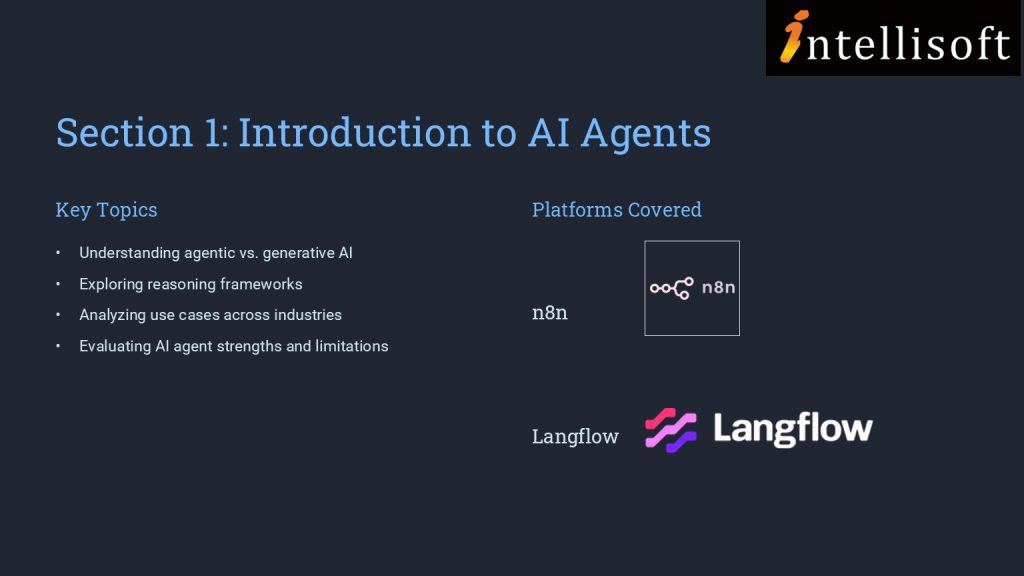
In section 1, we establish the foundational knowledge by introducing you to AI agents and agentic AI workflows. This section covers the basics of AI agents, differentiating between agentic and generative AI, and explores reasoning frameworks and use cases.
You are also introduced to agentic AI platforms like n8n and Langflow, setting the stage for creating AI agents. This foundational knowledge is crucial for analyzing AI agents’ algorithms and identifying their strengths and limitations.
Section 2: Developing AI Chatbots
Building on the foundational knowledge, Section 2 delves into the practical aspects of developing AI chatbots on no-code platforms. You are introduced to platforms such as Agentx, Promptly, and Flowise, and engage in creating AI chatbots and digital human avatars.
This section enhances your ability to correlate AI agents’ algorithm design with efficiency and assess improvements in AI applications.
Implementing RAG Applications
Section 3 moves to a higher level of complexity where you will explore the development of Retrieval Augmented Generation (RAG) applications on no-code platforms. This section covers the overview of RAG, creation of agentic RAG applications, and introduces agentic search and deep research.
You will also engage with Microsoft Copilot Studio to create AI agents and RAG applications.
This section equips you with the skills to evaluate AI application effectiveness and assess feasibility for product and maintenance processes.
An AI Automation Course for Non-Programmers
In the fast-evolving world of AI, understanding how to design and deploy intelligent agents—without writing a single line of code—is becoming an essential skill. This course on Agentic AI provides a practical, step-by-step journey into the world of AI agents, empowering learners to conceptualize, build, and deploy AI workflows using non-coding platforms.
Designed for professionals and enthusiasts in product management, technology, and innovation roles, this course demystifies the concepts of agentic AI, chatbot development, and Retrieval Augmented Generation (RAG). Learners will explore no-code tools like n8n, Langflow, Agentx, Flowise, HeyGen, and Microsoft Copilot Studio, gaining hands-on experience to rapidly prototype and deploy AI applications.
By the end of the course, you’ll not only understand the difference between generative and agentic AI, but also be able to create functional AI agents that solve real-world problems—boosting efficiency, user engagement, and business innovation.
We provide free consultation related to the subject matter after the course.
Please email your queries to training@intellisoft.com.sg and we will forward your queries to the subject matter experts.
Venue:
All courses are conducted at:
190 Middle Road, 10-08 Fortune Centre, Singapore 188979. 5 mins walk from Bencoolen MRT station. Bugis, Rochor, Bras Basah MRT are nearby, within walking distance.
The venue is disabled-friendly.
SkillsFuture Ready
Singaporeans can use $500 SkillsFuture Credits for this training to offset the course fees.
Contact us for advice on how to go about claiming your SkillsFuture.
Get Started Today!
Learn By Doing
You learn best when you Do It Yourself.
We teach you, step by step, how you can learn new skills, build your knowledge and enhance your career prospects quickly & easily, with Practical Tips & Tricks!
Do You Have Any Questions or Need a Quotation?
Simple. Just tell us what you need. We’ll be glad to help you!
Some of the companies that experienced our trainings
"What I love about this training is that the trainers make sure we learn the steps and are able to do it on our own. This is a real advantage and I will definitely come back for more practical training"
Michele Martin
HR Manager
“The training was everything I hoped for, and more. Intellisoft Systems really makes a difference, I would have never discovered the hidden features of the sotftware on my own. Thanks a lot Intellisoft !"
Joy Tan
Project Engineer
How To Register
Register for the 2 Days Create Agentic AI Automation Without Coding Training in Singapore today.
Click on the chosen Create Agentic AI Automations Without Coding course dates available at the top of this page.
Need Help in Registering for Create Agentic AI Automations Without Coding Course?
If you have any questions about your target audience, pre-requisites for this course or want to arrange a corporate training for your company, do let us know. Email to training@intellisoft.com.sg
Create Agentic AI Automations Without Coding Corporate Training Program in Singapore (Physical Class or Virtual Classroom using Zoom or Microsoft Teams)
If you are looking to train your entire team, we can arrange to conduct the Agentic AI training at your office location too. Just contact us for the quotation and suitable dates for the training.
Foreigners & other pass holders: Government grants are not applicable. Full course fee of S$1,000.00 + 9% GST = S$1,090.00 applies. Contact us for more details.
* Terms & conditions apply. Funding subject to eligibility and approval by respective agencies. GST applies on full course fee before subsidy. Fee information is accurate as of Oct 2026.
Free Tips, Tutorials & Training Grants Info
Learn from expert tips, tricks and resources for Excel, PowerPoint, Photoshop, Python, Power BI, Project Management, IT, Soft Skills & more with our Email Newsletter. Plus get the latest news on Grants. Join Today!




























 Most data analysts, managers, decision-makers, and even end users typically struggle with report creation as they lack knowledge of features such as data analysis, data cleanup, advanced pivot tables techniques, and visualization techniques within Excel.