Carbon Footprint Management

Best Carbon Footprint Management Course SkillsFuture in Singapore at Intellisoft Training

SkillsFuture Carbon Footprint Management Course Singapore

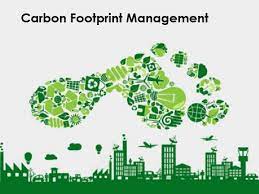
The Carbon Footprint Management course is designed to enhance the knowledge, skills, and abilities of individuals seeking to identify, analyze, and prioritize carbon footprint reduction initiatives.

This course provides an in-depth understanding of carbon footprint hot spots and their potential for carbon footprint reduction. It also delves into the utilization of ISO:14001 standards, environmental management systems, carbon footprint calculators, and advanced carbon reduction technologies.

Through this course, learners will not only acquire comprehensive knowledge but also develop the practical skills needed to implement effective carbon footprint reduction plans.

Our Excel VBA (Visual Basic for Applications) training course aims to teach individuals how to use VBA programming language to automate tasks and develop custom solutions within Microsoft Office applications, such as Excel.

The course typically covers VBA syntax and structure, data types and variables, programming constructs such as loops and conditional statements, functions and subroutines, working with arrays and collections, and interacting within the Excel application.

With this Excel VBA knowledge, you will be able to:

  • Combine & consolidate multiple Excel files into a single file,
  • Clean data faster, Create Pivot Tables with VBA,
  • Create Forms,
  • Append data from External files, and
  • Learn to use Range, Objects, Properties & Methods in VBA to automate routine tasks.

The goal of the course is to provide individuals with the skills and knowledge they need to create powerful macros, automate repetitive tasks, and develop custom solutions that can help them work more efficiently and effectively with Microsoft Office applications.

Additionally, the training will include best practices for debugging, testing, and maintaining VBA code and tips for optimizing performance and writing efficient code.

Go To Top

The target audience for an Excel VBA macro programming class includes individuals who want to automate tasks, streamline workflows, and create custom solutions using Excel. This can include:

  1. Business professionals: Individuals who work with Excel regularly, such as financial analysts, project managers, or administrative assistants, can benefit from learning VBA to automate repetitive tasks and create customized reports.
  2. Programmers and developers: Individuals who have experience with programming languages such as Java or Python can use VBA to extend the functionality of Excel and create custom add-ins that interact with other applications.
  3. Students: Students who are studying business, finance, or data analysis can benefit from learning VBA as it is a valuable skill in many industries and can help them stand out in the job market.
  4. Excel power users: Individuals who already have advanced knowledge of Excel and want to take their skills to the next level can benefit from learning VBA to create more complex solutions and automate advanced tasks.

Overall, anyone who uses Excel frequently and wants to increase their productivity, efficiency, and accuracy can benefit from learning VBA macro programming.

Go To Top

Lesson 1: Software Design With Macros

TOPIC A: Getting to Know Excel Macros

  • Visual Basic for Applications
  • Macros
  • Object-Oriented Programming
  • Macro Options
  • Activity: Getting to Know Macros

TOPIC B: Creating a Macro in Microsoft Excel

  • The Macro Recorder
  • Personal Macro Workbooks
  • How to Create a Macro Using the Macro Recorder
  • Activity: Creating a Macro Using the Macro Recorder

TOPIC C: Editing an Excel Macro

  • The Visual Basic Editor
  • Projects
  • Modules
  • The Modules Folder
  • Objects
  • Properties
  • Methods
  • VBA Comments
  • How to Edit a Macro
  • Activity: Editing a Macro

TOPIC D: Debugging a Macro in Excel

  • The Debugging Process
  • Debugging Tools
  • How to Debug a Macro
  • Activity: Debugging a Macro

TOPIC E: Customizing the Quick Access Toolbar and Hotkeys

  • Add a Button to the Quick Access Toolbar to Run a Macro
  • Assign a Keyboard Shortcut to a Macro
  • Activity: Customizing the Quick Access Toolbar and Hotkeys

TOPIC F: Setting Macro Security in Excel

  • Digital Certificates
  • Digital Signatures
  • Macro Security Settings
  • Activity: Setting Macro Security
Summary

Review Questions


Lesson 2: Formatting Worksheets Using Macros

TOPIC A: Inserting Text With Excel Macros

  • The Selection Property
  • The ActiveSheet Property
  • The Name Property
  • The Value Property
  • Concatenation
  • How to Insert Text
  • Activity: Inserting Text

TOPIC B: Formatting Text with Macros in Excel

  • How to Format Text
  • Activity: Formatting Text

TOPIC C: Sorting Data within Excel

  • The Range Object
  • The Select Method
  • The CurrentRegion Property
  • How to Sort Data
  • Activity: Sorting Data

TOPIC D: How To Duplicate Data With Excel Macros

  • Data Types
  • Variables
  • Variable Naming Rules
  • Operators
  • The Assignment Operator
  • Arithmetic Operators
  • Comparison Operators
  • Logical Operators
  • The For Next Loop
  • Do Loops
  • The Worksheets Object
  • The Count Property
  • The Offset Property
  • The Copy Method
  • The Paste Method
  • How to Duplicate Data
  • Activity: Duplicating Data

TOPIC E: Generate a Report in Excel Using Macros

  • The Columns Property
  • The AutoFit Method
  • The Address Property
  • The Call Statement
  • The Font Property
  • The End Property
  • How to Generate a Report
  • Activity: Generating a Report
Summary

Review Questions


Lesson 3: Creating an Interactive Worksheet with Excel Macros

TOPIC A: Determining the Dialog Box Type

  • Message Boxes
  • Input Boxes
  • Activity: Determining the Dialog Box Type

TOPIC B: Capturing User Input With Macros

  • The InputBox Function
  • Constants
  • The MsgBox Function
  • The Code Continuation Character
  • The vbCrLf Constant
  • Decision Structures
  • The Select Case Statement
  • The If Then Structure
  • The Else Clause
  • How to Capture User Input
  • Activity: Capturing User Input
Summary

Review Questions


Lesson 4: Working with Multiple Worksheets

TOPIC A: Insert, Copy, and Delete Worksheets With Excel Macros Methods

  • The Add Method
  • The Copy Method
  • The Delete Method
  • How to Insert, Copy, and Delete Worksheets
  • Activity: Inserting and Deleting Worksheets

TOPIC B: Renaming Worksheets Within Excel

  • Expressions
  • The DateSerial Function
  • The Format Function
  • How to Rename Worksheets
  • Activity: Renaming Worksheets

TOPIC C: Modify the Order of Worksheets Easily With Excel Macros

  • The Move Method
  • How to Modify the Order of Worksheets
  • Activity: Moving Worksheets within a Workbook
  • TOPIC D: Print Worksheets
  • The PrintPreview Method
  • The PrintOut Method
  • How to Print Worksheets
  • Activity: Printing a Workbook
Summary

Review Questions


Lesson 5: Performing Calculations With Excel Macro Code

TOPIC A: Create User-Defined Functions inside Excel

  • User-Defined Functions
  • Types of Functions
  • Arguments
  • How to Create User-Defined Functions
  • Activity: Creating and Applying a User-Defined Function

TOPIC B: Automate SUM Functions

  • Declared Range Objects
  • The Set Statement
  • Range Object Cell Addressing
  • The Rows Property
  • The Formula Property
  • The Columns Property
  • Address Property Cell Reference Settings
  • How to Automate SUM Functions
  • Activity: Automating SUM Functions
Summary
Review Questions

Go To Top

The prerequisites for joining our VBA macro programming workshop are:

  1. Basic knowledge of Excel: Participants should have a good understanding of Excel’s features, such as creating and formatting worksheets, entering data, and using basic formulas and functions.
  2. Access to Excel: Participants should have access to a version of Excel that supports VBA programming, such as Excel 2013 or later.
  3. Willingness to learn: Participants should be motivated and willing to learn new skills and concepts related to VBA programming.

Go To Top

Post-Course Support

  • We provide free consultation related to the subject matter after the course.
  • Please email your queries to training@intellisoft.com.sg and we will forward your queries to the subject matter experts.

Venue:

All courses are conducted at:

190 Middle Road, 10-08 Fortune Centre, Singapore 188979.  5 mins walk from Bencoolen MRT station. Bugis, Rochor, Bras Basah MRT are nearby, within walking distance.

The venue is disabled-friendly.

SkillsFuture Ready

Singaporeans can use $500 SkillsFuture Credits for this training to offset the course fees.

Contact us for advise on how to go about claiming your SkillsFuture.

Get Started Today!

Learn By Doing

You learn best when you Do It Yourself.

We teach you, step by step, how you can learn new skills, build your knowledge and enhance your career prospects quickly & easily, with Practical Tips & Tricks!

Do You Have Any Questions or Need a Quotation?

Simple. Just tell us what you need. We’ll be glad to help you!

Some of the companies that experienced our trainings

"What I love about this training is that the trainers make sure we learn the steps and are able to do it on our own. This is a real advantage and I will definitely come back for more practical training"
Michele Martin
HR Manager
“The training was everything I hoped for, and more. Intellisoft Systems really makes a difference, I would have never discovered the hidden features of the sotftware on my own. Thanks a lot Intellisoft !"
Joy Tan
Project Engineer

How To Register

Simply contact us and we will assist you with the course registration. We can arrange a corporate training for your organization too. Just let us know your requirements for the course, and you availability.

Accelerate Your Career With the Most Effective & Practical Training.

Mastering Power Apps & Power Automate Course

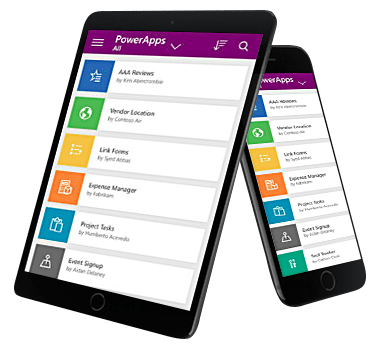
Power Apps Training To Create Mobile Apps for iOS & Android

The world needs great solutions. Build yours faster.

Now everyone can quickly build and share low-code apps with Microsoft Power Apps.

  • Create useful apps for everyday use
  • Automate your work-flow with Power Automate

This 2 day Mastering Power Apps & Power Automate Class will guide you step by step in learning to create awesome apps in no time.

Power Apps Course for Low Code app development in Singapore

Get started quickly
Empower your team to start building and launching apps right away using prebuilt templates, drag-and-drop simplicity, and quick deployment—then roll out continuous improvements as needed.

Build apps without compromises
Give everyone the power to build the apps they need with advanced functionality previously only available to professional developers—including pre-built AI components.

Innovate quickly for fast results

Driving success with employee-built apps using Microsoft Power Apps

  • Toyota Motor employees have created more than 400 apps that help with everything from product quality control to COVID-19 screening.
  • GSK Singapore has built 12 apps in just 2 days. And these people are not software developers… but engineers, quality inspectors, people from different departments doing their daily job.

Enable extensibility for developers

Provide professional developers with the tools to seamlessly extend app capabilities with Azure Functions and custom connectors to proprietary or on-premises systems.

Power Apps Training To Create Mobile Apps for iOS & Android

Power Apps Course for Low-code app development in Singapore

Packaged applications are the fastest way to transform your business: e.g. Marketing, Sales, Service, Talent, Finance and Ops apps in Dynamics 365. But no application is exactly what you need: every business needs to customize these applications to fit their processes and industry. And sometimes there is no “app for that:”

Digital transformation depends on creating bespoke applications for the last mile

In this 2 day Mastering Power Apps Course, we will show you how to create an app for your organization with low-code solutions and deploy them immediately for use.

You will learn how to connect to data, store and retrieve it from company databases or Sharepoint lists, and generate automated actions upon the data and user interactions.

Power Apps drive business transformation

Businesses reduced development costs and increased overall efficiency using Power Apps in the Total Economic Impact™ commissioned study by Forrester Consulting.

  • 188% ROI over three years
  • 74% Reduction in app development costs
  • 3.2 hours/week Average improvement in line-of-business employee productivity

Give everyone the tools to be an app builder. Get them trained in the use of these fantastic tools from Microsoft today!

Enrol in the PowerApps course at Intellisoft Systems in Singapore today!

Go To Top

This PowerApps class has something for everything, from beginners who wish to customise their data entry forms in SharePoint right up to advanced users who need to use advanced formulas to deliver more bespoke actions to their apps.

Engineers, researchers, technicians, managers, directors, customer service staff, and people from marketing, sales, operations, finance, logistics, admin, manufacturing, networking, IT, and infrastructure are welcome.

We have trained hundreds of professionals in creating low-code apps that are ready within a short span of just 2 days, with Power Apps, Automation & Dashboards for Management views, Tracking & monitoring purposes.

Beginners, experienced developers and non-developers can join this training and create apps in no time. All you need is a good understanding of the process you want to automate and create an app for and a willingness to learn new low-code technologies introduced by Microsoft.

Microsoft PowerApps is a pioneer in low-code development solutions. It is used by more than 485 Fortune 500 companies.

What are you waiting for?

Go To Top

This is a detailed, step-by-step training course for you to get hands-on experience with the Microsoft Power Platform technologies – Power Apps, Power Automate, and Microsoft SharePoint.

The training includes practical, hands-on exercises for people new to these technologies to build low-code app solutions within a short span.

Technologies covered in the Intellisoft Power Apps & Power Automate Class in Singapore are:

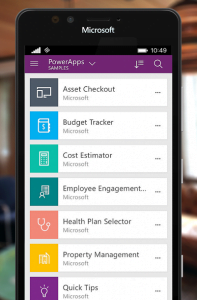
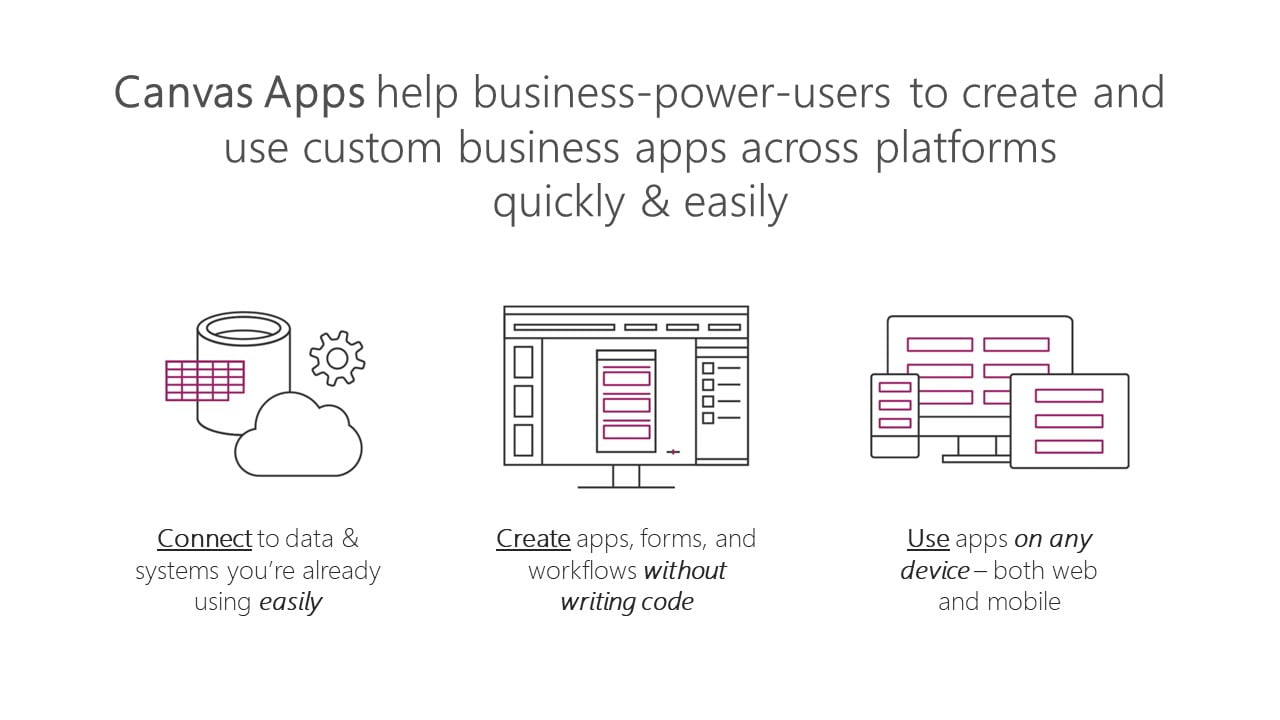
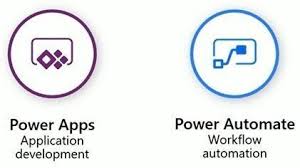
  • Power Apps: A software as a service (SAAS) application platform that enables power users in line of business roles to easily build and deploy custom business apps. You will learn how to build Canvas style of apps that work on mobile devices or desktops with ease.
  • Power Automate: A business service for line of business specialists and IT pros to build automated workflows intuitively.
  • Microsoft SharePoint: Create and share list of important things to track within the department or the organization. Maintain & manage a complete app from within your company’s SharePoint Portals.
Power Apps Course in Singapore with Power Automate in Singapore

Module 1: Power Apps: Introduction, Building Low-Code Apps, Testing on Mobile

Focuses on the basic concepts involved in building Power Apps Canvas apps.

  • Connect to data sources and filter results based on specified criteria
  • Work with screens and navigation
  • Use controls, properties, formulas, and actions to customize the user experience
  • Configure app settings
  • Save and share an app
  • Run the app on a mobile device

Module 2: Introduces you to Microsoft SharePoint List Interface.

You will learn how to:

  • Create and customize a custom List
  • Use the Form control
  • Save data into the Microsoft SharePoint using the Form control
  • Use a list as a source for creating and updating Power Apps

Module 3: Power Automate – Introduction, Building simple to complex workflow automation with multiple apps.

Introduces you to Power Automate. 

  • Create a flow that is triggered when a new Microsoft SharePoint List row is created
  • Automate sending approval requests
  • Conditional branching based on the approval response
  • Trigger a flow when a new record is created
  • Update the record with the approval status and the approver’s comments
  • Customize the approval based on the SharePoint item add/update
  • Use the Approval centre on mobile and web
  • Check the status of flow runs

Module 4: Create multi-step approvals with multiple apps

  • Create automation with third-party apps
  • Create a complex flow with Advanced Automation Tips & Tricks

Module 6: Create your own App from Scratch

  • Design the App Layout
  • Configure the database or Sharepoint List
  • Create the Screens and interaction
  • Build Automation flows
  • Debug & test the application
  • Deploy the app to other users

Gain a competitive advantage by linking all your data
Connect to hundreds of data sources using a library of connectors and Microsoft SharePoint —bringing your data together for a single source of truth while you uncover insights as well as customize and extend Office 365, Dynamics 365, and Azure capabilities.

Scale your low-code apps with Azure
Use Azure to extend low-code apps built with Power Apps and create enterprise solutions that scale to meet your organization’s needs. Professionally manage your enterprise app development using Azure DevOps, plus tap into the power of reusable components, AI services, and your entire data estate on Azure.

Powerful alone. Better together.
Build powerful end-to-end business solutions by connecting Power Apps across the entire Microsoft Power Platform—and to Microsoft 365, Dynamics 365, Azure, and hundreds of other apps—to drive innovation across your

Join the Intellisoft MasterClass Training Course on Power Apps & Power Automate

Build apps in hours—not months—that easily connect to data, use Excel-like expressions to add logic and run on the web, iOS, and Android devices.

Go To Top

No previous experience of PowerApps or Power Automate is required.

We will start from the very basics, from what software is required, how to download, what other tools do you need, and then do the design of the app, develop the prototype from scratch, and test it. Once it is tested, we will deploy it for you and other users to use it.

A very systematic, step by step process for beginners and experienced users alike.

Go To Top

Post-Course Support

  • We provide free consultation related to the subject matter after the course.
  • Please email your queries to training@intellisoft.com.sg and we will forward your queries to the subject matter experts.

Training Course Fees & Funding

Full course fee: S$1,200.00 (before GST & government funding) TGS: TGS-2023036311

Highest Funding
70% Grant

70% SSG Grant

Baseline + Enhanced Training Support

  • SG Citizens aged 40+ (Individual, SME or MNC)
  • SME-sponsored SG Citizens (21+)
  • SME-sponsored PRs (21+)
Course Fee S$1,200.00
SSG Funding (70%) − S$840.00
Nett Fee S$360.00
GST (9%) S$108.00
You Pay S$468.00
SSG Funded
50% Grant

50% SSG Grant

Baseline WSQ Funding

  • SG Citizens aged 21–39 (Individual or MNC)
  • MNC company-sponsored PRs (21+)
  • Individual PRs (21+)
Course Fee S$1,200.00
SSG Funding (50%) − S$600.00
Nett Fee S$600.00
GST (9%) S$108.00
You Pay S$708.00
Foreigners & other pass holders: Government grants are not applicable. Full course fee of S$1,200.00 + 9% GST = S$1,308.00 applies. Contact us for more details.

Need help with funding applications? We'll guide you through the process.

* Terms & conditions apply. Funding subject to eligibility and approval by respective agencies. GST applies on full course fee before subsidy. Fee information is accurate as of Mar 2026.

SkillsFuture

Singaporeans can use $500 SkillsFuture Credits for this training to offset the course fees.

Contact us for advise on how to go about claiming your SkillsFuture.

Get Started Today!*

Learn By Doing

You learn best when you Do It Yourself.

We teach you, step by step, how you can learn new skills, build your knowledge and enhance your career prospects quickly & easily, with Practical Tips & Tricks!

Do You Have Any Questions or Need a Quotation?

Simple. Just tell us what you need. We’ll be glad to help you!

Some of the companies that experienced our trainings

"What I love about this training is that the trainers make sure we learn the steps and are able to do it on our own. This is a real advantage and I will definitely come back for more practical training"
Michele Martin
HR Manager
“The training was everything I hoped for, and more. Intellisoft Systems really makes a difference, I would have never discovered the hidden features of the sotftware on my own. Thanks a lot Intellisoft !"
Joy Tan
Project Engineer

How To Register

Register for the 2 Days Mastering Power Apps & Power Automate Training in Singapore today.

Click on the chosen Power Apps Training course dates available at the top of this page.

Need Help in Registering for Microsoft Power Apps & Power Automate Course?

Call us at +65 6250-3575, WhatsApp: +65 9066-9991

Power Apps Corporate Training Program in Singapore (Physical Class or Virtual Classroom using Zoom or Microsoft Teams)

Request a Course Brochure here or enquire about any questions regarding Power Apps training. We offer Corporate Training for your company too.

UTAP: In addition, NTUC members can utilize UTAP to offset 50% of the remaining fees (capped at $250 per year).

If you are looking to train your entire team, we can arrange to conduct the Power Apps training at your office location too. Just contact us for the quotation and suitable dates for the training.

Accelerate Your Career With the Most Effective & Practical Training.

Free Tips, Tutorials & Training Grants Info

Learn from expert tips, tricks and resources for Excel, PowerPoint, Photoshop, Python, Power BI, Project Management, IT, Soft Skills & more with our Email Newsletter.
Plus get the latest news on Grants. Join Today!

Found What You Were
Looking For?

Just Tell us...

We're Here To Help You!