
Master Canva Designs: Be a Pro With Canva

Design Professional Graphics Using Canva Design Tools

23+
Years
120+
Courses
3,460+
Corporate Clients
28,000+
People Trained
Trusted by
WSQ Accredited ยท Intellisoft
Next Available Date
๐Ÿ“… Next Class โšก 9, 10 Apr 2026
Course Details
โฐ Duration 2 Days
๐Ÿ“ Venue Fortune Centre, Singapore
๐Ÿ‘ฅ Class Size Up to 15 Pax
๐ŸŽ“ Certificate โœ“ WSQ Certificate Issued
Accreditation
๐Ÿ”– TSC Code DSN-COM-4005-1.1
From S$312 after WSQ Grant*
Full fee: S$872.00 incl. 9% GST  ยท  See grant table โ†’
๐Ÿ›๏ธ WSQ & SkillsFuture funding available โ€” view full grant breakdown โ†’
โœ“ 100% satisfaction guarantee ยท Respond within 2 hours
๐Ÿ› Up to 70% SSG Grant  ยท  Pay from S$312 after funding
WSQ Funded SkillsFuture UTAP SFEC Learn more โ†“
About This Course

About This Master Canva Designs: Be a Pro With Canva Course

Intellisoft offers WSQ funded, UTAP supported SkillsFuture Credits Ready Courses in Singapore

The Master Canva Designs course is a very practical course teaching you Visual Design Mastery with Canva.

This is an immersive two-day course meticulously designed to deepen your understanding and application of visual design and communications.

This course is perfect for those looking to refine their skills in typography, logo creation, and other facets of visual communication and information design.Creative Designs with Canva Course Singapore

Over two action-packed days, you will be guided through a journey from conceptualizing visual communication ideas to creating polished, professional outputs for print and digital forms.

You will be able to prepare professional design for communicating your ideas and concepts visually for social media like Instagram, Facebook, Linkedin, YouTube, Twitter X and others.

Learn to create professional graphics, marketing materials, and social media designs using Canvaโ€™s easy drag-and-drop design tools.
๐Ÿ–ฅ๏ธ
Learn By Doing
Hands-on exercises on real Singapore business datasets from the very first module.
๐Ÿ‘ฅ
Small Class Sizes
Capped at 15โ€“20 participants for personal attention.
๐Ÿ“ง
Post-Training Support
30-day free email support after the course to training@intellisoft.com.sg.
What You'll Walk Away With
๐ŸŽจ Create professional marketing visuals and graphics using Canva templates.
๐Ÿ“ฑ Design social media posts, banners, and promotional content quickly.
๐Ÿ–ผ๏ธ Use Canva elements, images, and layouts to build attractive designs.
โšก Produce presentations, posters, and digital content efficiently.
What You Will Learn

What You Will Learn in Master Canva Designs: Be a Pro With Canva

๐ŸŽจ

Create Graphics Using Canva

Create professional graphics using Canva design templates and tools.

๐Ÿ“ฑ

Design Social Media Visuals

Design engaging social media posts and marketing visuals using Canva.

๐Ÿ–ผ๏ธ

Apply Layouts And Design Elements

Apply Canva layouts, icons, images, and shapes to enhance designs.

๐Ÿ”ค

Use Typography In Canva Designs

Use fonts and typography tools to create professional visual layouts.

๐Ÿ“Š

Create Presentations Using Canva

Create presentation slides and visual content using Canva templates.

๐Ÿš€

Develop Digital Design Skills

Develop practical design skills for marketing and digital content creation.

Is This For You?

Who Should Attend Master Canva Designs: Be a Pro With Canva?

๐Ÿ“ข

Marketing Executive

You create marketing visuals but want faster design workflows.

๐Ÿ“ฑ

Social Media Manager

You manage social media posts but need better visual designs.

๐Ÿง‘โ€๐Ÿ’ป

Content Creator

You produce digital content and want professional graphics easily.

๐Ÿ’ผ

Business Professional

You need to create presentations and marketing visuals quickly.

Discover the Artist in You: Beginner’s Canva CourseBe Creative With Your Branding with Canva Design Courses
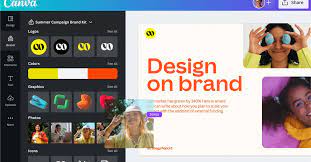
Unlock Your Creative Potential with Our Easy-to-Learn Canva Course โ€“ No Experience Needed!

Dive into the world of digital design with our beginner-friendly Canva course, perfectly tailored for those taking their first steps into this vibrant field. Whether you’re dreaming of becoming a graphic design whiz, a small business owner looking to captivate your audience, or a marketer aiming to skyrocket your content’s appeal, this course is your gateway to success.

Who Should Enroll?

  • Aspiring Designers: Embark on a transformative journey from novice to design maestro.
  • Entrepreneurs & Business Owners: Elevate your brand with DIY marketing materials that turn heads and win hearts.
  • Marketing Mavericks: Become the go-to expert for creating high-impact, engaging content.
  • Bloggers & Social Media Influencers: Unleash a wave of followers with visually stunning posts.
  • Educators & Trainers: Craft educational content thatโ€™s as engaging as it is informative.
  • Creative Enthusiasts: Explore and express your passion with limitless design possibilities.

Why Choose Our Canva Course?

  • Beginner-Friendly: Jumpstart your design journey with zero intimidation.
  • Hands-On Learning: Practical, engaging lessons for real-world mastery.
  • Boost Your Brand: Create designs that tell your unique story.
  • Flexible Skills: From eye-catching Instagram posts to professional business presentations, we cover it all.
  • Inspiring Community: Join a group of budding designers and share your creative vision.

Super Charged Benefits of learning Canva Design Software in Singapore:

  • Skyrocket Your Design Skills: With our expert-led Canva tutorials, watch your abilities soar.
  • Empower Your Brand: Learn to craft designs that resonate with your audience.
  • Engage & Captivate: Turn your ideas into visual masterpieces that engage and inspire.

Join Us Now and Transform Your World with Design! Step into a realm where creativity knows no bounds.

This course isn’t just about learning Canva; it’s about unlocking a hidden part of yourself that’s bursting with creative potential.

Sign up today and start creating designs that tell your story in the most visually compelling way. Your journey to being a design dynamo begins here!


Before You Attend

Pre-Requisites for Master Canva Designs: Be a Pro With Canva

Pre-Requisites for the Master Canva Designs class: Unleash Your Inner Designer in Singapore

Embark on Your Design Adventure with Confidence โ€“ No Prior Skills Required!

Welcome to the Mastering Canva Designs course, your first step into the mesmerizing world of digital creativity, right here in Singapore! This course is designed to turn dreamers into doers, and beginners into designers. If you’ve ever been held back by the thought that design is only for ‘the creatives,’ we’re here to shatter that myth. Hereโ€™s what you need to start your transformative journey:

1. A Curious Mind:

  • Passion to Learn: Bring your enthusiasm and eagerness to explore the realms of digital design.
  • Openness to Creativity: Be ready to think outside the box and unleash your creative spirit.

2. Basic Computer Skills:

  • Familiarity with Internet Navigation: Comfortably browse the web โ€“ thatโ€™s all the tech savvy you need.
  • Basic Software Operation: Know how to open a browser and operate simple software โ€“ no advanced skills required!

3. A Device with Internet Access:

  • Laptop/Desktop/Tablet: Any device capable of running Canva smoothly.
  • Stable Internet Connection: Ensure uninterrupted learning and designing.

4. No Prior Design Experience Needed:

  • Zero Background in Design: This course is tailored for absolute beginners โ€“ start from scratch and rise to greatness.

5. A Canva Account (Free or Pro):

  • Sign-Up for Free: A free Canva account is enough to get started. Weโ€™ll guide you through the rest.

6. Language Proficiency:

  • Comfort with English: The course is conducted in English, so basic comprehension is beneficial.

7. An Attitude for Adventure:

  • Ready to Experiment: Be prepared to try, fail, and try again โ€“ that’s how design works!

8. Location:

  • Based in Singapore: Ideal for residents looking to join a local community of budding designers.

Enroll Now and Transform Your World! This isn’t just a course; it’s a journey into the heart of creativity. Whether you’re a student, professional, entrepreneur, or hobbyist in Singapore, our Mastering Canva Designs workshop is the stepping stone to a world where your ideas come to life.

Sign up today and be a part of a vibrant community where every click brings you closer to becoming the designer you always dreamed to be. Your design story starts here!

๐Ÿ›๏ธ  SkillsFuture Credit eligible โ€” reduce your out-of-pocket cost significantly.

Curriculum

Master Canva Designs: Be a Pro With Canva: Course Outline & Curriculum

Module 1

Introduction to Canva

  • Canva interface overview
  • Creating Canva account
  • Understanding Canva workspace
  • Exploring Canva templates
  • Basic design workflow
Module 2

Working With Canva Templates

  • Using design templates
  • Customizing template layouts
  • Editing design elements
  • Adding icons and graphics
  • Using design grids
Module 3

Using Text and Typography

  • Adding text elements
  • Font styles and typography
  • Text alignment techniques
  • Applying text effects
  • Creating branded designs
Module 4

Designing Social Media Graphics

  • Creating social media posts
  • Designing banners and posters
  • Image editing tools
  • Using Canva image library
  • Exporting social media visuals
Module 5

Creating Presentations With Canva

  • Creating presentation slides
  • Using presentation templates
  • Adding animations
  • Designing slide layouts
  • Presenting with Canva

For this Master Canva Designs course you will learn how to go from Novice to Pro by learning to Enhance Visual Communication with Canva.

Canva Course Singapore

The curriculum is structured in a step-by-step sequence to effectively build learners’ skills and knowledge in visual communication using Canva.

First Section: Fundamentals of Design with Canva
The course focuses on the fundamentals of design using Canva. It introduces the learners to the basic principles of design, including typography, color theory, and form. We start with simpler tasks like navigating Canva’s interface & experiment with text and image tools. This approach ensures that they have the necessary background to tackle more complex design challenges is Canva.

Second Section: Advanced Visual Communication in Canva
Following the foundational knowledge, we shift towards more advanced aspects of visual communication in Canva. In this section understanding of storyboarding techniques, task flow design, and best practices in aesthetic analysis are covered. Learners develop effective storyboards and critiquing Canva projects. This enhances learners’ skills in visual communication, enabling them to create more sophisticated and impactful designs.

Third Section: Enhancing and Strategizing Visual Communication
The final section revolves around enhancing and strategizing in visual communication. It focuses on critical review techniques, enhancement strategies, and innovative approaches to design, which are essential for learners aiming to achieve professional-level competency in visual communication. Learners are expected to collaborate, critique, and innovate.

By the end of the course, learners are not only proficient in using Canva but also capable of strategizing and enhancing visual communications effectively, which is crucial for professional success in the field of Designing Visual Communications with the aid of a top notch software like Canva.


Trusted by professionals from 500+ organisations
Canon CPF Board OCBC NTU NUS Mindef HDB JTC ExxonMobil Sembcorp
AXA Epson NTUC Health DSO Toyota Asia Pacific BNY Mellon Ritz-Carlton Standard Chartered Singapore Police Force Tan Tock Seng Hospital

Training Course Fees & Funding

Full course fee: S$800.00 (before GST & government funding) TGS: TGS-2024043447

Highest Funding
70% Grant

70% SSG Grant

Baseline + Enhanced Training Support

  • SG Citizens aged 40+ (Individual, SME or MNC)
  • SME-sponsored SG Citizens (21+)
  • SME-sponsored PRs (21+)
Course Fee S$800.00
SSG Funding (70%) โˆ’ S$560.00
Nett Fee S$240.00
GST (9%) S$72.00
You Pay S$312.00
SSG Funded
50% Grant

50% SSG Grant

Baseline WSQ Funding

  • SG Citizens aged 21โ€“39 (Individual or MNC)
  • MNC company-sponsored PRs (21+)
  • Individual PRs (21+)
Course Fee S$800.00
SSG Funding (50%) โˆ’ S$400.00
Nett Fee S$400.00
GST (9%) S$72.00
You Pay S$472.00
Foreigners & other pass holders: Government grants are not applicable. Full course fee of S$800.00 + 9% GST = S$872.00 applies. Contact us for more details.

Need help with funding applications? We'll guide you through the process.

* Terms & conditions apply. Funding subject to eligibility and approval by respective agencies. GST applies on full course fee before subsidy. Fee information is accurate as of Mar 2026.

Funding & Subsidies

Singapore Government Grants Available

WSQ-funded courses qualify for SSG subsidies. Singaporeans may also use SkillsFuture Credits and NTUC members can claim UTAP reimbursement.

70% Subsidy
Enhanced Funding
  • SG Citizens aged 40 & above (Individual)
  • SG Citizens aged 40 & above (SME or MNC sponsored)
  • SME-sponsored SG Citizens aged 21โ€“39
  • SME-sponsored Permanent Residents aged 21+
50% Subsidy
Standard Funding
  • SG Citizens aged 21โ€“39 (Individual or MNC sponsored)
  • MNC company-sponsored Permanent Residents aged 21+
  • Individual Permanent Residents aged 21+
Additional
More Ways to Save
  • SkillsFuture Credit โ€” Use your $500 credit (all SG Citizens aged 25+)
  • UTAP โ€” NTUC members get 50% of remaining fees reimbursed, up to S$500/year
  • PSEA โ€” Post-Secondary Education Account funds accepted

Foreigners and other pass holders: Government training grants are not applicable. Course fees apply in full.

Register

Register for Master Canva Designs: Be a Pro With Canva in Singapore

๐Ÿ’ฌ Corporate / Group Enquiry
Date Duration Venue
9, 10 Apr 2026
2 Days Fortune Centre, Singapore Register โ†’
14, 15 May 2026
2 Days Fortune Centre, Singapore Register โ†’
4, 5 Jun 2026
2 Days Fortune Centre, Singapore Register โ†’
6, 7 Jul 2026
2 Days Fortune Centre, Singapore Register โ†’
13, 14 Aug 2026
2 Days Fortune Centre, Singapore Register โ†’
๐Ÿข Running this for a group? Request a Custom Corporate Run โ†’
Common Questions

Frequently Asked Questions

How much does the Canva Design training course cost and are grants available? โ–พ
The course fee may vary depending on the class schedule and training arrangement. Singapore learners may use SkillsFuture Credit to offset part of the course fee where applicable. Organisations may also explore workforce training subsidies when sending employees for training. Contact Intellisoft Systems to confirm the latest course pricing and funding eligibility.
How long is the Canva Design training course? โ–พ
The Canva training course is typically delivered as an instructor-led programme focusing on practical design techniques. Participants learn how to create graphics, social media visuals, and presentations using Canva tools. The course includes demonstrations and hands-on design exercises. This ensures learners gain practical digital design skills.
Do I need prior design experience before attending this course? โ–พ
No prior design experience is required to attend the course. It is designed for beginners who want to create professional graphics using Canva. Participants only need basic computer skills. The course introduces Canva design tools step by step.
Will I receive a certificate after completing the course? โ–พ
Participants who attend the training typically receive a certificate of completion from Intellisoft Systems. The certificate confirms participation in the Canva design training programme. Many organisations use this certificate for professional development records. It demonstrates competency in Canva design tools.
Where is the Canva training conducted? โ–พ
The classroom training is conducted at Intellisoft Systems training centre located at Fortune Centre, 190 Middle Road, #14-05, Singapore 188979. The training environment supports hands-on design practice using Canva tools. Corporate organisations may also arrange onsite training sessions at their office. This allows teams to learn using real marketing design scenarios.
Who should attend the Canva design training course? โ–พ
This course is designed for professionals who want to create digital graphics using Canva. It is suitable for marketing executives, social media managers, content creators, and business professionals. Anyone responsible for creating visual marketing materials will benefit from the training. The course focuses on practical design workflows.
How can I register for the Canva design training course? โ–พ
You can register directly through the course page by selecting an available training date. Alternatively, you may contact Intellisoft Systems via phone or email to confirm course schedules and seat availability. Organisations planning group training can request a corporate training proposal. Early registration is recommended because class sizes are limited.
Ready to Get Started?

Upgrade Your Skills.
Seats Fill Quickly.

Join thousands of professionals who've trained with Intellisoft. With WSQ funding, this is the most cost-effective way to upskill your team.

โœ‰๏ธ training@intellisoft.com.sg ยท We respond within 2 business hours

๐Ÿ’ฌ Quick Enquiry

We respond within 2 business hours.

By submitting, you consent to Intellisoft collecting your data in accordance with Singapore's PDPA.

โœ… Thank you! We'll be in touch shortly.
Master Canva Designs: Be a Pro With Canva
Next class: 9, 10 Apr 2026 ยท Fortune Centre, Singapore ยท 2 Days
Course Brochure
Master Canva Designs: Be a Pro With Canva

Enter your details and we'll send the full course brochure โ€” complete outline, funding details, and registration instructions.

Free Tips, Tutorials & Training Grants Info

Learn from expert tips, tricks and resources for Excel, PowerPoint, Photoshop, Python, Power BI, Project Management, IT, Soft Skills & more with our Email Newsletter.
Plus get the latest news on Grants. Join Today!

Found What You Were
Looking For?

Just Tell us...

We're Here To Help You!