This course is targeted towards HR Executives, HR Analysts, Talent Acquisition Specialists, and HR Business Partners who want to enhance their Excel skills for real-world HR use. If you have some HR background, or work in any function in HR, this practical and hands-on course on HR Analytics with Advanced Excel skills will be of great use to you and your organization.
After completion of the Advanced Excel for HR Analytics Training, you will be able to do the following easily:
- Calculate the tax deductible amount based on the different salary range.
- Display first name, last name with prefix in one single column from three different columns.
- Find years of service of employees.
- Find the total salary expenses in different regions, different departments.
- Total number of employees in the company in different departments.
- Find the total salary given to employees of a particular department or designation in a particular month.
- Find number of employees joined on particular date/month in any department in any country.
- Calculate the bonus based on overall performance of an employee.
- Find the number of leaves taken by any employee, find the designation of an employee from his salary.
- Count number of directors or any designation in a company.
- Display the records according to department, by hire date, by salary etc.
- Calculate the total overtime hours for employees for any month.
- View summarized salary for all the different countries in different departments.
- Set the status, department of an employee through data validation.
- Validate the hire date upon data entry.
- Calculate salary based on overtime hours.
- Calculate the net pay of an employee from his/her daily pay and leaves taken.
- Consolidate overtime hours and rate for two employees
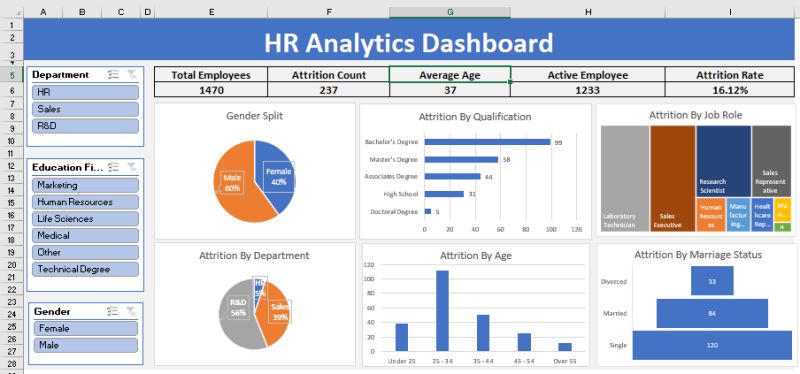
- Compare employee’s involvement in department from the working hours using charts.
- Find total number of employees working in specific department from specific dates, and much more in this 2 day HR focused Microsoft Excel 365 workshop.