
Data Analytics & Visualization with Power BI
23+
Years
120+
Courses
3,460+
Corporate Clients
45,000+
People Trained
Trusted by








WSQ Accredited · Intellisoft
Next Available Date
Next Class
⚡ 13, 14 Apr 2026
Course Details
Duration
2 Days
Venue
Fortune Centre, Singapore
Class Size
Up to 15 Pax
Certificate
✓ WSQ Certificate Issued
Accreditation
TSC Code
MED-DIT-4006-1.1
Full fee: S$1,090.00 incl. 9% GST · See grant table →
WSQ & SkillsFuture funding available — view full grant breakdown →
✓ 100% satisfaction guarantee · Respond within 2 hours
About This Course
About This Data Analytics & Visualization with Power BI Course
Organizations rely on data for critical decision-making to gain valuable insights to guide their strategic direction.
Analysis helps companies decide on which new products to develop, identify investment opportunities, recognize new markets to enter, and better engage with their customers.
However, they are overwhelmed with too much data. Unsure about where and how to begin, they miss the opportunities for lack of timely analysis and insights.
This is why data analytics skills are in high demand as companies try to make sense of the massive amount of data available.
Through data analytics, management will also be able to make decisions quicker and more efficiently.
Learn By Doing
Hands-on exercises on real Singapore business datasets from the very first module.
Small Class Sizes
Capped at 15–20 participants for personal attention.
Post-Training Support
30-day free email support after the course to training@intellisoft.com.sg.
What You Will Learn
What You Will Learn in Data Analytics & Visualization with Power BI
Is This For You?
Who Should Attend Data Analytics & Visualization with Power BI?
This Data Visualization training is helpful for Data Analysts, Bankers, Finance and Accounting Executives, Sales, Manufacturing &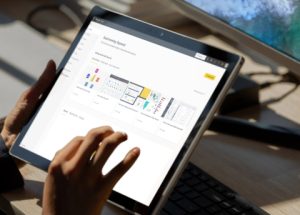 Service professionals who deal with a large amount of data and want to change these into actionable information presented in Power BI Dashboards with Tables, Charts & Visualizations.
Data analysts can use the knowledge and skills learned to derive complex performance analyses for actions to be taken.
Business users can also use the learnings to observe changes in data patterns to gain insights into the performance of their investments in marketing, sales, and advertising.
All industry verticals with functions in Information Technology, Accounting, Finance & Service would benefit immensely from using Power BI to understand and interpret data quickly and visualize it through invaluable charts and dashboards.
This Data Visualization With Power BI Training is suitable for beginners. But it is good if you have basic experience in using Microsoft Excel.
We target this training towards people who rely on manual methods or Microsoft Excel for reporting and analysis and are searching for better analysis and visualization tools.
Before You Attend
Pre-Requisites for Data Analytics & Visualization with Power BI
It would be good if you have Basic knowledge of Excel and can write simple formulas like SUM, IF and a passion for acquiring Data Analysis Superpowers
Anyone with Database, BI, Programming, or similar experience are pretty qualified to take this course, even if lacking in Excel experience.
Microsoft POWER BI Desktop software is available for download from the Microsoft website for free. We will provide you with a copy of the application for use in the class.
Post-Course Support
- We provide free consultation related to the subject matter after the course.
- Please email your queries to training@intellisoft.com.sg and we will forward your queries to the subject matter experts.
Curriculum
Data Analytics & Visualization with Power BI: Course Outline & Curriculum
The Power BI Data Visualization course is focused on understanding how to load and prepare the data, build a data model, and then apply data analysis techniques to design effective reports that will enable the business to visualize the information quickly. This is a fantastic way to analyse and visualize data properly in one go and save time.
Microsoft POWER BI is the MARKET LEADER in BUSINESS INTELLIGENCE industry.
This course is divided into 3 major sections: PLAN Stage, DO Stage, and the Check & Act Stage.
SECTION 1: Load & Prepare Data Model
Lesson 1: Introduction to Power Platform
- Emerging Visualization Tools & Business Needs
- Power Query, Power Pivot & Power BI
Lesson 2: Data Analysis & Visualization Process Explained
- Principles of Data Modelling
- Principles of Data Visualization
- Data Analysis & Visualization Process
Lesson 3: Introduction to Power Query
- Load Data from Excel Files
- Load Data from Text Files & Folders
- Load Data from Databases
- Load Data from Other Sources
- Data Cleansing Tips & Troubleshooting
- Creating a Data Model
SECTION 2: Visualize Data With Power BI Tools
Lesson 4: Introduction to DAX
- Summary Measures
- Calculated Columns
- Calendar Functions
Lesson 5: Introduction to Power BI Visualizations
- Tables & Matrix
- Bar & Column Charts
- Styling Options
- Conditional Formatting
Lesson 6: Advanced Data Visualization & Scorecards
- Maps
- Gauge
- Styling Options
- KPI
- Cards
SECTION 3: Present & Share Insights in Power BI Dashboards
Lesson 7: Create a data-driven story with Power BI reports
- Filters
- Connected Slicers
- Bookmarks
- Address Answers to Key Questions
- Strategic visualization and mapping techniques
Lesson 8: Publish a Power BI Report
- Enhance Power BI report designs for the user experience
- Share, Export, and Mobile Views
Your Trainer
👤
Trusted by professionals from 500+ organisations

















Training Course Fees & Funding
Full course fee: S$1,000.00 (before GST & government funding) TGS: TGS-2022016804
Highest Funding
70%
Grant
70% SSG Grant
Baseline + Enhanced Training Support
- SG Citizens aged 40+ (Individual, SME or MNC)
- SME-sponsored SG Citizens (21+)
- SME-sponsored PRs (21+)
Course Fee
S$1,000.00
SSG Funding (70%)
− S$700.00
Nett Fee
S$300.00
GST (9%)
S$90.00
You Pay
S$390.00
SSG Funded
50%
Grant
50% SSG Grant
Baseline WSQ Funding
- SG Citizens aged 21–39 (Individual or MNC)
- MNC company-sponsored PRs (21+)
- Individual PRs (21+)
Course Fee
S$1,000.00
SSG Funding (50%)
− S$500.00
Nett Fee
S$500.00
GST (9%)
S$90.00
You Pay
S$590.00
Foreigners & other pass holders: Government grants are not applicable. Full course fee of S$1,000.00 + 9% GST = S$1,090.00 applies. Contact us for more details.
Additional Funding Options
SkillsFuture Credit
Singapore Citizens aged 25+ can use their SkillsFuture Credits to offset nett fees.
SFEC (Enterprise Credit)
Companies sending local & foreign staff can claim up to $10,000 SFEC funding.
UTAP (NTUC Members)
NTUC members can claim up to 50% of remaining fees (capped at $500/year).*
Need help with funding applications? We'll guide you through the process.
* Terms & conditions apply. Funding subject to eligibility and approval by respective agencies. GST applies on full course fee before subsidy. Fee information is accurate as of Apr 2026.
Register
Register for Data Analytics & Visualization with Power BI in Singapore
| Date | Duration | Venue | |
|---|---|---|---|
13, 14 Apr 2026 |
2 Days | Fortune Centre, Singapore | Register → |
7, 8 May 2026 |
2 Days | Fortune Centre, Singapore | Register → |
9, 16 May 2026 |
2 Days | Fortune Centre, Singapore | Register → |
21, 22 May 2026 |
2 Days | Fortune Centre, Singapore | Register → |
8, 9 Jun 2026 |
2 Days | Fortune Centre, Singapore | Register → |
🏢 Running this for a group? Request a Custom Corporate Run →
Ready to Get Started?
Upgrade Your Skills.
Seats Fill Quickly.
Join thousands of professionals who've trained with Intellisoft. With WSQ funding, this is the most cost-effective way to upskill your team.
💬 Quick Enquiry
✅ Thank you! We'll be in touch shortly.