Google Workspace Content Management

Manage Business Content Using Google Workspace Tools

23+
Years
120+
Courses
3,460+
Corporate Clients
45,000+
People Trained
Trusted by
WSQ Accredited ยท Intellisoft
Next Available Date
๐Ÿ“… Next Class โšก 28, 29 May 2026
Course Details
โฐ Duration 2 Days
๐Ÿ“ Venue Fortune Centre, Singapore
๐Ÿ‘ฅ Class Size Up to 15 Pax
๐ŸŽ“ Certificate โœ“ WSQ Certificate Issued
Accreditation
๐Ÿ”– TSC Code ICT-SNM-3026-1.1
From S$234 after WSQ Grant*
Full fee: S$654.00 incl. 9% GST  ยท  See grant table โ†’
๐Ÿ›๏ธ WSQ & SkillsFuture funding available โ€” view full grant breakdown โ†’
โœ“ 100% satisfaction guarantee ยท Respond within 2 hours
๐Ÿ› Up to 70% SSG Grant  ยท  Pay from S$234 after funding
WSQ Funded SkillsFuture UTAP SFEC Learn more โ†“
About This Course

About This Google Workspace Content Management Course

Intellisoft offers WSQ funded, UTAP supported SkillsFuture Credits Ready Courses in Singapore

In this course, learners will delve into the dynamic world of content management using Google Workspace.
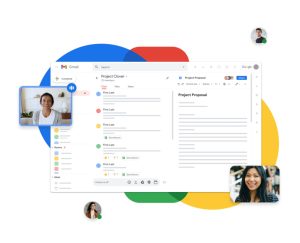
Best Google Workspace Courses in Singapore at Intellisoft

From setting up organizational content management policies to posting engaging content, the course ensures a comprehensive grasp of effective content handling in Google Workspace.

Students will also acquire skills to stay abreast of market offerings, using this knowledge to create compelling content within the Google Workspace ecosystem.

You will gain knowledge of using Google Forms, Google Docs, Google Sheets, Google Calendar, Gmail, Meet, Google Workspace, Google Drive, Jamboard, and much more.


Learn to organise, manage, and collaborate on business documents using Google Workspace tools like Drive, Docs, Sheets, and Sites.
๐Ÿ–ฅ๏ธ
Learn By Doing
Hands-on exercises on real Singapore business datasets from the very first module.
๐Ÿ‘ฅ
Small Class Sizes
Capped at 15โ€“20 participants for personal attention.
๐Ÿ“ง
Post-Training Support
30-day free email support after the course to training@intellisoft.com.sg.
What You'll Walk Away With
โ˜๏ธ Manage and organise digital files using Google Drive cloud storage.
๐Ÿ“„ Create collaborative documents using Google Docs and real-time editing features.
๐Ÿ“Š Work with data using Google Sheets for reporting and collaboration.
๐ŸŒ Publish internal content and resources using Google Sites.
What You Will Learn

What You Will Learn in Google Workspace Content Management

โ˜๏ธ

Manage Files Using Google Drive

Organise, store, and share business documents using Google Drive tools.

๐Ÿ“„

Create Collaborative Documents

Create and edit shared documents using Google Docs collaboration features.

๐Ÿ“Š

Use Google Sheets For Data

Use Google Sheets to manage data and create simple reports.

๐ŸŒ

Build Content Using Google Sites

Create internal websites and resource pages using Google Sites.

๐Ÿค

Collaborate Using Workspace Tools

Collaborate with team members using Google Workspace productivity tools.

๐Ÿง 

Develop Digital Content Management Skills

Develop practical skills for managing digital workplace content.

Is This For You?

Who Should Attend Google Workspace Content Management?

๐Ÿ‘ฉโ€๐Ÿ’ผ

Office Executive

You use Google Workspace but want better document collaboration workflows.

๐Ÿ“‹

Administrative Professional

You manage shared documents but struggle with file organisation.

๐Ÿ“Š

Project Team Member

You collaborate with teams but want more efficient content sharing tools.

๐Ÿ’ผ

Business Professional

You want to manage digital content efficiently using Google Workspace.

This course is best suited for

  • professionals,
  • managers,
  • executives,
  • technicians,
  • Senior Leadership,
  • junior staff,
  • freelancers,
  • data entry operators,
  • web designers and
  • content creators.
Before You Attend

Pre-Requisites for Google Workspace Content Management

Minimum Entry Requirements
Knowledge and Skills
โ€ข Able to operate computer functions with minimum Computer Literacy Level 2 based on ICAS Computer Skills Assessment Framework
โ€ข Minimum 3 GCE โ€˜Oโ€™ Levels Passes including English or WPL Level 5 (Average of Reading, Listening, Speaking & Writing Scores)

Attitude
โ€ข Positive Learning Attitude
โ€ข Enthusiastic Learner

Experience
โ€ข Minimum of 1 year of working experience.
โ€ข Minimum 18 years old

๐Ÿ›๏ธ  Up to 70% WSQ funding plus SkillsFuture Credit available.

Curriculum

Google Workspace Content Management: Course Outline & Curriculum

Module 1

Introduction to Google Workspace

  • Overview of Google Workspace
  • Google account management
  • Workspace interface overview
  • Cloud collaboration concepts
  • Digital content management basics
Module 2

Managing Files Using Google Drive

  • Google Drive interface
  • Uploading and organizing files
  • Creating folders
  • Sharing files and permissions
  • File version history
Module 3

Creating Documents Using Google Docs

  • Creating Google Docs documents
  • Formatting text and layout
  • Collaborative editing features
  • Comments and suggestions
  • Document sharing settings
Module 4

Working With Data Using Google Sheets

  • Google Sheets interface
  • Entering and managing data
  • Basic formulas and functions
  • Sorting and filtering data
  • Creating charts
Module 5

Publishing Content Using Google Sites

  • Google Sites overview
  • Creating website pages
  • Embedding Workspace content
  • Sharing site access
  • Publishing internal websites

Topic 1 Overview of Google WorkspaceWSQ Funded Google Workspace Course with SKillsfuture at Intellisoft Training

  • Setup Google Workspace for your organization
  • Post and update content on Google Drive
  • Manage web content on Google Drive

Topic 2 Google Workspace Contents and Assets

  • Create and Curate Google Docs, Sheets, Slides
  • Maintain Google Forms, Jamboard, Gmail, Calendar, Meet
  • Maintain Google Sites

Topic 3 Google Admin and Add-ons

  • Reports on key metrics of your organization)
  • Google workspace add-ons
  • Improve Google Workspace
Trusted by professionals from 500+ organisations
Canon CPF Board OCBC NTU NUS Mindef HDB JTC ExxonMobil Sembcorp
AXA Epson NTUC Health DSO Toyota Asia Pacific BNY Mellon Ritz-Carlton Standard Chartered Singapore Police Force Tan Tock Seng Hospital

Training Course Fees & Funding

Full course fee: S$600.00 (before GST & government funding) TGS: TGS-2023039928

Highest Funding
70% Grant

70% SSG Grant

Baseline + Enhanced Training Support

  • SG Citizens aged 40+ (Individual, SME or MNC)
  • SME-sponsored SG Citizens (21+)
  • SME-sponsored PRs (21+)
Course Fee S$600.00
SSG Funding (70%) โˆ’ S$420.00
Nett Fee S$180.00
GST (9%) S$54.00
You Pay S$234.00
SSG Funded
50% Grant

50% SSG Grant

Baseline WSQ Funding

  • SG Citizens aged 21โ€“39 (Individual or MNC)
  • MNC company-sponsored PRs (21+)
  • Individual PRs (21+)
Course Fee S$600.00
SSG Funding (50%) โˆ’ S$300.00
Nett Fee S$300.00
GST (9%) S$54.00
You Pay S$354.00
Foreigners & other pass holders: Government grants are not applicable. Full course fee of S$600.00 + 9% GST = S$654.00 applies. Contact us for more details.

Need help with funding applications? We'll guide you through the process.

* Terms & conditions apply. Funding subject to eligibility and approval by respective agencies. GST applies on full course fee before subsidy. Fee information is accurate as of Apr 2026.

Register

Register for Google Workspace Content Management in Singapore

๐Ÿ’ฌ Corporate / Group Enquiry
Date Duration Venue
28, 29 May 2026
2 Days Fortune Centre, Singapore Register โ†’
3, 4 Aug 2026
2 Days Fortune Centre, Singapore Register โ†’
26, 27 Nov 2026
2 Days Fortune Centre, Singapore Register โ†’
๐Ÿข Running this for a group? Request a Custom Corporate Run โ†’
Common Questions

Frequently Asked Questions

How much does the Google Workspace Content Management course cost and are grants available? โ–พ
The course fee depends on the class schedule and training arrangements. Eligible Singapore learners may receive up to 70% WSQ funding and may also use SkillsFuture Credit to offset the course fee. Organisations may explore workforce training subsidies when sending employees for training. Contact Intellisoft Systems to confirm the latest pricing and funding eligibility.
How long is the Google Workspace Content Management training course? โ–พ
The course is typically delivered as an instructor-led training session focused on practical use of Google Workspace tools. Participants learn how to manage files, collaborate on documents, and organise digital content. The course includes demonstrations and hands-on exercises. This ensures learners gain practical workplace skills.
Do I need prior Google Workspace experience before attending this course? โ–พ
No prior experience with Google Workspace is required. The course is designed for beginners who want to learn how to use Google Drive, Docs, Sheets, and Sites effectively. Basic computer skills are sufficient. The training introduces Google Workspace tools step by step.
Will I receive a certificate after completing the course? โ–พ
Participants who attend the training typically receive a certificate of completion from Intellisoft Systems. The certificate confirms participation in the Google Workspace Content Management course. Many organisations use this certificate for professional development records. It demonstrates competency in using Google Workspace tools.
Where is the Google Workspace training conducted? โ–พ
The classroom training is conducted at Intellisoft Systems training centre located at Fortune Centre, 190 Middle Road, #14-05, Singapore 188979. The training environment supports hands-on learning with Google Workspace tools. Corporate organisations may also arrange onsite training sessions at their office. This allows teams to learn using real workplace scenarios.
Who should attend the Google Workspace Content Management course? โ–พ
This course is designed for professionals who want to manage and collaborate on digital content using Google Workspace tools. It is suitable for office staff, administrative professionals, project teams, and business professionals. Anyone responsible for managing documents or shared content will benefit from the training. The course focuses on practical workplace collaboration.
How can I register for the Google Workspace Content Management course? โ–พ
You can register directly through the course page by selecting an available training date. Alternatively, you may contact Intellisoft Systems via phone or email to confirm course schedules and seat availability. Organisations planning group training can request a corporate training proposal. Early registration is recommended because class sizes are limited.
Ready to Get Started?

Upgrade Your Skills.
Seats Fill Quickly.

Join thousands of professionals who've trained with Intellisoft. With WSQ funding, this is the most cost-effective way to upskill your team.

โœ‰๏ธ training@intellisoft.com.sg ยท We respond within 2 business hours

๐Ÿ’ฌ Quick Enquiry

We respond within 2 business hours.

By submitting, you consent to Intellisoft collecting your data in accordance with Singapore's PDPA.

โœ… Thank you! We'll be in touch shortly.
Google Workspace Content Management
Next class: 28, 29 May 2026 ยท Fortune Centre, Singapore ยท 2 Days
Course Brochure
Google Workspace Content Management

Enter your details and we'll send the full course brochure โ€” complete outline, funding details, and registration instructions.

Free Tips, Tutorials & Training Grants Info

Learn from expert tips, tricks and resources for Excel, PowerPoint, Photoshop, Python, Power BI, Project Management, IT, Soft Skills & more with our Email Newsletter.
Plus get the latest news on Grants. Join Today!

Found What You Were
Looking For?

Just Tell us...

We're Here To Help You!