Course Outline
This is a detailed, step-by-step training course for you to get hands-on experience with the Microsoft Power Platform technologies – Power Apps, Power Automate, and Microsoft SharePoint.
The training includes practical, hands-on exercises for people new to these technologies to build low-code app solutions within a short span.
Technologies covered in the Intellisoft Power Apps & Power Automate Class in Singapore are:
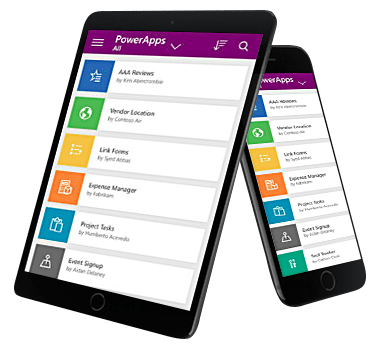
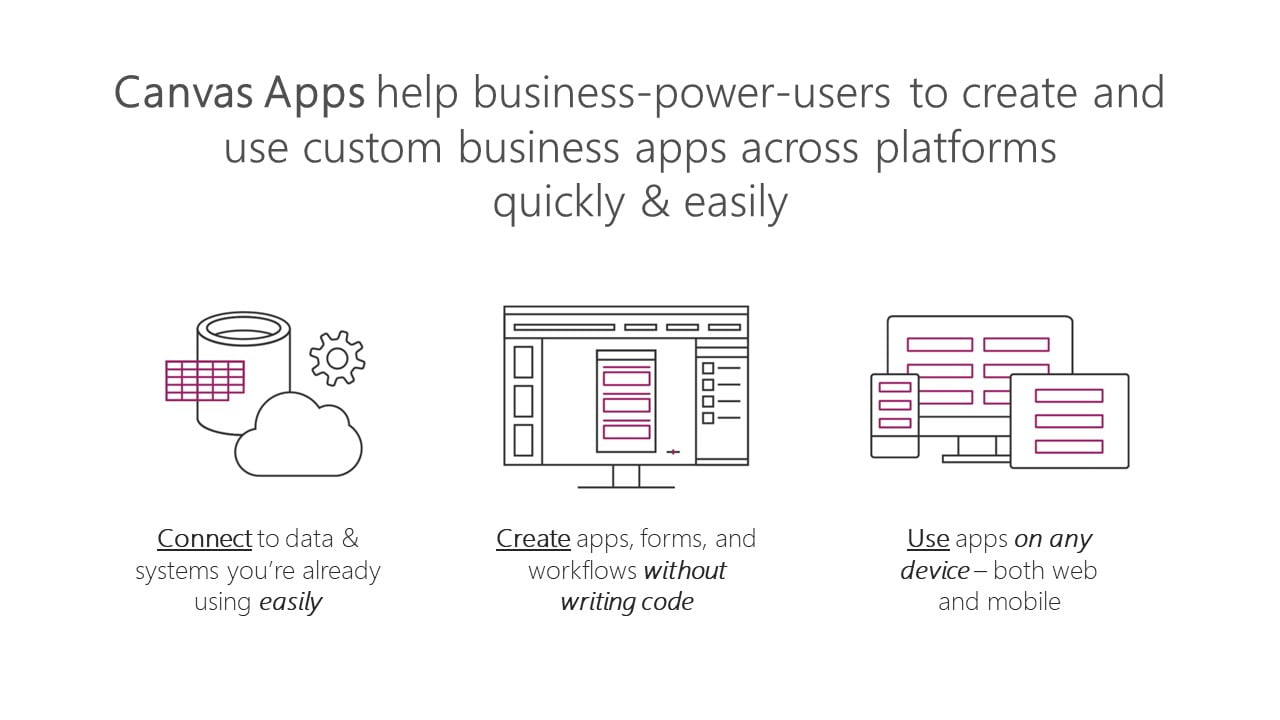
- Power Apps: A software as a service (SAAS) application platform that enables power users in line of business roles to easily build and deploy custom business apps. You will learn how to build Canvas style of apps that work on mobile devices or desktops with ease.
- Power Automate: A business service for line of business specialists and IT pros to build automated workflows intuitively.
- Microsoft SharePoint: Create and share list of important things to track within the department or the organization. Maintain & manage a complete app from within your company’s SharePoint Portals.
Module 1: Power Apps: Introduction, Building Low-Code Apps, Testing on Mobile
Focuses on the basic concepts involved in building Power Apps Canvas apps.
- Connect to data sources and filter results based on specified criteria
- Work with screens and navigation
- Use controls, properties, formulas, and actions to customize the user experience
- Configure app settings
- Save and share an app
- Run the app on a mobile device
Module 2: Introduces you to Microsoft SharePoint List Interface.
You will learn how to:
- Create and customize a custom List
- Use the Form control
- Save data into the Microsoft SharePoint using the Form control
- Use a list as a source for creating and updating Power Apps
Module 3: Power Automate – Introduction, Building simple to complex workflow automation with multiple apps.
Introduces you to Power Automate.
- Create a flow that is triggered when a new Microsoft SharePoint List row is created
- Automate sending approval requests
- Conditional branching based on the approval response
- Trigger a flow when a new record is created
- Update the record with the approval status and the approver’s comments
- Customize the approval based on the SharePoint item add/update
- Use the Approval centre on mobile and web
- Check the status of flow runs
Module 4: Create multi-step approvals with multiple apps
- Create automation with third-party apps
- Create a complex flow with Advanced Automation Tips & Tricks
Module 6: Create your own App from Scratch
- Design the App Layout
- Configure the database or Sharepoint List
- Create the Screens and interaction
- Build Automation flows
- Debug & test the application
- Deploy the app to other users
Gain a competitive advantage by linking all your data
Connect to hundreds of data sources using a library of connectors and Microsoft SharePoint —bringing your data together for a single source of truth while you uncover insights as well as customize and extend Office 365, Dynamics 365, and Azure capabilities.
Scale your low-code apps with Azure
Use Azure to extend low-code apps built with Power Apps and create enterprise solutions that scale to meet your organization’s needs. Professionally manage your enterprise app development using Azure DevOps, plus tap into the power of reusable components, AI services, and your entire data estate on Azure.
Powerful alone. Better together.
Build powerful end-to-end business solutions by connecting Power Apps across the entire Microsoft Power Platform—and to Microsoft 365, Dynamics 365, Azure, and hundreds of other apps—to drive innovation across your
Join the Intellisoft MasterClass Training Course on Power Apps & Power Automate
Build apps in hours—not months—that easily connect to data, use Excel-like expressions to add logic and run on the web, iOS, and Android devices.
Course Objectives
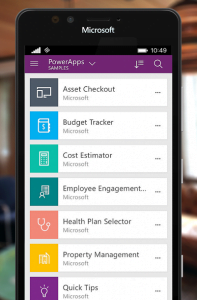
Packaged applications are the fastest way to transform your business: e.g. Marketing, Sales, Service, Talent, Finance and Ops apps in Dynamics 365. But no application is exactly what you need: every business needs to customize these applications to fit their processes and industry. And sometimes there is no “app for that:”
Digital transformation depends on creating bespoke applications for the last mile
In this 2 day Mastering Power Apps Course, we will show you how to create an app for your organization with low-code solutions and deploy them immediately for use.
You will learn how to connect to data, store and retrieve it from company databases or Sharepoint lists, and generate automated actions upon the data and user interactions.
Power Apps drive business transformation
Businesses reduced development costs and increased overall efficiency using Power Apps in the Total Economic Impact™ commissioned study by Forrester Consulting.
- 188% ROI over three years
- 74% Reduction in app development costs
- 3.2 hours/week Average improvement in line-of-business employee productivity
Give everyone the tools to be an app builder. Get them trained in the use of these fantastic tools from Microsoft today!
Enrol in the PowerApps course at Intellisoft Systems in Singapore today!
Pre-Requisites
No previous experience of PowerApps or Power Automate is required.
We will start from the very basics, from what software is required, how to download, what other tools do you need, and then do the design of the app, develop the prototype from scratch, and test it. Once it is tested, we will deploy it for you and other users to use it.
A very systematic, step by step process for beginners and experienced users alike.
Target Audience
This PowerApps class has something for everything, from beginners who wish to customise their data entry forms in SharePoint right up to advanced users who need to use advanced formulas to deliver more bespoke actions to their apps.
Engineers, researchers, technicians, managers, directors, customer service staff, and people from marketing, sales, operations, finance, logistics, admin, manufacturing, networking, IT, and infrastructure are welcome.
We have trained hundreds of professionals in creating low-code apps that are ready within a short span of just 2 days, with Power Apps, Automation & Dashboards for Management views, Tracking & monitoring purposes.
Beginners, experienced developers and non-developers can join this training and create apps in no time. All you need is a good understanding of the process you want to automate and create an app for and a willingness to learn new low-code technologies introduced by Microsoft.
Microsoft PowerApps is a pioneer in low-code development solutions. It is used by more than 485 Fortune 500 companies.
What are you waiting for?
Support
Post-Course Support
- We provide free consultation related to the subject matter after the course.
- Please email your queries to training@intellisoft.com.sg and we will forward your queries to the subject matter experts.
Venue:
All courses are conducted at Intellisoft Training Rooms at 190 Middle Road, 10-08 Fortune Centre, Singapore 188979.
Short walk from Bencoolen MRT, Bugis, Rochor, Bras Basah MRT stations. The venue is disabled-friendly. For directions, click Contact Us.