Excel VBA Macro Software Design

WSQ Excel VBA SkillsFuture Course at Intellisoft Singapore
Intellisoft offers WSQ funded, UTAP supported SkillsFuture Credits Eligible Courses in Singapore

Avail 70% WSQ, UTAP , SFEC, SkillsFuture*

Excel VBA Macros programming language allows users to do amazing stuff with Excel. They enjoy working at higher speeds and get tedious Microsoft Excel tasks done in mere seconds, completing intricate calculations accurately.

VBA is a flexible language, and its English-like syntax makes learning easy.  VBA code saves time and increases accuracy by automating the routine and keeping things running at high accuracy and efficiency.

VBA is also one of the easiest ways to automate processes. It doesn’t require installing anything on the client’s computer with Excel. By writing the VBA code, employees increase their productivity and make themselves more valuable to current and future employers.

For tasks like data consolidation, data analysis,  forecasting, or reporting, users can effectively automate a large portion of their work in areas such as Finance, Banking, Healthcare, Customer Service, and Management Reporting.

Learning Forms and Controls helps users to build User Interactive Windows or Forms, including getting the data from various sources and interacting with other applications.

In addition, VBA can automate most tasks, including report generation, creating a spreadsheet, calculating a large amount of data, and performing data analysis.

In this Practical, Proposal Writing Skills training, you would learn to

  • Identify the purpose of a proposal
  • Identify different types of proposals
  • Identify and perform the steps in the proposal writing process
  • Perform a needs analysis and write a goal statement
  • Prepare a proposal outline
  • Improve their writing skills with a variety of techniques
  • Use appropriate resources and ghosting to build a strong case
  • Add illustrations to their proposal
  • Proofread and edit their proposal
  • Add the finishing touches to create a professional-looking final product

Go To Top

Best suited for individuals, as well as employees in Sales, Marketing, Customer Service, Purchasing, IT, HR, Finance, Manufacturing, Data Analysis, and other departments in companies where they are required to submit proposals to clients and customers.

Go To Top

Module One: Getting Started

Module Two: Understanding Proposals

Module Three: Beginning the Proposal Writing Process

Module Four: Preparing an Outline

Module Five: Finding Facts

Module Six: Writing Skills (I)

Module Seven: Writing Skills (II)

Module Eight: Writing the Proposal

Module Nine: Checking for Readability

Module Ten: Proofreading and Editing

Module Eleven: Adding the Final Touches

Module Twelve: Wrapping Up

Go To Top

Anyone can attend who wants to improve the skills to prepare proposals. No specific skills or pre-requisites. You must know how to read, write and speak English well.

Go To Top

Post-Course Support

  • We provide free consultation related to the subject matter after the course.
  • Please email your queries to training@intellisoft.com.sg and we will forward your queries to the subject matter experts.

Venue:

All courses are conducted at:

190 Middle Road, 10-08 Fortune Centre, Singapore 188979.  5 mins walk from Bencoolen MRT station. Bugis, Rochor, Bras Basah MRT are nearby, within walking distance.

The venue is disabled-friendly.

SkillsFuture Ready

Singaporeans can use $500 SkillsFuture Credits for this training to offset the course fees.

Contact us for advise on how to go about claiming your SkillsFuture.

Get Started Today!

Learn By Doing

You learn best when you Do It Yourself.

We teach you, step by step, how you can learn new skills, build your knowledge and enhance your career prospects quickly & easily, with Practical Tips & Tricks!

Do You Have Any Questions or Need a Quotation?

Simple. Just tell us what you need. We’ll be glad to help you!

Some of the companies that experienced our trainings

"What I love about this training is that the trainers make sure we learn the steps and are able to do it on our own. This is a real advantage and I will definitely come back for more practical training"
Michele Martin
HR Manager
“The training was everything I hoped for, and more. Intellisoft Systems really makes a difference, I would have never discovered the hidden features of the sotftware on my own. Thanks a lot Intellisoft !"
Joy Tan
Project Engineer

How To Register

How To Register For Excel VBA Software Design Course in Singapore

Register for the 3 Days Excel VBA Macro  Course today by simply clicking on the chosen course date available at the top of this page.

Need Help?
Call us at +65-6250-3575, SMS / WhatsApp: 9066-9991

Send an email to training@intellisoft.com.sg

We have regular public classes For Excel VBA Programming training each month, and Corporate Training can be arranged at your office too!

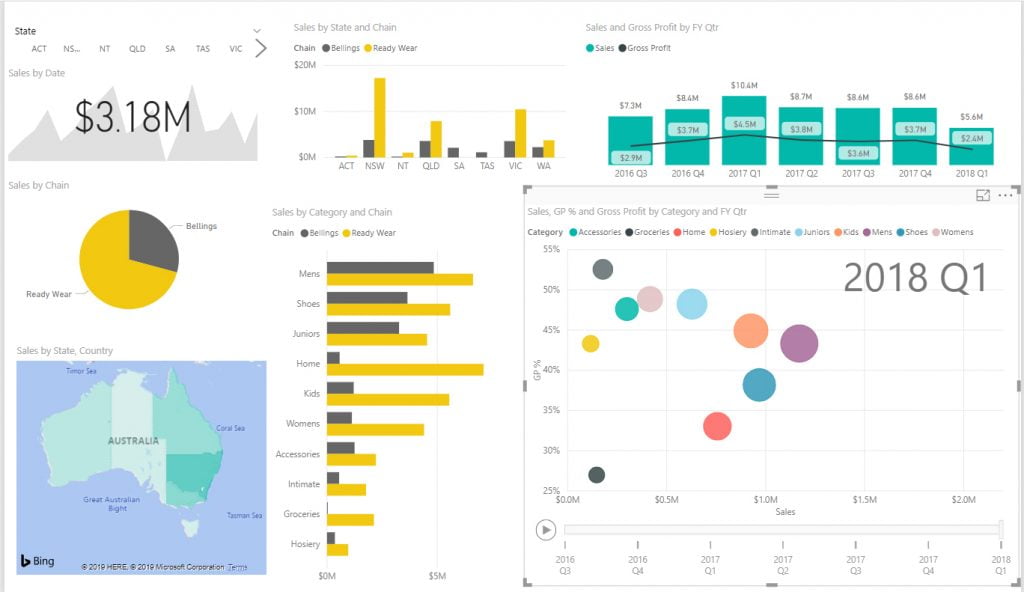
Infographic of Financial Reports

Note: This class uses a convenient and hands-on approach to gain Excel VBA  Mastery. It requires you to take part in VBA programming exercises during the class. You can bring your own laptop or request to use our computer during the class beforehand.

WSQ Funded Excel VBA Training:

Join today, and begin to Master Excel VBA coding with our step-by-step instructions and helpful, patient Microsoft Certified Trainers to guide you.

What are you waiting for? Get Started Right away…

Accelerate Your Career With the Most Effective & Practical Training.

Training Course Fees & Funding

Full course fee: S$960.00 (before GST & government funding) TGS: TGS-2022016805

Highest Funding
70% Grant

70% SSG Grant

Baseline + Enhanced Training Support

  • SG Citizens aged 40+ (Individual, SME or MNC)
  • SME-sponsored SG Citizens (21+)
  • SME-sponsored PRs (21+)
Course Fee S$960.00
SSG Funding (70%) − S$672.00
Nett Fee S$288.00
GST (9%) S$86.40
You Pay S$374.40
SSG Funded
50% Grant

50% SSG Grant

Baseline WSQ Funding

  • SG Citizens aged 21–39 (Individual or MNC)
  • MNC company-sponsored PRs (21+)
  • Individual PRs (21+)
Course Fee S$960.00
SSG Funding (50%) − S$480.00
Nett Fee S$480.00
GST (9%) S$86.40
You Pay S$566.40
Foreigners & other pass holders: Government grants are not applicable. Full course fee of S$960.00 + 9% GST = S$1,046.40 applies. Contact us for more details.

Need help with funding applications? We'll guide you through the process.

* Terms & conditions apply. Funding subject to eligibility and approval by respective agencies. GST applies on full course fee before subsidy. Fee information is accurate as of Apr 2026.

WSQ Excel VBA SkillsFuture Course at Intellisoft Singapore
WSQ UTAP SkillsFuture Credits Ready Courses at Intellisoft Systems Singapore

Adobe Photoshop Certification

Create Digital Transformation With Photoshop Courses in Singapore at Intellisoft Systems SingaporeThis 3-day hands-on training is for anyone beginning to learn Photoshop, this course will be their ideal starting point. Best suitable for working professionals and students who would like to learn the latest digital editing and Adobe Photoshop concepts.

WSQ, UTAP & SkillsFuture Grants in Singapore

This course imparts participants with the knowledge to plan, design, build and maintain their graphical designs with Adobe Photoshop.

Learn how to enhance your digital design skills by signing up for the Photoshop Adobe Course Singapore at Intellisoft Training.

Master the art of photo editing and graphic design with a comprehensive Photoshop Course Singapore. Brush up on your Photoshop Adobe skills with the help of experienced, Adobe Photoshop certified  instructors and hands-on training.

Up To 70% WSQ funding is available for Singaporeans & Singapore-based Companies* (WDA Terms & Conditions apply). PRs can also apply for WSQ grants.

SkillsFuture credits ready for Singaporeans.

UTAP: In addition, NTUC members can utilize UTAP to offset 50% of the remaining fees (capped at $250 per year).

Call +65 6252-5033 for Course details & WDA Funding details.

Training Course Fees & Funding

Full course fee: S$695.00 (before GST & government funding) TGS: TGS-2023017912

Highest Funding
70% Grant

70% SSG Grant

Baseline + Enhanced Training Support

  • SG Citizens aged 40+ (Individual, SME or MNC)
  • SME-sponsored SG Citizens (21+)
  • SME-sponsored PRs (21+)
Course Fee S$695.00
SSG Funding (70%) − S$486.50
Nett Fee S$208.50
GST (9%) S$62.55
You Pay S$271.05
SSG Funded
50% Grant

50% SSG Grant

Baseline WSQ Funding

  • SG Citizens aged 21–39 (Individual or MNC)
  • MNC company-sponsored PRs (21+)
  • Individual PRs (21+)
Course Fee S$695.00
SSG Funding (50%) − S$347.50
Nett Fee S$347.50
GST (9%) S$62.55
You Pay S$410.05
Foreigners & other pass holders: Government grants are not applicable. Full course fee of S$695.00 + 9% GST = S$757.55 applies. Contact us for more details.

Need help with funding applications? We'll guide you through the process.

* Terms & conditions apply. Funding subject to eligibility and approval by respective agencies. GST applies on full course fee before subsidy. Fee information is accurate as of Apr 2026.

  • Introduction to Photoshop – How to build workflows that take full advantage of the new tools.
  • Learn how to get organized with your images, and use Adobe Bridge to increase your workflow.
  • Using Tools and Panels – learn how to correctly set up your editing environment to accurately output color.
  • Working with powerful Layers styles.
  • Photoshop Blending Modes with the basics of the application layout and how all the functions interact with each other.
  • Use options in brush palette to create amazing images.
  • Improving Images with Adjustment Layers.
  • Working with Healing and Retouching Tools.
  • Learn the principles of image correction and build an understanding of which tools to use in any given situation to perform the perfect correction, from basic contrast to advanced levels and curves.
  • Working with Filters for special effects.

Go To Top

Audience              :  Applicable to All

Skill Level             :  For beginner and professional who in need of Advanced Image Editing Skills in order to produce special effects in digital images.

Time                      :  8.45 am – 5.45 pm

Course Duration  :  3 Full Days (Weekdays or Weekend Classes available)

Go To Top

Module 1: Imaging Concepts

  • Digital Images
  • Graphic Formats
  • Color Concepts
  • Raster & Vector Images

Module 2: Image Capture

  • Capturing Images from Cameras
  • Grabbing Images from Screen
  • Importing with TWAIN

Module 3: Using the Photoshop Application

  • Understanding the Interface
  • Image Creation with presets, Width, Height, Resolution, Colour Mode
  • Settings in Photoshop
  • Enhancing Productivity
Module 4: Working with Images

  • Selection Techniques with Marquee, Lasso, Quick Selection Tool, Magic Wand, Color
  • Image Manipulations, Feathering, Inversing, Anti-Aliasing, Cropping, Resizing
  • Layers, Layer Stiles, Blending Modes, Animated GIFs,
  • Text Editing, Styles, Warp, Formatting
  • Effects and Filters

Module 5: Drawing and Painting

  • Drawing Tools, Brushes, Effects
  • Painting Tools, Options

Module 6: Prepare Outputs

  • Setup for Preview, Output
  • Printing for Web, Print

Best Photoshop Class in Singapore to learn digital art in Photoshop

Go To Top

There are no specific per-requisites for this training. Knowledge of computers is essential. Prior exposure to Adobe Photoshop is not mandatory, but can help in learning.

This is a beginner to intermediate level training class for Adobe Photoshop in Singapore. This is the best WSQ Photoshop course in Singapore.

Go To Top

Post-Course Support

  • We provide free consultation related to the subject matter after the course.
  • Please email your queries to training@intellisoft.com.sg and we will forward your queries to the subject matter experts.
Microsoft Training at Intellisoft

Claim WSQ Grant

Companies sponsoring their staff for training can Claim up to 70% WSQ Funding, subject to SSG Eligibility Criteria.

Applicable for Individuals & Company Sponsored Singaporeans & PRs.

SkillsFuture Ready

Singaporeans can use $500 SkillsFuture Credits for this training to offset the course fees.

Contact us for advise on how to go about claiming your SkillsFuture.

Get Started Today!

Learn By Doing

You learn best when you Do It Yourself.

We teach you, step by step, how you can learn new skills, build your knowledge and enhance your career prospects quickly & easily, with Practical Tips & Tricks!

Do You Have Any Questions or Need a Quotation?

Simple. Just tell us what you need. We’ll be glad to help you!

Some of the companies that experienced our trainings

How To Register

Register for the 3 Days of Adobe Photoshop Class Today to Learn professional image editing using Photoshop. Join the best WSQ Photoshop course in Singapore.

Simply fill the form on the top, and book your seat today. Or Send an online enquiry for any questions. You can call us at +65 6252-5033. Whats app: +65 9066 9991

Email to training@intellisoft.com.sg for any questions, or to register for the upcoming class and begin learning Adobe Photoshop. We have regular public classes each month, and Custom Corporate Trainings can be arranged at your office  too!

Certification: Successful trainees will receive the internationally recognized ICDL Certificate upon completion of the course. This certificate is administered by ICDL Singapore. This is a joint certification between WDA and ICDL Singapore. Student must take a 45 minutes assessment at the end of the course.

Accelerate Your Career With Certification in Adobe PhotoShop

Mastering PowerPoint Presentations

Advanced Powerpoint practical hands-on at Intellisoft

Learn to create professional-quality slide presentations that grab and hold your audience’s attention from start to finish.

  • Understand target audience & venue considerations in presentation planning.
  • Create and modify templates and format slide backgrounds.
  • Enhance a presentation using built-in drawing and image tools.
  • Apply advanced chart formatting features and create and edit diagrams.
  • Insert movies and sound and apply built-in animation features.
  • Use linking, embedding, importing and exporting features to integrate data.
  • Work with custom slide shows, apply slide show settings, & control a slide show.
Advanced PowerPoint Training @Intellisoft Singapore

Course Duration: 2 Days

WSQ Grant is available to Singapore Companies & Individuals candidates). Call +65 6250-3575 for Details.

This Advanced PowerPoint Training course is eligible for SkillsFuture credits usage by Singaporeans.

Training Course Fees & Funding

Full course fee: S$600.00 (before GST & government funding) TGS: TGS-2022017401

Highest Funding
70% Grant

70% SSG Grant

Baseline + Enhanced Training Support

  • SG Citizens aged 40+ (Individual, SME or MNC)
  • SME-sponsored SG Citizens (21+)
  • SME-sponsored PRs (21+)
Course Fee S$600.00
SSG Funding (70%) − S$420.00
Nett Fee S$180.00
GST (9%) S$54.00
You Pay S$234.00
SSG Funded
50% Grant

50% SSG Grant

Baseline WSQ Funding

  • SG Citizens aged 21–39 (Individual or MNC)
  • MNC company-sponsored PRs (21+)
  • Individual PRs (21+)
Course Fee S$600.00
SSG Funding (50%) − S$300.00
Nett Fee S$300.00
GST (9%) S$54.00
You Pay S$354.00
Foreigners & other pass holders: Government grants are not applicable. Full course fee of S$600.00 + 9% GST = S$654.00 applies. Contact us for more details.

Need help with funding applications? We'll guide you through the process.

* Terms & conditions apply. Funding subject to eligibility and approval by respective agencies. GST applies on full course fee before subsidy. Fee information is accurate as of Apr 2026.

  • Allows users to become more confident, efficient and effective in using using Advanced PowerPoint features & functions.
  • Proves mastery of the Microsoft PowerPoint application.

    PowerPoint training in Singapore
    PowerPoint training in Singapore
  • Enables users to plan and design more effective presentations.
  • Improves user’s productivity to WOW the audience.

Go To Top

This Advanced PowerPoint course is designed for:

Intermediate Users of PowerPoint & Professional who are in need of Advanced PowerPoint knowledge in order to create, produce & deliver better presentations.

Laptops with the required PowerPoint software pre-loaded are provided for this Advanced PowerPoint training course,

And a number of exercise files and PowerPoint demos are provided in this training too. 

Go To Top

Module 1: Presentation Planning

  • Audience and Environment
  • Understand how audience demography and knowledge of subject impacts on planning of a presentation
  • Understand venue considerations like: lighting, available presentation equipment, room size and layout
  • Design, Content and Layout understand timing considerations like: adapt content to time available, allow appropriate time interval for each slide,
  • Understand that presentation dialogue is supported by graphical objects and text,
  • Understand the importance of using a consistent design scheme and adequate color contrast
  • Be aware of accessibility design considerations like: font size, alternative text, colors, limiting animations and transitions

Module 2: Slide Masters and Templates

  • Slide Masters: insert a new slide/title master, edit slide master layouts like: font, bulleted list format,
  • Apply a custom slide master to specified slides
  • Templates: create/modify a new template, add a theme

Module 3: Using Graphical Objects

  • Formatting Drawn Objects: – Formatting Drawn Objects – apply background fill, transparency, 3-D effects, pick up a style from a drawn object and apply it to another drawn object, change the default formatting for new drawn objects
  • Formatting Pictures, Images – adjust brightness and contrast, display in greyscale/black/white/washout format, Change/restore original colors
  • Handling Graphical Objects – display, hide ruler, grid and guides, move guides, turn on/off snap objects to grid, crop, re-scale.

Module 4: Charts and Diagrams

  • Using Charts- Format chart title/legend/data labels/axes labels, change the chart type for a defined
  • Data series – change the gap/overlap between columns/bars, format columns/bars/plot area/chart area to display an image, change scale of value axis
  • Using Diagrams – Create using built- in options a diagram like: flowchart/cycle/pyramid, add/move/delete shapes in a diagram, add/change/delete connectors in a flowchart

Module 5: Learn Multimedia

  • Movies, Sound: Insert movies/sounds to play automatically/on mouse click
  • Animation – change custom animation effects/ settings/sequence, apply colour dim effects to bulleted points after animation, animate chart elements

Module 6: Enhancing Productivity

  • Linking, Embedding: Insert/edit/remove a hyperlink, insert an action button, link data into a slide and display as an object/icon, update/break a link, insert an image from a file with a link to the file,
  • Embed data into a slide and display as an object, edit/delete embedded data
  • Importing, Exporting – merge slide(s)/a complete presentation/a word-processed outline into an existing presentation, save a specified slide as a file format

Module 7: Managing Presentations

  • Custom Shows -Create/show/copy/edit/delete a custom slide show
  • Slide Show Settings – Apply/remove timings from slide transitions, apply settings to a slide show
  • Slide Show Control – Add/erase pen comments during a slide show

Go To Top

Need to possess knowledge of Basic PowerPoint.

Learners’ Profile:

  1. Any learner with a basic proficiency in reading, writing, and understanding English can pick up the Advanced Microsoft PowerPoint.
  2. We look for participants with Secondary education as a pre-requisite.
  3. Participants should have completed the Basic PC Skills training, and the Basic PowerPoint Training.

Go To Top

Post-Course Support

  • We provide free consultation related to the subject matter after the course.
  • Please email your queries to training@intellisoft.com.sg and we will forward your queries to the subject matter experts.
Microsoft Training at Intellisoft

Claim WSQ Grant

Companies sponsoring their staff for training can Claim upto 70% WSQ Funding, subject to SSG Eligibility Criteria.

Applicable for Company Sponsored Singaporeans & PRs.

SkillsFuture Ready

Singaporeans can use $500 SkillsFuture Credits for this training to offset the course fees.

Contact us for advise on how to go about claiming your SkillsFuture.

Get Started Today!

Learn By Doing

You learn best when you Do It Yourself.

We teach you, step by step, how you can learn new skills, build your knowledge and enhance your career prospects quickly & easily, with Practical Tips & Tricks!

Do You Have Any Questions or Need a Quotation?

Simple. Just tell us what you need. We’ll be glad to help you!

Some of the companies that experienced our trainings

How To Register

Register for the 2 Days Advanced PowerPoint today by simply clicking on the chosen course date available at the top of this page.

Need Help?

  1. Call us at +65 6250-3575, SMS / WhatsApp: +65 9066-9991
  2. Send an email  to  training@intellisoft.com.sg  OR
  3. Submit an online enquiry if you have any questions regarding Advanced PowerPoint training.

You can call us at +65  6250-3575 for your Customized Corporate training enquiry.

Note: This class is a very practical, and hands-on workshop session. It requires you to take part in Advanced PowerPoint exercises during the class. A laptop with PowerPoint pre-loaded is provided to each participant, for use during this workshop.

Join today & Master Advanced PowerPoint techniques easily, with step-by-step instructions, helpful, patient. Microsoft Certified Trainers are here to guide you.

Master PowerPoint
&
Create Killer Presentations!

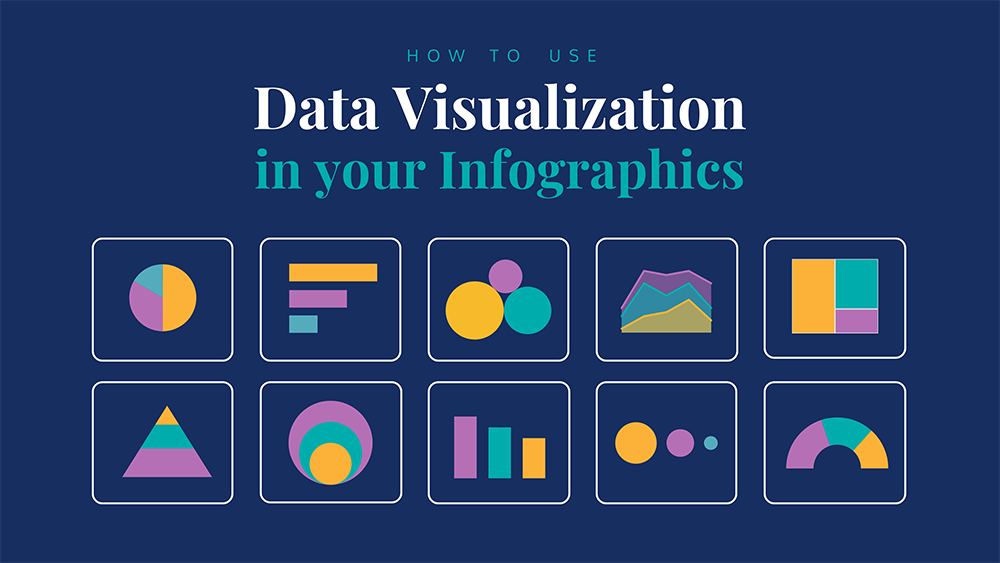
Infographics & Data Visualization with Excel

Excel training at Intellisoft in Singapore

Learn to Analyze & Visualize Data With Infographics & Pivot Tables

Up To 70% WSQ Grant. Use SkillsFuture & UTAP to offset the balance.

Learn Advanced Excel Skills to Save Time & Impress
Achieve More with Data Analysis & Visualizaiton Tricks

What Will You Learn in this Advanced Excel Training?

Create Infographics & Visualize Data
With Advanced Excel Tricks: Course Overview

Learn By Doing

You learn best when you Do It Yourself.

We teach you, step by step, how you can learn new skills, build your knowledge and enhance your career prospects quickly & easily, with Practical Tips & Tricks!

Microsoft Training at Intellisoft

Claim WSQ Grant

Singaporeans & PRs (individuals or Company Sponsored) can claim up to 70% WSQ Grant*.

* Subject to SSG Eligibility Criteria

Contact us To Calculate Your Grant Amount

SkillsFuture Ready

Singaporeans can use $500 SkillsFuture Credits for this training to offset the course fees.

Contact us for advise on how to go about claiming your SkillsFuture.

Get Started Today!

Training Course Fees & Funding

Full course fee: S$750.00 (before GST & government funding) TGS: TGS-2023017925

Highest Funding
70% Grant

70% SSG Grant

Baseline + Enhanced Training Support

  • SG Citizens aged 40+ (Individual, SME or MNC)
  • SME-sponsored SG Citizens (21+)
  • SME-sponsored PRs (21+)
Course Fee S$750.00
SSG Funding (70%) − S$525.00
Nett Fee S$225.00
GST (9%) S$67.50
You Pay S$292.50
SSG Funded
50% Grant

50% SSG Grant

Baseline WSQ Funding

  • SG Citizens aged 21–39 (Individual or MNC)
  • MNC company-sponsored PRs (21+)
  • Individual PRs (21+)
Course Fee S$750.00
SSG Funding (50%) − S$375.00
Nett Fee S$375.00
GST (9%) S$67.50
You Pay S$442.50
Foreigners & other pass holders: Government grants are not applicable. Full course fee of S$750.00 + 9% GST = S$817.50 applies. Contact us for more details.

Need help with funding applications? We'll guide you through the process.

* Terms & conditions apply. Funding subject to eligibility and approval by respective agencies. GST applies on full course fee before subsidy. Fee information is accurate as of Apr 2026.

Do You Have Any Questions or Need a Quotation?

Simple. Just tell us what you need. We’ll be glad to help you!

Some of the companies that experienced our trainings

"What an insight into Infographics & Data Analysis. The trainers make sure we learn the steps and do it on our own. I will come back for more practical training"
Daniel Martin
Sales Director
“The training was everything I hoped for, and more. I would have never discovered the hidden infographic features of Excel on my own. Thanks a lot Intellisoft !"
Patrick Han
Finance Controller

How To Register

Accelerate your Career With the Most Effective Training!

Data Analytics & Visualization with Power BI

Power BI course in Singapore at Intellisoft

The Best Power BI Class in Singapore

Master Power BI with 70% WSQ Grant*

Intellisoft offers WSQ funded, UTAP supported SkillsFuture Credits Eligible Courses in Singapore

What Will You Learn in Power BI MasterClass

Course Overview:
Data Analytics & Visualization With Power BI

Course Objectives

Features of Power BI Course at Intellisoft Systems in Singapore

Course Outline

Training Course Fees & Funding

Full course fee: S$1,000.00 (before GST & government funding) TGS: TGS-2022016804

Highest Funding
70% Grant

70% SSG Grant

Baseline + Enhanced Training Support

  • SG Citizens aged 40+ (Individual, SME or MNC)
  • SME-sponsored SG Citizens (21+)
  • SME-sponsored PRs (21+)
Course Fee S$1,000.00
SSG Funding (70%) − S$700.00
Nett Fee S$300.00
GST (9%) S$90.00
You Pay S$390.00
SSG Funded
50% Grant

50% SSG Grant

Baseline WSQ Funding

  • SG Citizens aged 21–39 (Individual or MNC)
  • MNC company-sponsored PRs (21+)
  • Individual PRs (21+)
Course Fee S$1,000.00
SSG Funding (50%) − S$500.00
Nett Fee S$500.00
GST (9%) S$90.00
You Pay S$590.00
Foreigners & other pass holders: Government grants are not applicable. Full course fee of S$1,000.00 + 9% GST = S$1,090.00 applies. Contact us for more details.

Need help with funding applications? We'll guide you through the process.

* Terms & conditions apply. Funding subject to eligibility and approval by respective agencies. GST applies on full course fee before subsidy. Fee information is accurate as of Apr 2026.

Do You Have Any Questions or Need a Quotation?

Simple. Just tell us what you need. We’ll be glad to help you!

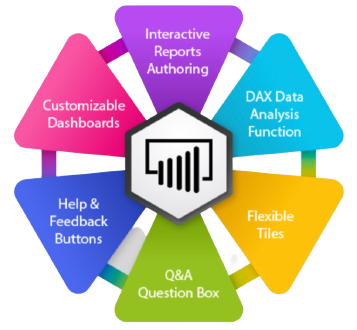
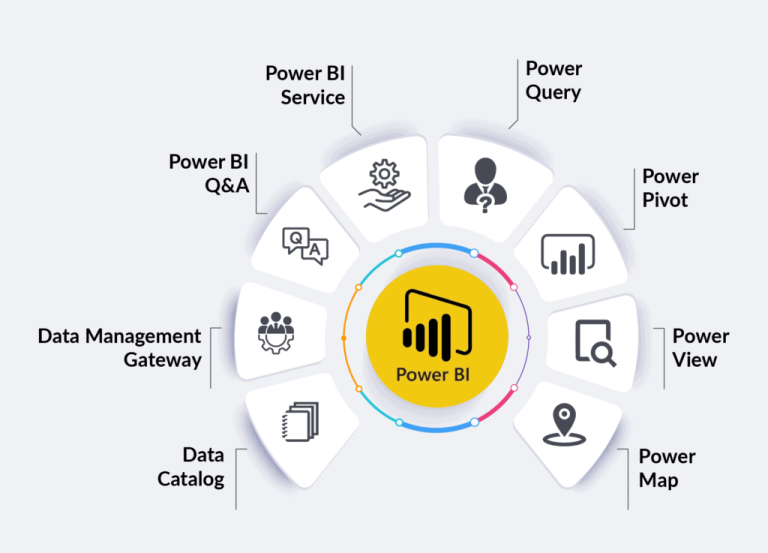
Power BI Feature Set

Target Audience

Learn By Doing

You learn best when you Do It Yourself.

We teach you, step by step, how you can learn new skills, build your knowledge and enhance your career prospects quickly & easily, with Practical Tips & Tricks!

SkillsFuture Ready

Singaporeans can use $500 SkillsFuture Credits for this training to offset the course fees.

Contact us for advise on how to go about claiming your SkillsFuture.

Get Started Today!

Microsoft Training at Intellisoft

Claim WSQ Grant

Companies sponsoring their staff for training can Claim up to 70% WSQ Funding, subject to SSG Eligibility Criteria.

Applicable for Individual & Company Sponsored Singaporeans/PRs.

Pre-Requisites

Power BI Dashboard Design in Singapore

Register For Power BI Training Course in Singapore

Some of the companies that experienced our trainings

Mastering Power Apps & Power Automate Course

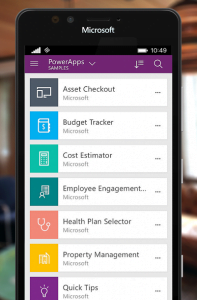
Power Apps Training To Create Mobile Apps for iOS & Android

The world needs great solutions. Build yours faster.

Now everyone can quickly build and share low-code apps with Microsoft Power Apps.

  • Create useful apps for everyday use
  • Automate your work-flow with Power Automate

This 2 day Mastering Power Apps & Power Automate Class will guide you step by step in learning to create awesome apps in no time.

Power Apps Course for Low Code app development in Singapore

Get started quickly
Empower your team to start building and launching apps right away using prebuilt templates, drag-and-drop simplicity, and quick deployment—then roll out continuous improvements as needed.

Build apps without compromises
Give everyone the power to build the apps they need with advanced functionality previously only available to professional developers—including pre-built AI components.

Innovate quickly for fast results

Driving success with employee-built apps using Microsoft Power Apps

  • Toyota Motor employees have created more than 400 apps that help with everything from product quality control to COVID-19 screening.
  • GSK Singapore has built 12 apps in just 2 days. And these people are not software developers… but engineers, quality inspectors, people from different departments doing their daily job.

Enable extensibility for developers

Provide professional developers with the tools to seamlessly extend app capabilities with Azure Functions and custom connectors to proprietary or on-premises systems.

Power Apps Training To Create Mobile Apps for iOS & Android

Power Apps Course for Low-code app development in Singapore

Packaged applications are the fastest way to transform your business: e.g. Marketing, Sales, Service, Talent, Finance and Ops apps in Dynamics 365. But no application is exactly what you need: every business needs to customize these applications to fit their processes and industry. And sometimes there is no “app for that:”

Digital transformation depends on creating bespoke applications for the last mile

In this 2 day Mastering Power Apps Course, we will show you how to create an app for your organization with low-code solutions and deploy them immediately for use.

You will learn how to connect to data, store and retrieve it from company databases or Sharepoint lists, and generate automated actions upon the data and user interactions.

Power Apps drive business transformation

Businesses reduced development costs and increased overall efficiency using Power Apps in the Total Economic Impact™ commissioned study by Forrester Consulting.

  • 188% ROI over three years
  • 74% Reduction in app development costs
  • 3.2 hours/week Average improvement in line-of-business employee productivity

Give everyone the tools to be an app builder. Get them trained in the use of these fantastic tools from Microsoft today!

Enrol in the PowerApps course at Intellisoft Systems in Singapore today!

Go To Top

This PowerApps class has something for everything, from beginners who wish to customise their data entry forms in SharePoint right up to advanced users who need to use advanced formulas to deliver more bespoke actions to their apps.

Engineers, researchers, technicians, managers, directors, customer service staff, and people from marketing, sales, operations, finance, logistics, admin, manufacturing, networking, IT, and infrastructure are welcome.

We have trained hundreds of professionals in creating low-code apps that are ready within a short span of just 2 days, with Power Apps, Automation & Dashboards for Management views, Tracking & monitoring purposes.

Beginners, experienced developers and non-developers can join this training and create apps in no time. All you need is a good understanding of the process you want to automate and create an app for and a willingness to learn new low-code technologies introduced by Microsoft.

Microsoft PowerApps is a pioneer in low-code development solutions. It is used by more than 485 Fortune 500 companies.

What are you waiting for?

Go To Top

This is a detailed, step-by-step training course for you to get hands-on experience with the Microsoft Power Platform technologies – Power Apps, Power Automate, and Microsoft SharePoint.

The training includes practical, hands-on exercises for people new to these technologies to build low-code app solutions within a short span.

Technologies covered in the Intellisoft Power Apps & Power Automate Class in Singapore are:

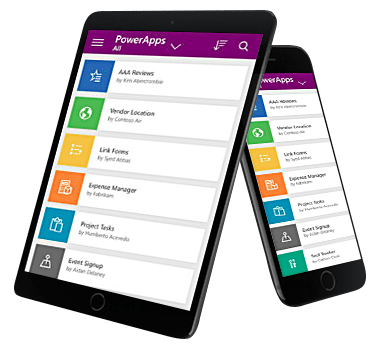
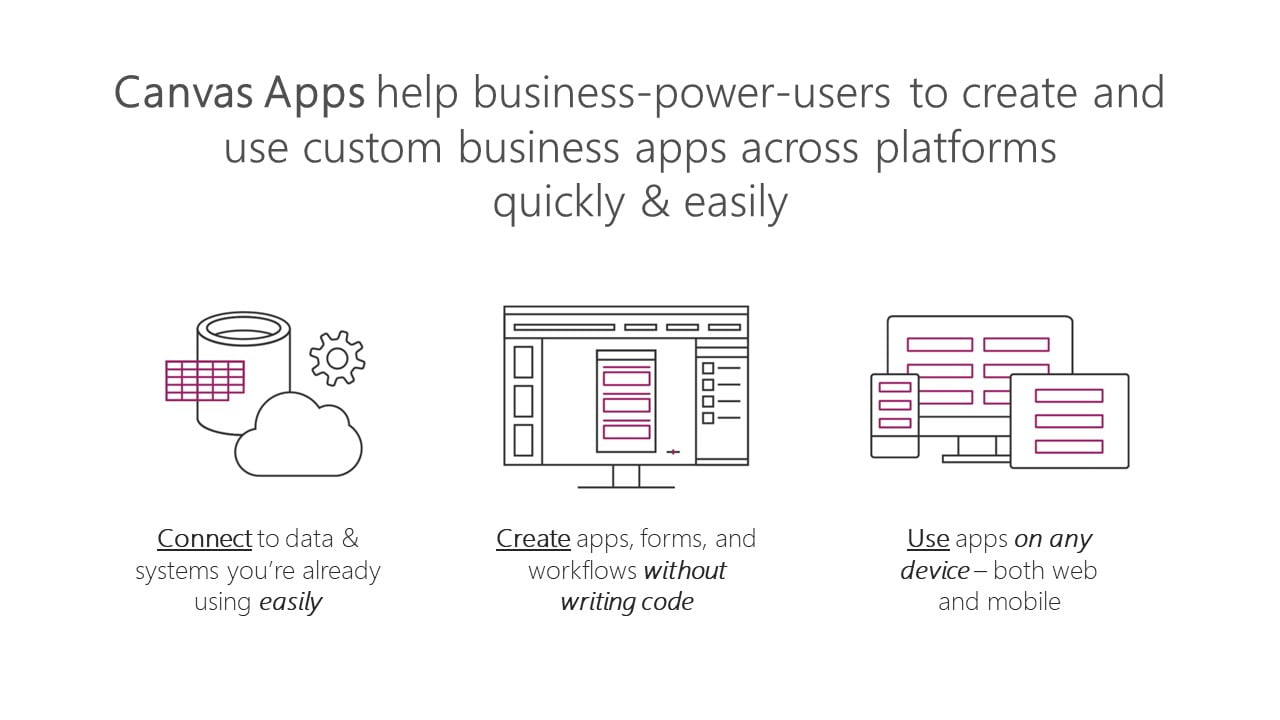
  • Power Apps: A software as a service (SAAS) application platform that enables power users in line of business roles to easily build and deploy custom business apps. You will learn how to build Canvas style of apps that work on mobile devices or desktops with ease.
  • Power Automate: A business service for line of business specialists and IT pros to build automated workflows intuitively.
  • Microsoft SharePoint: Create and share list of important things to track within the department or the organization. Maintain & manage a complete app from within your company’s SharePoint Portals.
Power Apps Course in Singapore with Power Automate in Singapore

Module 1: Power Apps: Introduction, Building Low-Code Apps, Testing on Mobile

Focuses on the basic concepts involved in building Power Apps Canvas apps.

  • Connect to data sources and filter results based on specified criteria
  • Work with screens and navigation
  • Use controls, properties, formulas, and actions to customize the user experience
  • Configure app settings
  • Save and share an app
  • Run the app on a mobile device

Module 2: Introduces you to Microsoft SharePoint List Interface.

You will learn how to:

  • Create and customize a custom List
  • Use the Form control
  • Save data into the Microsoft SharePoint using the Form control
  • Use a list as a source for creating and updating Power Apps

Module 3: Power Automate – Introduction, Building simple to complex workflow automation with multiple apps.

Introduces you to Power Automate. 

  • Create a flow that is triggered when a new Microsoft SharePoint List row is created
  • Automate sending approval requests
  • Conditional branching based on the approval response
  • Trigger a flow when a new record is created
  • Update the record with the approval status and the approver’s comments
  • Customize the approval based on the SharePoint item add/update
  • Use the Approval centre on mobile and web
  • Check the status of flow runs

Module 4: Create multi-step approvals with multiple apps

  • Create automation with third-party apps
  • Create a complex flow with Advanced Automation Tips & Tricks

Module 6: Create your own App from Scratch

  • Design the App Layout
  • Configure the database or Sharepoint List
  • Create the Screens and interaction
  • Build Automation flows
  • Debug & test the application
  • Deploy the app to other users

Gain a competitive advantage by linking all your data
Connect to hundreds of data sources using a library of connectors and Microsoft SharePoint —bringing your data together for a single source of truth while you uncover insights as well as customize and extend Office 365, Dynamics 365, and Azure capabilities.

Scale your low-code apps with Azure
Use Azure to extend low-code apps built with Power Apps and create enterprise solutions that scale to meet your organization’s needs. Professionally manage your enterprise app development using Azure DevOps, plus tap into the power of reusable components, AI services, and your entire data estate on Azure.

Powerful alone. Better together.
Build powerful end-to-end business solutions by connecting Power Apps across the entire Microsoft Power Platform—and to Microsoft 365, Dynamics 365, Azure, and hundreds of other apps—to drive innovation across your

Join the Intellisoft MasterClass Training Course on Power Apps & Power Automate

Build apps in hours—not months—that easily connect to data, use Excel-like expressions to add logic and run on the web, iOS, and Android devices.

Go To Top

No previous experience of PowerApps or Power Automate is required.

We will start from the very basics, from what software is required, how to download, what other tools do you need, and then do the design of the app, develop the prototype from scratch, and test it. Once it is tested, we will deploy it for you and other users to use it.

A very systematic, step by step process for beginners and experienced users alike.

Go To Top

Post-Course Support

  • We provide free consultation related to the subject matter after the course.
  • Please email your queries to training@intellisoft.com.sg and we will forward your queries to the subject matter experts.
Training Course Fees & Funding

Full course fee: S$1,200.00 (before GST & government funding) TGS: TGS-2023036311

Highest Funding
70% Grant

70% SSG Grant

Baseline + Enhanced Training Support

  • SG Citizens aged 40+ (Individual, SME or MNC)
  • SME-sponsored SG Citizens (21+)
  • SME-sponsored PRs (21+)
Course Fee S$1,200.00
SSG Funding (70%) − S$840.00
Nett Fee S$360.00
GST (9%) S$108.00
You Pay S$468.00
SSG Funded
50% Grant

50% SSG Grant

Baseline WSQ Funding

  • SG Citizens aged 21–39 (Individual or MNC)
  • MNC company-sponsored PRs (21+)
  • Individual PRs (21+)
Course Fee S$1,200.00
SSG Funding (50%) − S$600.00
Nett Fee S$600.00
GST (9%) S$108.00
You Pay S$708.00
Foreigners & other pass holders: Government grants are not applicable. Full course fee of S$1,200.00 + 9% GST = S$1,308.00 applies. Contact us for more details.

Need help with funding applications? We'll guide you through the process.

* Terms & conditions apply. Funding subject to eligibility and approval by respective agencies. GST applies on full course fee before subsidy. Fee information is accurate as of Apr 2026.

SkillsFuture

Singaporeans can use $500 SkillsFuture Credits for this training to offset the course fees.

Contact us for advise on how to go about claiming your SkillsFuture.

Get Started Today!*

Learn By Doing

You learn best when you Do It Yourself.

We teach you, step by step, how you can learn new skills, build your knowledge and enhance your career prospects quickly & easily, with Practical Tips & Tricks!

Do You Have Any Questions or Need a Quotation?

Simple. Just tell us what you need. We’ll be glad to help you!

Some of the companies that experienced our trainings

"What I love about this training is that the trainers make sure we learn the steps and are able to do it on our own. This is a real advantage and I will definitely come back for more practical training"
Michele Martin
HR Manager
“The training was everything I hoped for, and more. Intellisoft Systems really makes a difference, I would have never discovered the hidden features of the sotftware on my own. Thanks a lot Intellisoft !"
Joy Tan
Project Engineer

How To Register

Register for the 2 Days Mastering Power Apps & Power Automate Training in Singapore today.

Click on the chosen Power Apps Training course dates available at the top of this page.

Need Help in Registering for Microsoft Power Apps & Power Automate Course?

Call us at +65 6250-3575, WhatsApp: +65 9066-9991

Power Apps Corporate Training Program in Singapore (Physical Class or Virtual Classroom using Zoom or Microsoft Teams)

Request a Course Brochure here or enquire about any questions regarding Power Apps training. We offer Corporate Training for your company too.

UTAP: In addition, NTUC members can utilize UTAP to offset 50% of the remaining fees (capped at $250 per year).

If you are looking to train your entire team, we can arrange to conduct the Power Apps training at your office location too. Just contact us for the quotation and suitable dates for the training.

Accelerate Your Career With the Most Effective & Practical Training.

Free Tips, Tutorials & Training Grants Info

Learn from expert tips, tricks and resources for Excel, PowerPoint, Photoshop, Python, Power BI, Project Management, IT, Soft Skills & more with our Email Newsletter.
Plus get the latest news on Grants. Join Today!

Found What You Were
Looking For?

Just Tell us...

We're Here To Help You!