
Google Workspace Content Management

SkillsFuture Google Workspace Training Course with 70% WSQ Funding

Learn Google Drive, Docs, Slides & Sheets with WSQ Funding

The Best WSQ Funded Google Workspace Course which teaches you how to master Google Drive, Google Docs, Google Sheets, Google Forms, Google Slides, and Much More.

Learn Google Drive & Google Docs in Singpore

All this with up to 70% WSQ Funding for locals & companies in Singapore.

Join Today and Master Google to Enhance Your Efficiency & Productivity at Work!

Learn to Manage all your data in the Google Cloud Easily!

Training Course Fees & Funding

Full course fee: S$600.00 (before GST & government funding) TGS: TGS-2023039928

Highest Funding
70% Grant

70% SSG Grant

Baseline + Enhanced Training Support

  • SG Citizens aged 40+ (Individual, SME or MNC)
  • SME-sponsored SG Citizens (21+)
  • SME-sponsored PRs (21+)
Course Fee S$600.00
SSG Funding (70%) − S$420.00
Nett Fee S$180.00
GST (9%) S$54.00
You Pay S$234.00
SSG Funded
50% Grant

50% SSG Grant

Baseline WSQ Funding

  • SG Citizens aged 21–39 (Individual or MNC)
  • MNC company-sponsored PRs (21+)
  • Individual PRs (21+)
Course Fee S$600.00
SSG Funding (50%) − S$300.00
Nett Fee S$300.00
GST (9%) S$54.00
You Pay S$354.00
Foreigners & other pass holders: Government grants are not applicable. Full course fee of S$600.00 + 9% GST = S$654.00 applies. Contact us for more details.

Need help with funding applications? We'll guide you through the process.

* Terms & conditions apply. Funding subject to eligibility and approval by respective agencies. GST applies on full course fee before subsidy. Fee information is accurate as of Jul 2026.

Intellisoft offers WSQ funded, UTAP supported SkillsFuture Credits Ready Courses in Singapore

In this course, learners will delve into the dynamic world of content management using Google Workspace.
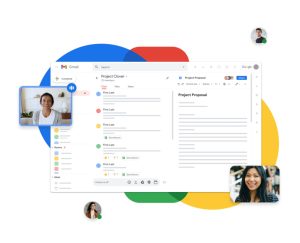
Best Google Workspace Courses in Singapore at Intellisoft

From setting up organizational content management policies to posting engaging content, the course ensures a comprehensive grasp of effective content handling in Google Workspace.

Students will also acquire skills to stay abreast of market offerings, using this knowledge to create compelling content within the Google Workspace ecosystem.

You will gain knowledge of using Google Forms, Google Docs, Google Sheets, Google Calendar, Gmail, Meet, Google Workspace, Google Drive, Jamboard, and much more.


Upon completion of the course, learners will be to manage content & execute policies to better manage the content with Google Workspace.

This is a combined course, which actually consists of a google workspace course, google workspace training, google workspace course, google drive course, Google sheets course, Google docs course, google forms course, jamboard course, google Slides course, and much more.

In this Best Google Workspace course in Singapore, learners will delve into the dynamic world of content management using Google Workspace. From setting up organizational content management policies to posting engaging content, the course ensures a comprehensive grasp of effective content handling in Google Workspace.

Learners will also acquire skills to stay abreast of market offerings, using this knowledge to create compelling content within the Google Workspace ecosystem.

After the end of our Best Google Workspace course in Singapore, you will have the skills, knowledge and abilities to do the following tasks on your own:

  • Content management policies, guidelines and permissions on content management
  • Web content for deployment
  • Organization’s web properties and assets
  • Creation and curation of web content guidelines
  • Web content and platform management systems
  • Types of performance metrics of content management systems
  • Customer and visitor experience on web properties and assets
  • Types of market offerings on content management systems
  • Types of plug-ins to manage the organization’s web properties and assets
  • Implement content management policies, guidelines and permissions on content management
  • Post and update content on content management systems
  • Maintain web properties and assets to uphold standards on user experience
  • Maintain awareness of market offerings on content management systems
  • Report on metrics to measure performance of content management systems
  • Recommend the adoption of appropriate plug-ins to manage and maintain the organization’s web properties and assets
  • Generate ideas to improve customer and visitor experience on web properties and assets

Go To Top

This course is best suited for

  • professionals,
  • managers,
  • executives,
  • technicians,
  • Senior Leadership,
  • junior staff,
  • freelancers,
  • data entry operators,
  • web designers and
  • content creators.

Go To Top

Topic 1 Overview of Google WorkspaceWSQ Funded Google Workspace Course with SKillsfuture at Intellisoft Training

  • Setup Google Workspace for your organization
  • Post and update content on Google Drive
  • Manage web content on Google Drive

Topic 2 Google Workspace Contents and Assets

  • Create and Curate Google Docs, Sheets, Slides
  • Maintain Google Forms, Jamboard, Gmail, Calendar, Meet
  • Maintain Google Sites

Topic 3 Google Admin and Add-ons

  • Reports on key metrics of your organization)
  • Google workspace add-ons
  • Improve Google Workspace

Go To Top

Minimum Entry Requirements
Knowledge and Skills
• Able to operate computer functions with minimum Computer Literacy Level 2 based on ICAS Computer Skills Assessment Framework
• Minimum 3 GCE ‘O’ Levels Passes including English or WPL Level 5 (Average of Reading, Listening, Speaking & Writing Scores)

Attitude
• Positive Learning Attitude
• Enthusiastic Learner

Experience
• Minimum of 1 year of working experience.
• Minimum 18 years old

Go To Top

Post-Course Support

  • We provide free consultation related to the subject matter after the course.
  • Please email your queries to training@intellisoft.com.sg and we will forward your queries to the subject matter experts.
SkillsFuture Ready

Singaporeans can use $500 SkillsFuture Credits for this training to offset the course fees.

Contact us for advise on how to go about claiming your SkillsFuture.

Get Started Today!

Learn By Doing

You learn best when you Do It Yourself.

We teach you, step by step, how you can learn new skills, build your knowledge and enhance your career prospects quickly & easily, with Practical Tips & Tricks!


Do You Have Any Questions or Need a Quotation?

Simple. Just tell us what you need. We’ll be glad to help you!

Some of the companies that experienced our trainings

"What I love about this training is that the trainers make sure we learn the steps and are able to do it on our own. This is a real advantage and I will definitely come back for more practical training"
Michele Martin
HR Manager
“The training was everything I hoped for, and more. Intellisoft Systems really makes a difference, I would have never discovered the hidden features of the sotftware on my own. Thanks a lot Intellisoft !"
Joy Tan
Project Engineer

How To Register

Simply contact us and we will help you to register for this practical Google Workspace course in Singapore.

Accelerate Your Career With the Most Effective & Practical Training.

Microsoft Excel, Word, PowerPoint Combined 3 Day Training With CoPilot

Microsoft 365 Excel, PowerPoint, Word & Copilot Training course at Intellisoft Singaporeu

Microsoft 365 Excel, PowerPoint, Word & Copilot Training course at Intellisoft Singapore

Microsoft Word, Excel, and PowerPoint  Training Workshop in Singapore – Combined Class

Word,PowerPoint,Excel 2010 Training @Intellisoft Singapore
Word, PowerPoint, Excel with Copilot in Microsoft 365Training @Intellisoft Singapore

Improve your PowerPoint Presentation skills, Work better with Numbers and Data in Excel  Microsoft 365, and create stunning documents in Microsoft Word by attending a short, 3 day, Hands-on & Practical workshop on Microsoft Office in Singapore.

Course Duration : 3 days is available to Singapore Companies (For company sponsored candidates). Call +65 6250-3575 for Details.

If you want to join our dedicated Excel course in Singapore & improve your skills, we have multiple courses – Basic Excel for Analytics, Advanced Excel Courses in Singapore & VBA Macro Programming Courses.

Learn Microsoft Word,PowerPoint,Excel2010 at Intellisoft
Learn Microsoft 365 Word, PowerPoint, Excel at Intellisoft with Copilot

Microsoft Office (Word, Excel & PowerPoint) for Basic to Intermediate Level is best suited for people who want to get more out of Microsoft Office Suite and make the best use of the software in their day-to-day use.

Learn Office 365 tips and techniques that will make your work you work faster, efficiently, and you will be able to do complex tasks in a short time.

Excel, Word & PowerPoint are simple office productivity tools from Microsoft, and are very easy to pick up, once you follow our step-by-step, practical and useful approach to learning the software to maximize your efficiency and effectiveness with the use of these popular software packages.

Learn Copilot for Office 365 - Word, Excel, PowerPoint
Learn Copilot for Office 365 – Word, Excel, PowerPoint

Go To Top

This program is highly recommended for those who want to understand the concepts of Documents, Spreadsheets and Presentations, and want to demonstrate the ability to expertly use these applications on a personal computer.

Beginner users and People who know the basics, but want to learn the Intermediate features of Microsoft Excel, Word & PowerPoint will find this program extremely useful.

Go To Top


Day 1: Microsoft Excel 

Section 1: Formulas and Functions 

Entering Formulas
Excel Arithmetic Operators
Using AutoFill Options
Commonly Used Functions

Section 2: Organizing Worksheet and Table Data

Create and Modify Tables
Sort and Filtering Data
Get Summary Information in a Table

Section 3: Working with Charts

Summarizing Data Using Charts
Customizing Chart Data
Format Chart Legend and Titles
Creating a Pie Chart

Section 4: Working with Graphics

Add Pictures into a Worksheet
Customize Pictures and Objects
Add Drawing Objects
Add SmartArt

Section 5: Managing Large Workbook

Manage Large Workbook Printing
Worksheets Setting
Page Setup Options

Section 6: Customizing & Enhancing Workbooks

Customizing Excel to Your Work
Creating Hyperlinks
Customizing Quick Access Toolbar

Section 7: Analyze and transform data with Microsoft 365 Copilot in Excel

Analyze your data
Transform your data
Add Tables
Add Charts
Sort & Filter Data

Day 2: Microsoft Word 

Section 1: Manage documents

Format documents
Save and share documents
Insert text and paragraphs
Format text and paragraphs
Create and configure document sections

Section 2: Manage tables and lists

Create tables
Modify tables
Create and modify lists

Section 3: Create and manage references

Create and manage reference elements
Create and manage reference tables

Section 4: Insert and format graphic elements

Insert illustrations and text boxes
Insert shapes
Insert pictures
Insert SmartArt graphics
Insert screenshots and clips
Insert text boxes
Format illustrations & text boxes
Add text to graphic elements

Section 5: Manage document collaboration

Add and manage comments
Manage change tracking

Section 6: Maximize the AI features using Copilot in Microsoft Word
Draft a new document
Use the Copilot pane to chat with Copilot in Word
Linking files in Copilot in Word
Facilitate Collaboration using real-time coauthoring

Day 3: Microsoft PowerPoint 

Section 1: Working With Text 

Using an Outline Adding Text Using Bullets and Numbering Formatting Text & Paragraphs Using Text Boxes Setting Tabs

Section 2: Adding Multimedia Elements

Using Multimedia Elements Working With Pictures Applying Styles & Effects Modifying Hyperlinks Working With SmartArt

Section 3: Enhancing Presentations

Adding Audio & Video Media
Using Animation
Managing Multiple Transitions
Changing Animation Order
Using Slide Transitions

Section 4:  Preparing The Slide Show

Reviewing The Presentation Customizing the Presentation Proofing the Presentation Setting up a Slide Show Using Presentation Tools
Using Presenter View Rehearsing a Presentation Presenting The Slide Show

Section 5: Design captivating presentations with Microsoft 365 Copilot in PowerPoint

Create a new presentation
Transform written documents into presentations
Adjust layouts, reformat text, and time animations

Microsoft 365 Course in Singapore with Excel, Word, PowerPoint & Copilot - With WSQ Funding, UTAP, SkillsFuture, SFEC Grants & Absentee Payroll
Microsoft 365 Course in Singapore with Excel, Word, PowerPoint & Copilot – With WSQ Funding, UTAP, SkillsFuture, SFEC Grants & Absentee Payroll

Go To Top

Basic knowledge of computers, using the keyboard, mouse and Windows is required. This is an Intermediate level program, so we will teach you all about Microsoft Office and then how to get the most of it for day to day use at your office or home.

Go To Top

Post-Course Support

  • We provide free consultation related to the subject matter after the course.
  • Please email your queries to training@intellisoft.com.sg and we will forward your queries to the subject matter experts.
Microsoft Training at Intellisoft

Learn Practical Skills

Companies sponsoring their staff for this Microsoft Excel, Word, PowerPoint training will benefit from increased employee productivity.

Your team will learning the fundamentals of Microsoft Office 365 easily.

Excel Dashboard Training Participants

3 Days Workshop

Enhance your team's efficiency and effectiveness with Microsoft Excel, Word, PowerPoint Combined 3 Day Training.

Contact us for advise on how to go about how to get started in learning the fundamentals of Microsoft Office 365 easily.

Get Started Today!

Learn By Doing

You learn best when you Do It Yourself.

We teach you, step by step, how you can learn new skills, build your knowledge and enhance your career prospects quickly & easily, with Practical Tips & Tricks!

Training Course Fees & Funding

Full course fee: S$980.00 (before GST & government funding) TGS: TGS-2025052673

Highest Funding
70% Grant

70% SSG Grant

Baseline + Enhanced Training Support

  • SG Citizens aged 40+ (Individual, SME or MNC)
  • SME-sponsored SG Citizens (21+)
  • SME-sponsored PRs (21+)
Course Fee S$980.00
SSG Funding (70%) − S$686.00
Nett Fee S$294.00
GST (9%) S$88.20
You Pay S$382.20
SSG Funded
50% Grant

50% SSG Grant

Baseline WSQ Funding

  • SG Citizens aged 21–39 (Individual or MNC)
  • MNC company-sponsored PRs (21+)
  • Individual PRs (21+)
Course Fee S$980.00
SSG Funding (50%) − S$490.00
Nett Fee S$490.00
GST (9%) S$88.20
You Pay S$578.20
Foreigners & other pass holders: Government grants are not applicable. Full course fee of S$980.00 + 9% GST = S$1,068.20 applies. Contact us for more details.

Need help with funding applications? We'll guide you through the process.

* Terms & conditions apply. Funding subject to eligibility and approval by respective agencies. GST applies on full course fee before subsidy. Fee information is accurate as of Jul 2026.

Do You Have Any Questions or Need a Quotation?

Simple. Just tell us what you need. We’ll be glad to help you!

Some of the companies that experienced our trainings

How To Register

Register for the 3 Days of Microsoft Office 365 with Copilot training today by simply clicking on the chosen course date available at the top of this page. Need Help?

  1. Call us at +65 6250-3575, SMS / WhatsApp: +65 9066–9991
  2. Send an email  to  training@intellisoft.com.sg  OR
  3. Submit an online enquiry if you have  any questions regarding Microsoft 365 Excel, Word and PowerPoint with Copilot training.

You can call us at +65  6250-3575 for your Customized Corporate training enquiry.

Learn Microsoft Office 365 With CoPILOT
&
Enhance Your Productivity

Microsoft Office Training in Singapore - Learn Word, Excel, PowerPoint in 3 days

ChatGPT, Gemini, Copilot & New AI Tools for Enhanced Productivity

Digital Transformation With AI Tools in Singapore at Intellisoft Systems
Intellisoft offers WSQ funded, UTAP supported SkillsFuture Credits Eligible Courses in Singapore

Learn ChatGPT, Gemini, CoPilot & Other AI Tools
for Content Generation, Digital Marketing
& Transformation of Process

AI Tools Training at Intellisoft Systems Singapore

Our Best & Most Useful AI Tools Course in Singapore

Most people using ChatGPT are getting mediocre results, and they don’t know it. They type a one-line question, get a generic answer, and quietly conclude AI is overhyped. The gap is never the tool. It’s the instruction.

This 2-day WSQ-funded course teaches working professionals in Singapore how to actually direct today’s AI tools — ChatGPT, Google Gemini, Microsoft Copilot and several other emerging AI Tools to do real work. Draft the client email. Summarise the 40-page report. Rewrite the sales proposal. Build the CV shortlisting rubric. Answer the angry customer. Map the process that keeps breaking.

Not just social media captions. Your actual job.

We use a step-by-step framework that starts with the fundamentals of artificial intelligence and generative AI, moves through prompt engineering — the single skill that separates a useful AI answer from a useless one — and ends with feasibility and cost-benefit analysis, so you can tell your management not just what AI can do, but whether it is worth doing.

Along the way you will apply these tools inside the functions that run a business: human resources, sales, marketing, operations, customer service, finance and admin. Yes, that includes newsletters, LinkedIn posts and Facebook content — but content creation is one application among many, not the point of the course.

No coding. No mathematics. No prior AI experience. Bring a laptop and one real task from your working week — you will leave having solved it.

Master ChatGPT, Gemini, Copilot & New AI Tools for Enhanced Productivity

Generative AI now writes, analyses, summarises, codes — and creates images too.

AI tools training in Singapore - ChatGPT, Gemini and Microsoft Copilot course at Intellisoft Systems

Course Objectives

  • Equip participants with a comprehensive understanding of AI’s role in digital transformation.
  • Enable learners to identify, analyze, and implement the most suitable AI tools for their business needs.
  • Foster a practical and strategic mindset for integrating AI technologies effectively and sustainably in business environments.
  • Encourage innovation and continuous learning in the rapidly evolving field of AI.

What You Will Be Able To Do After Two Days

  • Write prompts that work. Apply a repeatable five-part structure — Role, Task, Context, Format, Constraints — and iterate towards the answer you actually wanted, instead of accepting the first mediocre draft.
  • Choose the right tool for the job. Know when to reach for ChatGPT, when Gemini is stronger, when Claude handles the long document better, and when Microsoft Copilot — sitting inside Word, Excel, Outlook, PowerPoint and Teams — beats all three because it can already see your files.
  • Apply AI inside your own function. Job descriptions and interview rubrics in HR. Prospect research and proposal drafts in sales. Campaigns and content in marketing. SOPs and bottleneck analysis in operations. Complaint replies and knowledge-base articles in customer service.
  • Judge whether it is worth it. Run a feasibility and cost-benefit analysis on a proposed AI use case and defend the conclusion — including the conclusion that you should not proceed.
  • Spot a confidently wrong answer. These tools fabricate facts, invent citations and misstate regulations with total fluency. You will leave with the verification habits that make them safe to use on real company work, and a clear line on what must never be pasted into a public AI tool.
  • Take home a prompt library. Tested prompts for your own role, built during the course, ready to use on Monday.

This course blends theoretical grounding with hands-on practice, preparing you to lead and execute AI-driven digital transformation initiatives — and to be the person in the room who knows what these tools genuinely do, and what they only appear to do.

Go To Top

The ideal target audience for a course on “Digital Transformation with AI Tools” encompasses a range of professionals who are either directly involved in or influencing the integration and application of technology in business processes. This includes:

  1. Business Leaders and Executives:
    • CEOs, CTOs, CIOs, and other C-suite executives who are responsible for driving strategic decisions and implementing digital transformation initiatives in their organizations.
  2. Digital Transformation Consultants:
    • Professionals who advise businesses on digital transformation strategies and need to stay abreast of the latest AI tools and technologies.
  3. Marketing Professionals:
    • Digital Marketers, Content Creators, and Social Media Managers who can use AI tools for enhancing digital marketing strategies and content creation.
  4. Entrepreneurs and Startup Owners:
    • Business owners who are looking to leverage AI tools to gain a competitive edge and innovate within their industries.
  5. HR Professionals:
    • Human Resources Managers and Recruiters who can use AI tools for talent acquisition, employee engagement, and analyzing workforce data.
  6. Students in Business and Technology Fields:
    • University students specializing in business, technology, or related fields who are preparing for careers in an increasingly digital and AI-driven world.
  7. Policy Makers and Government Officials:
    • Individuals involved in shaping policies around technology, AI, and digital transformation who need to understand the practical implications of these tools in the business sector.

By targeting this diverse audience, the course can address a wide range of interests and needs, ensuring relevance and applicability across various industries and professional roles. The course will be particularly beneficial for those who are in positions to influence or implement digital strategies and innovations in their organizations.

Go To Top

WSQ Funded Digital Transformation With AI Tools Course in Singapore

ChatGPT, Gemini, Copilot & New AI Tools for Enhanced Productivity

Section 1: Introduction to AI-Driven Digital Transformation

We start with what generative AI actually is — and, more usefully, what it is not. You will see how large language models produce their answers, which explains both why they are so good at drafting and why they occasionally invent things outright. From there we look at where AI genuinely shifts the economics of a business process, and where it merely adds a layer of expensive novelty.

  • Digital transformation driven by AI Tools
  • Overview of Generative AI technologies and applications
  • Enhancing Business Processes with AI Tools like Copilot
  • Improving Customer Experiences with AI Tools like ChatGPT

In practice: we take one process from your own organisation — onboarding a client, closing the month, answering a complaint — and identify precisely where an AI tool removes friction and where a human must stay in the loop.

Section 2: Identify Generative AI Tools for Businesses

There are now hundreds of AI tools and most of them will not exist in three years. Rather than a tour of the app store, this section teaches you to evaluate tools against your own requirements: what data it touches, what it costs at scale, whether it integrates with what you already run, and who is accountable when it gets something wrong.

We compare the four that matter for most Singapore businesses today — ChatGPT for general drafting and reasoning, Google Gemini for research and the Google Workspace stack, Claude for long documents and careful analysis, and Microsoft 365 Copilot, which lives inside Word, Excel, Outlook, PowerPoint and Teams and can therefore work directly on your inbox, your spreadsheets and your meeting transcripts. Most organisations end up using two. We show you which two, and why.

  • Understanding digitization and its applications in business
  • Identify AI tools to improve business

In practice: you build a shortlist for your own department and score it against cost, data sensitivity, integration effort and staff readiness.

Section 3: Conduct Feasibility Analysis and Cost-Benefit Analysis

This is the section that separates a training course from a product demo. Enthusiasm is not a business case. Before any AI tool touches a live process, somebody has to answer the hard questions: what does it cost in licences, time and retraining? What does it save, measured honestly rather than hopefully? What is the failure mode, how likely is it, and what does it cost when it happens?

You will work through a structured feasibility assessment and a cost-benefit model you can reuse — and you will practise reaching the answer nobody wants to hear, which is that a particular use case is not yet worth doing. Knowing when to say no is why finance directors trust the people who say yes.

  1. Viability of using Generative AI tools
  2. Conducting feasibility analysis and weighing the costs and benefits of using Generative AI tools

In practice: you leave with a one-page business case for one AI initiative in your own organisation, in a form you can put in front of management.

Section 4: Implement AI Tools for Businesses

The final section is where the tools meet the work. This is the bulk of Day 2, and it is entirely hands-on.

Prompt engineering comes first, because nothing downstream works without it. A weak prompt — “write an email to the customer about the delay” — returns a weak email. A strong prompt specifies the role the AI should adopt, the task, the context it needs, the format of the answer, and the constraints it must respect. Same tool, same thirty seconds, completely different output. You will learn the structure, practise it, and learn to iterate: the first response is a draft, never the answer.

Prompt engineering examples - writing effective ChatGPT prompts for business

From there we apply the tools function by function, so that whatever your role, at least one hour of Day 2 is about your job specifically:

  • Human Resources — job descriptions, structured interview questions, CV screening rubrics with auditable reasoning, exit-interview themes, policy drafts. Plus where AI screening creates fairness and legal risk, and why a human signs every hiring decision.
  • Sales — prospect research before the call, proposals drafted from discovery-call notes, follow-up emails that do not read like templates, objection-handling scripts, one pitch rewritten for a CFO, a CTO and a founder.
  • Marketing — campaign concepts, ad variants, landing-page copy, EDM subject lines, blog outlines built from real customer questions, and one webinar repurposed into a newsletter, eight social posts and a case study.
  • Operations & Process Improvement — describe a broken process in plain English and have AI map it, name the bottleneck and propose fixes with trade-offs. Draft the SOP nobody has had time to write. Turn a policy document into a decision tree your team can follow.
  • Customer Service — replies that acknowledge without admitting liability, six months of tickets distilled into the five problems worth fixing at source, technical explanations rewritten for non-technical customers.
  • Finance & Admin — contract summaries with unusual clauses flagged for human review, variance narratives, board-paper drafts, memos.
  • Building a culture of innovation
  • Apply AI tools for content creation
  • Apply AI tools for digital marketing
  • Apply AI tools for business processes
  • Apply AI tools for hard skills

In practice: you also learn what these tools get wrong. They fabricate facts, invent citations, inherit bias, and will cheerfully describe a Singapore employment regulation that does not exist. We cover the verification habits, the PDPA line on customer data, and the outputs that always need a second pair of eyes. Confidence without judgement is the fastest way to embarrass your company.

How to use ChatGPT for social media posts, LinkedIn content and marketing newsletters

Go To Top

Please ensure that you and your participants have a sufficient background to grasp the concepts and applications discussed. Here are some basic prerequisites:

  1. Basic Understanding of Digital Technologies:
    • Familiarity with fundamental digital concepts and technologies. This doesn’t require deep technical expertise but a general understanding of how digital tools are used in a business context.
  2. Business Acumen:
    • An understanding of basic business principles and processes. This is important for comprehending how AI can be integrated into various business operations and strategies.
  3. Basic Computer Literacy:
    • Proficiency in using computers and common software applications. While advanced programming skills are not necessary, comfort with technology is essential.
  4. Awareness of AI and Machine Learning Concepts:
    • A basic understanding of what AI and machine learning are. This doesn’t require in-depth knowledge, but a general awareness of these technologies and their potential impact.
  5. Openness to Learning New Technologies:
    • A willingness and enthusiasm to learn about new technologies and their applications in business. This mindset is crucial for fully benefiting from the course.
  6. Problem-Solving Skills:
    • Ability to think critically and solve problems. As the course will cover how AI can be used to address business challenges, these skills will be valuable.
  7. Communication Skills:
    • Good verbal and written communication skills, as the course may involve group discussions, presentations, and collaborative projects.

Go To Top

Post-Course Support

  • We provide free consultation related to the subject matter after the course.
  • Please email your queries to training@intellisoft.com.sg and we will forward your queries to the subject matter experts.

SkillsFuture Ready

Singaporeans can use $500 SkillsFuture Credits for this training to offset the course fees.

Contact us for advise on how to go about claiming your SkillsFuture.

Get Started Today!

Learn By Doing

You learn best when you Do It Yourself.

We teach you, step by step, how you can learn new skills, build your knowledge and enhance your career prospects quickly & easily, with Practical Tips & Tricks!

Do You Have Any Questions or Need a Quotation?

Simple. Just tell us what you need. We’ll be glad to help you!

Some of the companies that experienced our trainings

"What I love about this training is that the trainers make sure we learn the steps and are able to do it on our own. This is a real advantage and I will definitely come back for more practical training"
Michele Martin
HR Manager
“The training was everything I hoped for, and more. Intellisoft Systems really makes a difference, I would have never discovered the hidden features of the sotftware on my own. Thanks a lot Intellisoft !"
Joy Tan
Project Engineer

How To Register

To register for this 2-day course on Chat GPT and Generative AI Tools & Technologies at Intellisoft Systems, you can visit our office or simply register on the website.

The Registration form allows you to directly register the participants.

Additionally, you can reach us by phone at +65 6250-3575 for more information or to register directly.

Accelerate Your Career With the Most Effective & Practical Training.


Upto 70% WSQ Funding* from SkillsFuture Singapore

Training Course Fees & Funding

Full course fee: S$750.00 (before GST & government funding) TGS: TGS-2024043430

Highest Funding
70% Grant

70% SSG Grant

Baseline + Enhanced Training Support

  • SG Citizens aged 40+ (Individual, SME or MNC)
  • SME-sponsored SG Citizens (21+)
  • SME-sponsored PRs (21+)
Course Fee S$750.00
SSG Funding (70%) − S$525.00
Nett Fee S$225.00
GST (9%) S$67.50
You Pay S$292.50
SSG Funded
50% Grant

50% SSG Grant

Baseline WSQ Funding

  • SG Citizens aged 21–39 (Individual or MNC)
  • MNC company-sponsored PRs (21+)
  • Individual PRs (21+)
Course Fee S$750.00
SSG Funding (50%) − S$375.00
Nett Fee S$375.00
GST (9%) S$67.50
You Pay S$442.50
Foreigners & other pass holders: Government grants are not applicable. Full course fee of S$750.00 + 9% GST = S$817.50 applies. Contact us for more details.

Need help with funding applications? We'll guide you through the process.

* Terms & conditions apply. Funding subject to eligibility and approval by respective agencies. GST applies on full course fee before subsidy. Fee information is accurate as of Jul 2026.

Free Tips, Tutorials & Training Grants Info

Learn from expert tips, tricks and resources for Excel, PowerPoint, Photoshop, Python, Power BI, Project Management, IT, Soft Skills & more with our Email Newsletter.
Plus get the latest news on Grants. Join Today!

Found What You Were
Looking For?

Just Tell us...

We're Here To Help You!