Creating Management Dashboards in Microsoft Excel

Excel dashboard training Singapore

Today, Microsoft Excel has become extremely power tool for any data warrior. Whether you work in Sales, Marketing, Customer Service, Logistics, Accounts, Manufacturing, Finance or Administration, everyone must become an expert at using Microsoft Excel.

It is not sufficient to know Tables & Formulas in Excel. You must also know how to make sense of the data that you have.

Successful analysis of data, and presentation of data are vital skills for any office worker. Simple techniques to analyze data are to use Pivot Tables, Normal Data Ranges, and Tables.

Further, there are Advanced Data Analysis tools within Excel – like the Scenario Manager, Goal Seek, Solver, Conditional Formatting, Slicers etc. that make the job of data analysis much easier.

However, it is not sufficient to merely analyze the data. It is important for you to also present the data using the latest and best in-built techniques within Excel. Most of the people who come for Excel Dashboard Training, or the Data Analysis Training With Excel are not aware of these features.

Microsoft Excel Dashboard Training

Microsoft Excel Dashboard Training

When you create an Excel Report, which allows for the Report to become interactive, allows the management to play with the data, change the parameters, and see the data change, the graphs update dynamically, then such a report is called a Dashboard.

DIFFERENCE BETWEEN REPORTS AND DASHBOARDS

The key different between a Report and a Dashboard is that a Report can be static, long, and without any interactivity.

In contrast, a Dashboard is a dynamic report, Short, Fits a page usually, and allows the users to change several parameters on the fly to compare the data from the past year, quarter, and play what if dynamically.

Dynamic Checkbox Dashboard With Microsoft Excel

Dynamic Dashboard With Microsoft Excel – Learn to Do It Yourself!

Intellisoft Systems in Singapore conducts Public and Customized Classes for Creating Dashboards With Microsoft Excel. Many companies have opted for Corporate Training, where the content can be customized to suit your audience and participants, plus their level of expertise with Microsoft Excel.

For the dashboard training, the Excel version is not that important. You can use Microsoft Excel 2010, 2013 or Microsoft Excel 2016 for the Excel Dashboard Training.

Plus, the Dashboard training can be conducted in your country. Simply contact Intellisoft at +65-6250-3575 for the training details.

Cheers,
Intellisoft Systems Team, Fortune Centre, #10-08,
Singapore 188979

Recommended Training: Advanced Excel 2013Excel Dashboards MasterClassData Interpretation & AnalysisCustomized Corporate Training

Learn Excel VBA in Singapore

Excel VBA training at Intellisoft Singapore

Microsoft Excel is an extremely useful tool for any business analyst, finance executive, or power user. It helps to automate huge number of  calculations, with ease, and improves productivity.

Each Microsoft Excel version, be it Excel 2016 or Excel 2019, comes with a feature to Record Macros in Excel. This important feature provides us with with a technique to record a complex set of steps in Excel, and then run them over and over again, with a single click – it can save hours of work for a busy analyst.

To take the power of Excel Macros further, you can learn to edit the macros, and write your own macros, by hand. Excel provide you with this functionality, through the use of Visual Basic for Application or VBA in short. This is an extension of the Visual Basic Programming language, but customized for use with Microsoft Excel.

Most people are intimidated by programming, but Excel VBA programming is much simpler, and is easier to learn and apply.
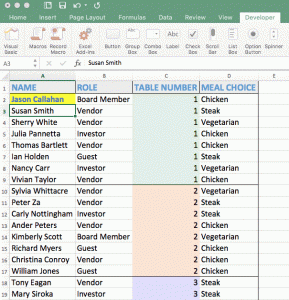
Using VBA, you can Create Macros that do simple tasks, manipulate recorded properties and methods, and even do file operations like opening a CSV file, reading its contents, loading the data into a Excel file, append it to a database, adding sheets, creating pivot tables on the fly,  and much more.

Our 3 Day Excel VBA workshop in Singapore, is a very practical and useful training in Excel VBA. It guides perfect newbies into programming, using VBA and they begin to write simple to complex macros and VBA programs in a short period of time.

Most participants are delighted by this training. Here’s some recent feedback from the VBA Macro Training held in Singapore in 2016-2017:

* Good pace, very interactive, good examples that seemed applicable, class size is not too big, appropriate breaks, comfortable atmosphere with humor, and extra examples given.

* Enjoyed the training very much. I can efficiently apply it in my work in future.

Excel VBA (Macro) training at Intellisoft

* The coding part was fun, and learnt how VBA does wonders. It introduced Excel in a new dimension!

* The training will help me automate certain procedures and create creative solutions easily in Excel, using VBA.

* Examples we used were very interesting and relevant

The GREATEST STRENGTH of the VBA EXCEL Training is that it is Easy Enough for People with NO Programming Background.

Excel VBA Training Schedule

You can find more information about Excel 2016 VBA (Macro) and Excel 2019 VBA (Macro) schedules, or call us at +65 6250-3575 for Self Sponsored or Corporate Training on Excel VBA.

To Register online for the next Excel VBA Macro class, visit our Online Registration section.

Recommended Training: Excel 2016 VBA (Macro)Excel 2019 VBA (Macro)

MYSQL Database Training Gaining Ground

MYSQL database has been getting more and more popular by the day. According to Forrester, “MySQL has the highest adoption and growth. MySQL continues to have the largest mindshare in the open source database market and has the highest number of paying customers for product support”.

What is the reason for MySQL database popularity?

1. Scalability, Flexibility of MySQL

2. High Performance – The database offer high performance even with large database size of many gigabytes easily.

3. Robust Transactional Support – With row level locking, full transactional support, data integrity assurance, distributed transactional capabilities, and instant deadlock detection, it is a boon to write robust transactional support applications.

4.  Data Warehouse strength – With the ability to load high volume of data easily, and process it with ease, MySQL is becoming the database of choice for high performance query support. It scales up to terabytes of database size easily for doing data warehousing and data mining.

5. Strong Security Support – To ensure absolute data protection, MySQL applies multiple layers to security. It also allows for SSH and SSL connections, and it is easy to set customizable views, allowing users to see only what they are allowed to see, and nothing more.

There are hundreds of other reasons to use MySQL as your database of choice, over Oracle, Microsoft SQL Server etc.

If you would like to know more, you can join our 2 Day class on Introduction to MySQL, where we teach how to configure, setup, and use MySQL database from scratch.

All the elements to use MySQL for single table queries, multiple queries, joins, views is covered in detail.

There are a number of hands-on exercises to do to learn the database easily, quickly, and without any hassles.

The MySQL training course is very practical, and hands-on course, where you learn by doing.

Contact Intellisoft at +65 6250-3575 for any questions on MySQL training courses.

This training is also available for Corporates, to be conducted in-house, if you have a group of 8 or more participants.

Visit Intellisoft Training website for more trainings, training calendar, and to register online for the MySQL Training.

Top 3 Features of Microsoft Excel You Must Know

top_excel_features_in_interviews

Microsoft Excel is heavily used in Banking, Sales, Finance, Marketing, Customer Service… you name it, it is used by people at operations level, supervisory level and management level for data entry, data analysis, tracking and reporting data.

No wonder in job interviews, Excel features heavily for such job roles.

The Top 3 features often asked in the Job Interviews are regarding Pivot Tables, VLookup Functions and Macros.

Do you know Pivot Tables in Excel?

Excel Pivot Table Training
Summarize Data Quickly With Microsoft Excel

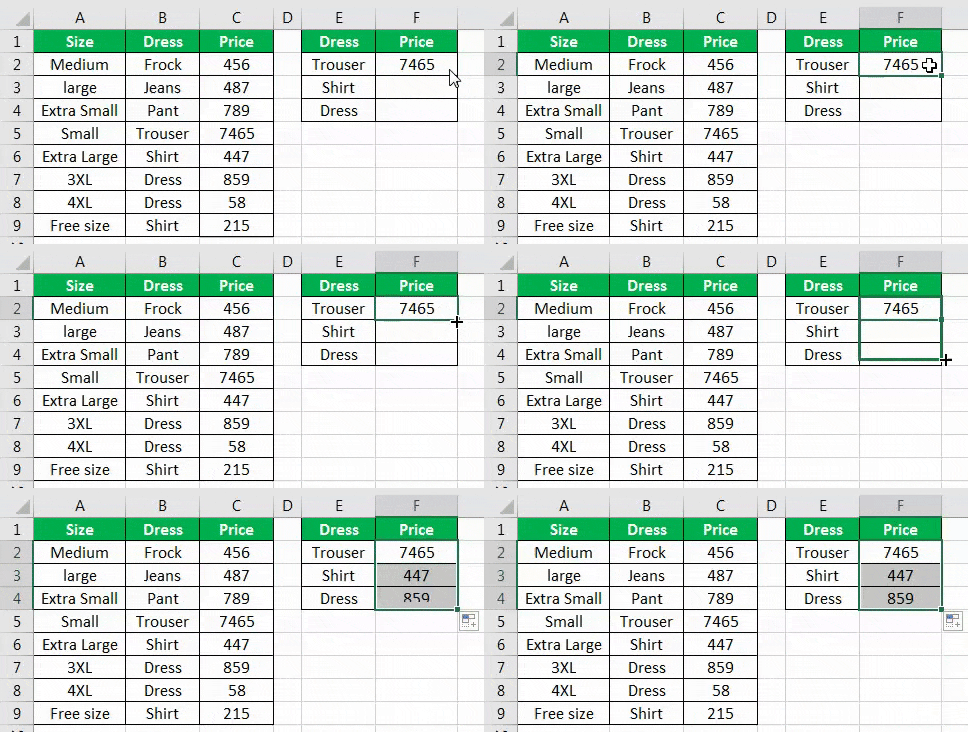
Pivot tables are used to summarize multiple data rows in one or multiple sheets, and create a summary report. It is a fantastic tools that makes it much easier to view the data at a high level – by category, by division, by department, by area and by country etc… based on your data.

It is best if you master pivot tables, and its nuances, its options, its hidden features and become an expert at using Pivot tables.

Here are some articles I wrote about using Pivot Tables in Excel, and its advanced options of getting pivot data in summary sheets within Excel.

But you may want to attend the Advanced Excel classroom training, and even avail government grants, SkillsFuture, SDF funding etc. to get subsidized fees.

Do you know how to use the Vlookup Function in Excel?

Vlookup and Hlookup are 2 of the Lookup functions within Excel. They help to lookup prices of parts, employee names etc. from tables where you know the part number, employee number, IC number etc.

It is like looking up the meaning of a word in a dictionary. These are extremely powerful functions, and you must know them well.

Do note that there are couple of variations of the Lookup functions – Exact Match or Range Lookup (Approximate match). You must know what to use, and when to use which option.

Knowledge of VLookup is a  must for most industries using Excel, like the Banking & Finance industry.

Excel VLookup Sample

Again, at Intellisoft, we cover the Lookup Functions in the Advanced Excel and the Excel Dashboard MasterClass, where you learn how to create Management Reports and Dashboards using Microsoft Excel.

Do you know how to write Macros in Excel?

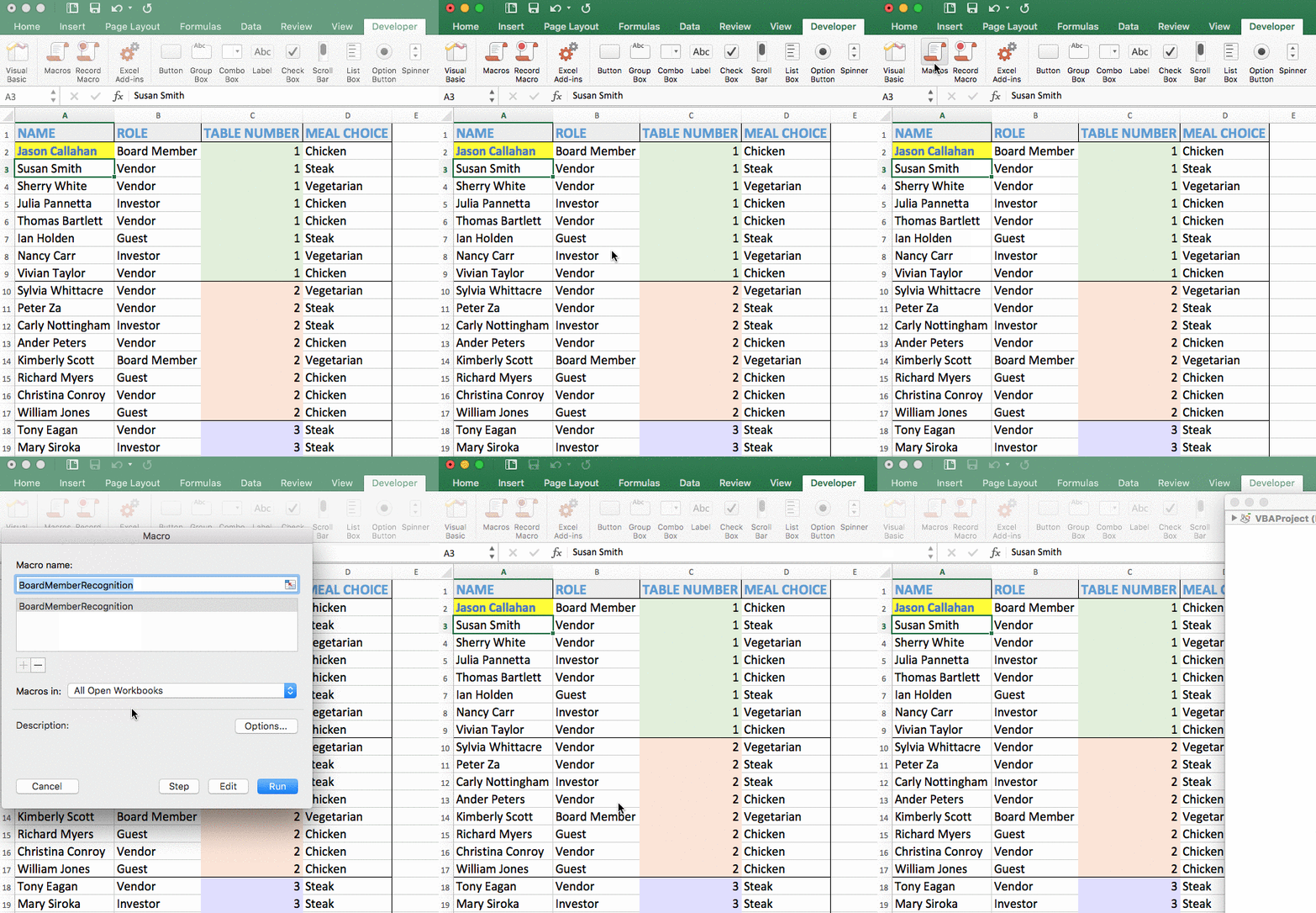
To save time in doing repeated steps, Microsoft introduced the Visual Basic for Applications programming language. IT is popularly called as VBA Macro programming. With VBA programming, you can extend Excel to create routines that can do the basic, mundane steps, quickly, and correctly, so you can spend more time with the more important stuff.

Excel macros are used in creating specific user forms, creating conditional logic, creating work flow within a n organization.

Excel Macro Sample
Excel Macro Sample

The end user can simple execute multiple steps without knowing how to do the intermediate steps, simply by clicking a button, which in turn can run a complex macro. It is so simple, and magical to use and execute macros within Excel.

You could use it to generate a profit and loss statement, a balance-sheet, a leave approval form, a cash flow statement, pivots and charts automatically, without doing multiple steps.

Read more about VBA Macro Programming here. And you can attend our 3 day VBA Macro programming training in Singapore.

Conclusion:

These are the most important and most used features of Microsoft Excel. Master these, and you will be very popular in your company, and you will improve your job prospects significantly by learning these 3 most important things in Excel.

Cheers,
Vinai Prakash,
Founder & Principal Trainer,
Intellisoft Systems

3 Reasons Why You Should Learn SQL

SQL training at Intellisoft, Singapore

stand-out-from-the-crowd

Whether you work in Business, Finance, IT, Services, Sales, Marketing, Manufacturing, R&D or any other domain, it is important for you to learn SQL.

You may be wondering – What the heck is SQL? Why should I learn it

WHAT IS SQL?

Well, SQL stands for Structured Query Language (pronounced as SEQUEL).

SQL is the most common language used in all RDBMS (Relational Databases). SQL is a simple, standard query language used is the world’s largest to the world’s most popular databases.

introduction to SQL

It is the base of Microsoft Access, Oracle, SQL server, MySQL, MariaDB, and a host of other relational databases.

Whether you work on Enterprise systems like SAP, PeopleSoft, JDEdwards, or Financial Accounting Software, or Analyzing Google Analytics Data, you can easily use SQL, and you must use it to gain power and full control over your data.

SQL is used to Select data from a database. It can also be used to Insert, Update or Delete data. These 4 operations are the main uses of SQL – it can be used to add data to a database, change it, delete it, or select it for analysis & reporting.

WHY LEARN SQL?

Create Your Own View of Data

Using SQL, you are no longer at the mercy of the IT programmers to extract certain reports for you. You also do not have to be satisfied with the run of the mill standard reports coming out of the systems.

Most systems provide basic transnational reports, but when you want to go beyond, customize them or tweak them, you realize that it is simply not possible. Or you may to have to go through a long process of Change Ticket creation, justify your request, get approval, and then wait for IT to develop it… which may easily take 6 months to a year at the very least.

The problem is that you simply can’t wait to get your hands on the raw data, to make business decisions today, not 1 year later.

Simple to use

SQL is extremely simple to use. Most people can get started on using SQL within an hour, and be able to extract basic data within minutes of learning it. SQL Is easy to understand for business and IT folks. You do not have to be a full-time programmer or a hard core IT geek to understand it.Students Learning SQL at Intellisoft

We have taught SQL to complete newbies, business owners, financial analysts, sales staff, service engineers, even hospital counter staff to use SQL within a short time, and be able to service ad-hoc customer requests within minutes.

Business Analysts & all other employee can benefit from a solid foundation & understanding of SQL.

Point & Click GUI Interfaces

Further, today, there are several excellent Front End GUI interfaces, that eliminate the need to write complex queries. Once the data model and table joins are created, and simplified views exist, you will be able to begin exploring the power of SQL. You will begin to feel awesome as you’ll be able to extract any data, analyze data easily, and even pull data into Microsoft Excel for later, further analysis.

Once the data is extracted from the Enterprise systems, you generally use Excel pivot tables, Excel Dashboards and Formulas, Functions to group the data, tabulate it, summarize it and find the hidden gems of insight in your data.

High Paying Jobs for SQL Developers

Once you learn SQL, you can work as a SQL Developer. Such jobs pay much higher salaries. According to a salary survey on Indeed.com, an average SQL Developer gets USD92,000 per year. Compare that to the average US Household salary of USD52,000 per year. You are earning almost double of the national average, as a SQL Developer.

This can lead to a much higher standard of living and earn you more prestige and power in the corporate world. Such jobs are also more secure and are less prone to recession blues.


Learn SQL At The Earliest

With so many benefits, chances to increase your salary significantly, and being the owner of your own data gives you great power, maximum opportunities and flexibility.

Join the Intellisoft 2 Day Introduction To SQL class, and begin to take your career to the next level. Classes for groups of 15 or more can be scheduled for your company only, as a Corporate Training on SQL too. Contact us at +65-6250-3575 for more information.

Written By: Vinai Prakash

This article is written by Vinai Prakash, SQL Expert &  an IT veteran with over 30+ years of experience in data analyses, business intelligence, data warehousing, project management & in running several successful businesses. Vinai consults with small and large companies in selecting and implementing business intelligence and database solutions. He also teaches the SQL, Python & PHP courses at Intellisoft. Vinai is an SQL Expert & Excel guru, and is highly sought after consultant and trainer. Contact Vinai for your next training!

PMP Exam Preparation Crash Course

Are you planning to give the PMP exam before 31-July-2013? If yes, you can benefit from the PMP Crash Course conducted by Intellisoft Systems, on July 6 & 7, 2013 in Singapore.

This PMP Crash course boot camp is based on PMBOK Guide Fourth edition, which is applicable for the PMP exam upto 30-July-2013.

The crash course is focused on providing you with tips, techniques, tools and strategies to pass the exam quickly, in your first attempt.

The 2 day camp will cover the entire base foundational material, and will also provide you with tips and techniques to pass the exam quickly.

Check out the details and register online. You can make the payment and reserve your seat quickly, as seating is limited.

You can contact Intellisoft Systems at +65-6250-3575 or send an email to training @ intellisoft.com.sg.

Free Tips, Tutorials & Training Grants Info

Learn from expert tips, tricks and resources for Excel, PowerPoint, Photoshop, Python, Power BI, Project Management, IT, Soft Skills & more with our Email Newsletter.
Plus get the latest news on Grants. Join Today!

Found What You Were
Looking For?

Just Tell us...

We're Here To Help You!