Advanced Excel Course in Singapore

Advanced Excel Course Content

Become Awesome With Advanced Excel Training Course

Advanced Excel course in Singapore is available at Intellisoft Systems.

Excel is a high-end spreadsheet software that is used in business. From simple data entry officers to analysts to managers, everyone loves to use Excel.

This is a higher end training, focusing on the Advanced Level of Microsoft Excel.

If you are new to Excel or have little experience in using Excel, you should first attend our Basic Excel Courses in Singapore. It is more suited to beginner and intermediate users, and will cover the basics of Microsoft Excel thoroughly.

You will then be able to do common tasks in Excel like write some simple functions in your daily work.

At the Advanced level, there are a range of courses available – ones that covers Pivot tables, Advanced Formulas of Excel, or focus on the Data analysis tools & capabilities within Excel to begin with.

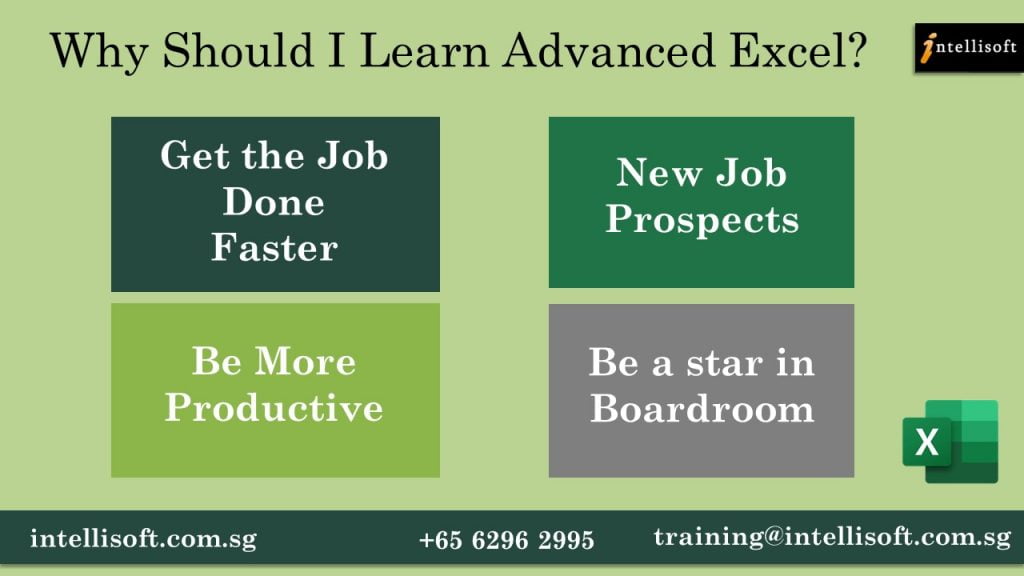
Why Should I Learn Advanced Excel Skills?
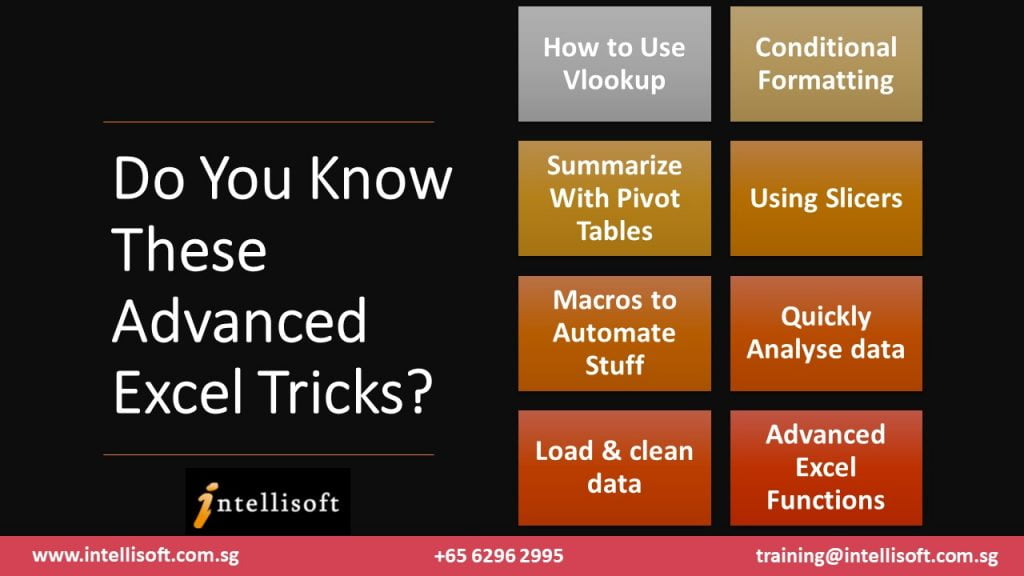
Do You Know These Advanced Excel Tricks?

Intellisoft offers many advanced Excel training courses. T

o reach the Expert level, you must learn Excel VBA Programming, Excel Dashboarding Techniques, Using Power Query & Power Pivot add-ins of Excel, Advanced Formulas, Advanced Sorting, Advanced Filtering, and the ability to work with large data sets to handle big data.

At the Expert level, you will be looking to pick up business intelligence signals from the processing of data and using business analytics.

So you can see that Advanced Excel is really vast, and will help to take your skills to the next level. It may require you to take a few separate Excel courses to learn the full potential of the spreadsheet application that we all love to use – Excel.

There are numerous advantages of Excel. You must learn the advanced functions and features like pivot tables & macros early to make the most of it in your professional career or for your personal use .

What Advanced Features of Excel are covered in our Excel Training Course in Singapore?

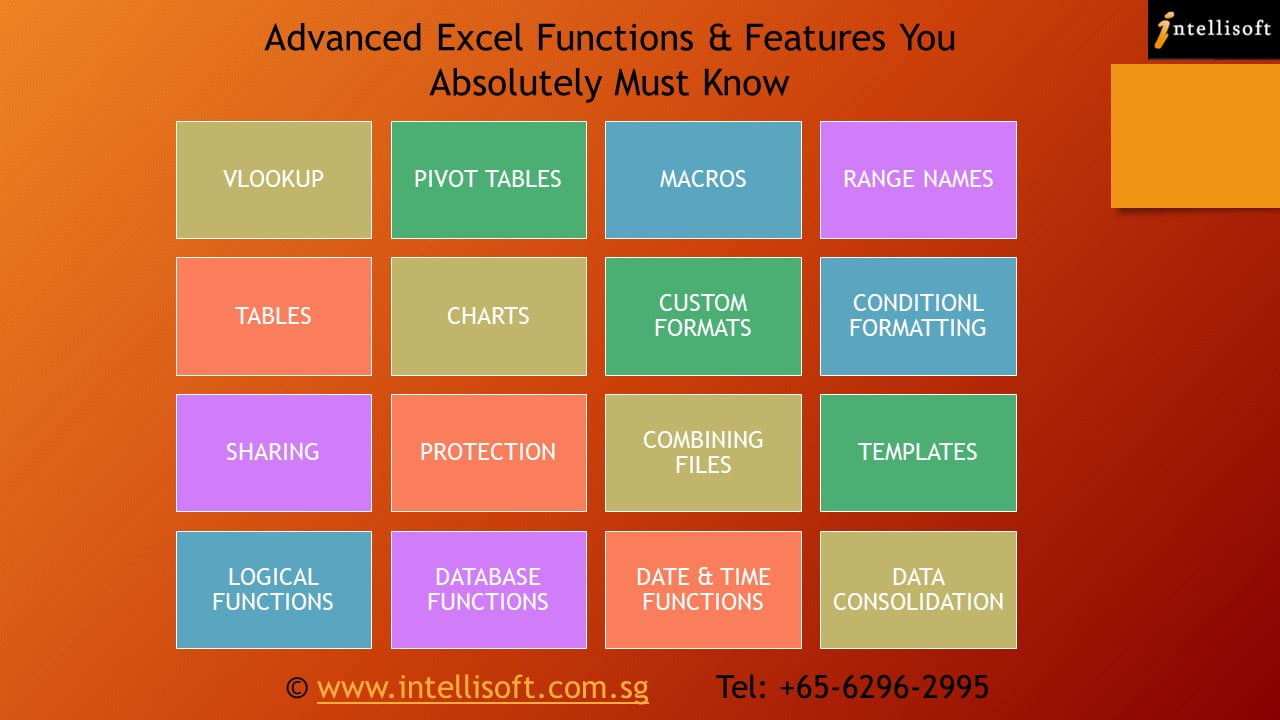
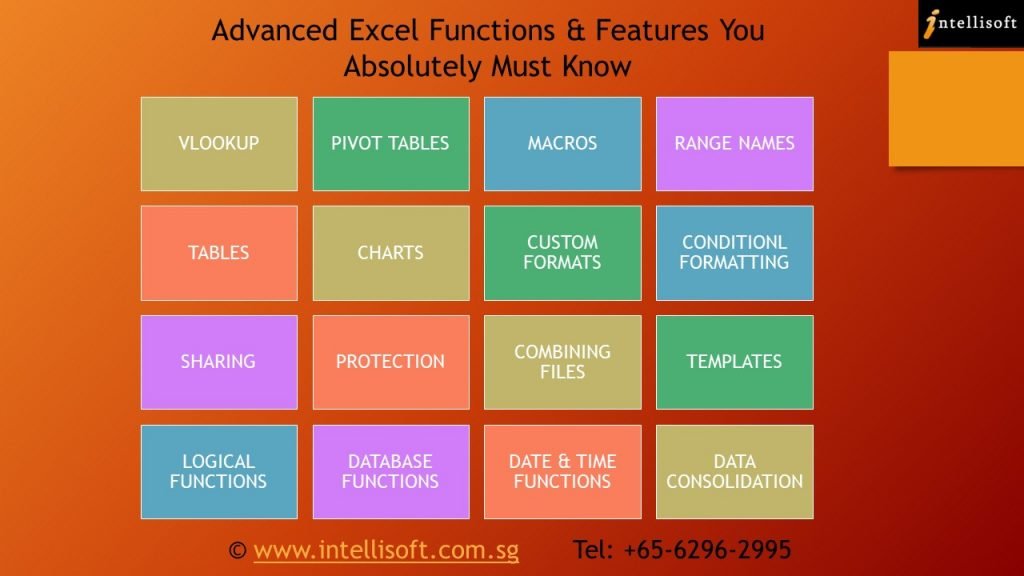
The most important features of MS Excel are covered in depth. The course outlines these features like:

  • Advanced Excel Formulas,
  • Advanced Spreadsheet Functions,
  • Logical Functions
  • Date & Time Functions
  • Database Functions
  • Lookup Functions like VLOOKUP & HLOOKUP
  • Combine Formulas to Create More Powerful Functions
  • Pivot Tables for Summarizing Data Quickly,
  • Recording Basic Macros,
  • Conditional Formatting,
  • Custom Formatting
  • Creating & Using Range Names
  • Combining Data From Multiple Worksheets
  • Combining Data from Multiple Workbooks
  • Sharing Excel Files
  • Data Processing
  • Protecting Excel Workbooks
  • Creating Excel Charts & Customizing them
  • Creating & using Excel Templates
  • And numerous other useful Excel functions

    Do You Know These Advanced Excel Tricks?
    Do You Know These Advanced Excel Tricks?

Who are your Trainers For Advanced Excel Course?

All our trainers are certified Microsoft certified Trainers with a wealth of experience in using and teaching Excel. They are all ACTA certified and love to share their knowledge and application skills to make you an expert in Advanced Excel skills. We go the extra mile to help you master the key essential skills of Excel in a short time.

If you would like to learn from a Microsoft certified trainer with years of experience to learn what works well in the office or for your personal work, you should join our Advanced Microsoft Excel Courses at Intellisoft.

You can be from any type of industry, and you’ll still be able to learn numerous functions and formulas of Microsoft Excel and build your spreadsheet skills at your own pace. Whether you are a basic or advanced user, you will learn a ton of new techniques, shortcuts and tricks in Excel that will elevate your Excel skills to the next level.

Best VBA Course in Singapore
Excel VBA Macro Course in Singapore – Participants learning by writing  Macros themselves

What in Provided for the Advanced Excel Training at our Institute?

We provide you with

  • A laptop loaded with the correct version of Microsoft Excel for your use in our training room.
  • Advanced Excel Exercise Files will be provided too.
  • As part of the course materials provided, a detailed, step-by-step guidebook with Exercise files for Excel will be provided to each participant.
  • The included exercise files have cases from the business world as well as examples of how to use Excel for personal use. With this, your team will become expert excel users who can use the various tools, advanced excel functions and data management capabilities easily.

Pre-Requisites For The Training

In terms of pre-requisites for this Excel course, you don’t need a bachelor degree or any diploma.

Anyone with good PC skills, some previous experience in using Excel, and a keen interest in learning the wide range of advanced functionalities of Excel can join this advanced training workshop.

Excel Dashboard Training Participants
Excel Training Participants at Intellisoft

In a short period of just 2 days, you will be able to

  • use pivot tables,
  • formulas of excel,
  • advanced spreadsheet functions,
  • data analysis tools,
  • charting techniques,
  • conditional formatting,
  • Excel Reports
  • and much more.

You will be able to appreciate the full potential of Excel in everyday use at the office.

Whether you want to make simple or complex spreadsheets, you will have the skills. It does not matter which type of position or the type of industry you are targeting, Excel is used everywhere. So at the completion of this unit, you can call yourself an Advanced User of Excel, and you will have a certificate to prove it too.

Available Grants & Funding For Excel Training For Singaporeans & PRs

You can use SkillsFuture* or WSQ Funding for company sponsored training courses where the course fees is partly sponsored by the Singapore government. The SSG Rules & Guidelines on eligibility apply.

With an affordable price, we can also arrange for corporate training for a group of participants at your company training rooms or you can attend the training at Intellisoft Training rooms too.

Our training facilities in the lab are top notch. We take care of of social distancing & government rules and regulations.

Intellisoft is considered the best Microsoft Excel training centre in Singapore.

Advanced Excel Course Content
Advanced Excel Course Training in Singapore

How To Join Advanced Excel Training Course in Singapore?

Prospective learners can contact our Training center at Fortune Centre and we can send you more precise information about the course. Request for a course brochure or Register for Advanced Excel training now.

You can then browse the outline of our Microsoft Excel Courses and pick the one that suits your needs the most. Our courses are short, practical and to the point. You will enjoy the training and become a better Excel user is no time.

Learn the most powerful spreadsheet program in the world… directly from the Microsoft Experts!

Join the Advanced Excel Course in Singapore at Intellisoft. We are waiting for you…

Cheers,
Vinai Prakash
Founder of Intellisoft Systems

How To Calculate Customer Engagement Using Social Media?

How To Calculate Customer Engagement Using Social Media?

The rising engagement of people in social media platforms have attracted all the brands towards social media. So, Brands have started to craft graphical story around the key brand value and offerings for better Customer Engagement using Social Media.

The challenge today is to find how engaged are your customers with your Social Media Pages. This needs to be measure & tracked to ensure enough ROI is being generated for the time & resources spent.

If you are a Digital Marketer, having a proper Strategy & Implementation in Digital Marketing is the only way to reach target audience. Also, to generate good ROI.

Let us discuss the social media engagement steps from strategy to Implementation that will improve the ROI & Customer Engagement.

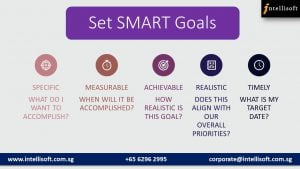
  1. Set SMART Goals:

There’s no denying that social media can be a powerful tool, but too often companies caught up in producing a stream of content. But, they don’t think about the big picture.

Whether its corporate, marketing, branding or Customer relationship management, it will work better if the goals are shaped around the key business objective.

Leat to set SMART goals for Better Customer Engagement at Intellisoft
SMART goals for Better Customer Engagement in Social Media

Select several goals that are most important to your business and are feasible to achieve.

The goals can be:

  • Awareness
  • Customer Retention
  • Branding
  • Lead Generation
  • Promotion
  • Referral Traffic
  • Sales
  • Launch
  • Loyalty

By curating the goals you can easily think of themes, content brackets, visuals & platforms. If you think its limiting, its quiet opposite. In fact, it gives a clear understanding and vision of accomplishments.

Do check out our Insightful Article on the 10 Exciting Tips for Engaging on Instagram

  1. Analyze Your Social Media Marketing Strategy:

Once you have defined the big-picture, it is important to stack your efforts in right way. It is important to analyze how you allocate the content. This is to make sure the contents are in alignment with the goals and key business objectives.

Learn to Analyze the Customer Engagement Strategy at Intellisoft Singapore
Learn to Analyze the Social Media Marketing Strategy at Intellisoft Singapore

Curate a system to measure the social media content efforts to support your goals. First, create a basic spreadsheet of content, time and engagement. It can be filtered to analyze later.

Here are the few questions to start your analysis with:

  • What is my post frequency?
  • What topics do I post most frequently about?
  • Is my brand’s voice, personality and objective coming through my post?
  • What characterizes my post?
  1. Implement Your Game Plan:

Goals may be the backbone of the marketing program, but translating the to a powerful content will take you a long way. Think of each piece of content you share as a larger story your brand / company wants to communicate.

In fact, each content should have a clear theme, point of view and a take away for the consumer.

Learn to Implement your Marketing Strategy at Intellisoft Singapore
Learn to Implement your Social Media Marketing Strategy at Intellisoft Singapore

Here are some ideas of Implementation:

  • Post Regularly & Be active
  • Communicate Promotions, Offers and Services
  • Respond quick for customer engagement
  • Mix up types of contents
  • Show the usefulness and lifestyle
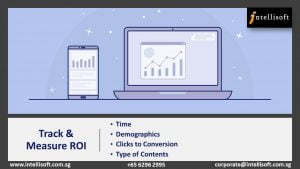
  1. Track & Measure ROI:

Looking closely at the implementation, the next step would be tracking of the engagement.

Learn to Track & Measure ROI with Insights at Intellisoft Singapore
Learn to Track & Measure ROI with Social Media Insights at Intellisoft Singapore

Track the insights & engagement to streamline the efforts better. You can easily track the following:

  • Time people are Viewing your post
  • Demographics of the people engaging
  • Tracking the Clicks to Conversion
  • Type of Contents that gets the more engagement. For instance – Inspirational Quotes, Texts, Videos, Images, GIF, Info-graphics

Track the content themes & decide frequency based on the engagement metrics. Alter the frequency, time  & Content Strategy based on the insights.

Qualitative content wins. Focus on the content that generate strong leads, keep in track of loyal consumers, a responses from star consumer, and add them to further posts.

This might be a little hard to keep in track but its valuable to capture them and add because ultimately not always number wins, but satisfaction & reviews do.

How To Calculate Customer Engagement using Social Media?

Here are some quick ways to calculate engagements:

  • Look for Virality in your Facebook page analytics. It shows the likes & shares for your better understanding too.
  • Instagram: Enable insights from settings & start to track insights in every post. Therefore, you arrive at a better understanding of the reach.
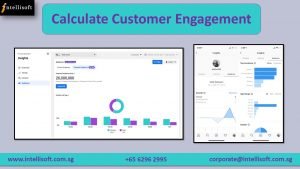
Learn to Calculate Customer Engagement With Insights at Intellisoft Singapore

All these are a just perspective ideas & guidelines. But, it is always good to master the skill for desire outcomes.

Intellisoft has carefully designed a highly insightful Digital Marketing Course to help you learn & master the Social Media platforms to get your Brand, a great value.

Learn how to improve the current marketing activities & get them to perform at their very best, therefore getting the maximum ROI from them.

Why wait? Join us today & master Digital Marketing starting from S$61.25*. You can claim that also from SkillsFuture.

Register Online now for the 2 days practical hands-on course to get the most out of Digital Platforms.

We are here to assist you if you have any more questions on the Course.

Feel free to call me at 9343-2080 or Email us to request brochure or any other queries.

Cheers,
Lavanya
Tel: 6250-3575  Whatsapp:  9343-2080  | corporate@intellisoft.com.sg

Like us on Facebook, Follow us on Instagram & LinkedIn for more updates on Courses & Grant!

P.S: Do check out the interesting Article on 5 Tips to Improve your Business Search-ability in Google

What is Your Next Step After Learning Excel?

What is Your Next Step after Learning Advanced Excel?

What is Your Next Step After Learning Excel?

Wondering what to pursue after learning Excel? Let us find the answer. Before that, let’s first read a quick short story.

Once upon a time, a very strong woodcutter asked for a job in a timber merchant. The pay was good and so were the working conditions. So, the woodcutter was determined to do his best.

His boss gave him an axe and showed him the area where he would work.

The first day, the woodcutter felled 18 trees.

“Congratulations,” the boss said. “Go on that way!”

Motivated by the boss words, the woodcutter tried harder the next day, but he could only bring down 15 trees. However, the third day he tried even harder, but he could only manage 10 trees. Day after day, he finished with fewer trees.

“I must be losing my strength,” the woodcutter thought. He went to the boss and apologized, saying that he is week and could not understand what was going on too.

“When was the last time you sharpened your axe?” the boss asked.

“Sharpen? But I’ve had no time to sharpen my axe. I have been so busy trying to cut trees….”

This story states that equipping yourself shouldn’t ceases & sharpening the tool set & keep you updated is the only way to a long term success.

Now, why are we reading to this story?

Let me jump to the point directly.

The world is fast paced. So, we need to have the required tools ready & sharp for use. 

It is almost impossible to find work that does not require some amount of Excel. Having the right skills for using and applying Excel for Simple or Advanced tasks is a must.

Microsoft Excel is one of the most valuable skill sets that can take you far!

However, most of you already know & use Microsoft Excel quite well. Really glad to know that. Still, sometimes even experienced Excel experts miss out on the best features of Excel that seem to be hidden.

Is it Sufficient to know Excel well to prove yourself in this competitive world?

Are you ready for the Future?

Learning never ceases and you should keep updating you to keep you in par with the emerging industry and not becoming outdated.

You should grab other Skill set after finishing Microsoft Advanced Excel to keep growing in the Job Industry.

AVAILABLE OPTIONS AFTER MASTERING MICROSOFT EXCEL

Let us discuss the variety of options available in front of you to pursue using the Advanced Microsoft Excel Skills that open you up to various career prospects in addition to career growth.

  1. ATTEND SQL WORKSHOP:

I am an Excel Expert. How do I get into Data Analysis?

I am an Analyst. But I always stand at the mercy of IT peers to query my Data!

Are you relating to these situations?

Let’s talk about the first step you can take to resolve this.

Analysis comes into play only after you have the set of relevant information in your hand that are clean as well.

When you yourself can query data from the relational Database system & reorganize, then certainly you are independent, and you can control your own productivity & efficiency.

Learning the right tool to collect & organize your data can be a savior. If you don’t know what is SQL & Why should you learn it, get yourself acquainted first.

Learn SQL to query any databse at Intellisoft Singapore
Learn SQL to query any Database at Intellisoft Singapore

SQL could be the priority as it is an easy to learn, straight-forward programming language. It is a simple but popular program for Data Management.

Administering, updating, maintaining, and manipulating the database is easy with SQL.

With SQL you can – retrieve, analyze and report information quickly and efficiently.

Wondering How to Learn SQL Fast?

Grab SQL Skills today to be an independent analyst otherwise make a new career as Data Analyst, Database Administrator, Data Scientists or even Data Architect at Intellisoft Singapore.

  1. Join Excel VBA (Macro) Course:

I am an Excel expert. Do I only get to learn the skills that are into Data Analysis?

Well definitely not. As we have already discussed Excel is a program that is used in all the fields in which the Data Analysis is just a new popular.

Excel could be enhanced with further skill sets and utilized in various tasks as well.

One such skill set that is highly useful for people into leadership, or managerial position to review the work or report, or even for someone who is into repeating the functions, formulas, or a set of same steps dozens of times every day.

There is a boon to such people – Macros in Excel.

You can write & record macros for simple to complex steps that you accomplish every day. In addition to that, Macro Code runs much faster and save a huge amount of time, which in turn will increase productivity.

After all, you don’t get bored of what you are doing every day.

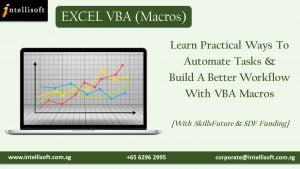
Learn to Automate repeated Steps with VBA at Intellisoft Singapore

Looking to learn VBA (Macros) faster?

Join an Excel VBA (Macro) training at Intellisoft Singapore today to Learn practical ways to automate tasks & build a better workflow with VBA Macros and automation in your work.

  1. Data Interpretation & Analysis with Excel:

Data Analysis is a cool and exciting career to get into. When you already are aware of the Excel tool kit, now it’s time to learn the Techniques of Analyzing Data with Excel.

Data Analysis is a process of using logic & statistics to answer some of the business questions which consequently leads to decision-making.

You can learn to understand data and forecasting based on different criteria.

Charts & Modelling can be made using the Excel Features.

Correlation & regression techniques can be used to Analyze Data with different variables.

Data Interpretation & Analysis with Excel Training at Intellisoft Singapore

Above all, It is wise to grab the techniques of using the tool effectively, when you are an Excel Expert Already!

Wondering why you should learn Data Analysis? Check out the top 5 Cool Career Options that rely on Data Analysis

Also Join Intellisoft now to Grab Data Analysis Skills fast.

  1. Create Interactive Management Reports & Dashboards with Excel:

A Dashboard is the dynamic reporting technique used in business data reporting.

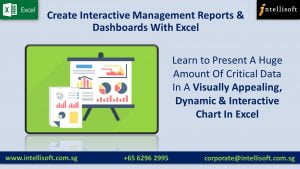
If you can present a huge amount of critical data in a Visually Appealing, Dynamic & Interactive Chart in Excel, apparently the decisions are made faster & you are the star of the boardroom already!

 Visually Appealing, Dynamic & Interactive Report in Excel
Visually Appealing, Dynamic & Interactive Report with Excel Dashboard at Intellisoft Singapore

Why wasting time, learn Excel Dashboard & report metrics that matter!

Well, I hope that you now have a clear idea of  What can you do after learning Advanced Microsoft Excel!

Take a breath! Make time out of your calendar to learn the essential skills that matter!

Best of Luck!

Cheers,
Lavanya
Like us on Facebook, Follow us on Instagram & LinkedIn for more updates on Courses & Grants.

What is Power BI: A Must-Have Skill For Analysts & Decision Makers

How to Use Power BI at Intellisoft Singapore classroom Training

What is Power BI: Intro to the Most Powerful Visualization Tool from Microsoft

The world runs with Technology but ruled by Data. Learning to process, manage, analyze and present data can lead to a flourishing Career Path.

Becoming a Data Analyst is the new cool. Data analysis as a career path has a bright future and a variety of options become available to keep moving ahead in your career.

The Data Analyst career path starts from grabbing the right Skills. While it needs a basic knowledge of SQL for querying Data and Python fundamentals, it a very much mandatory to upgrade yourself with the Key Skills like Advanced Microsoft Excel and Power BI.

We all have heard of SQL, Python and Microsoft Excel, but you may not be familiar with Microsoft Power BI.

Let’s find out What Power BI is, and How you can benefit from learning & using Power BI.

Why Microsoft PowerBI is Essential For Data Analysis?

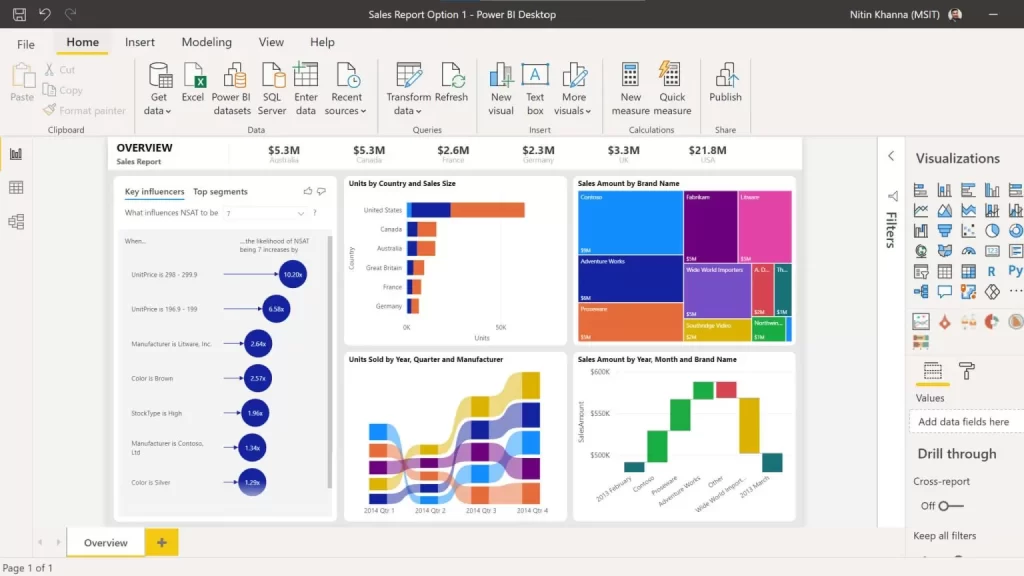
Power BI is an intelligent software that is highly equipped to Analyze data and gain Insights quickly, without any fuss.

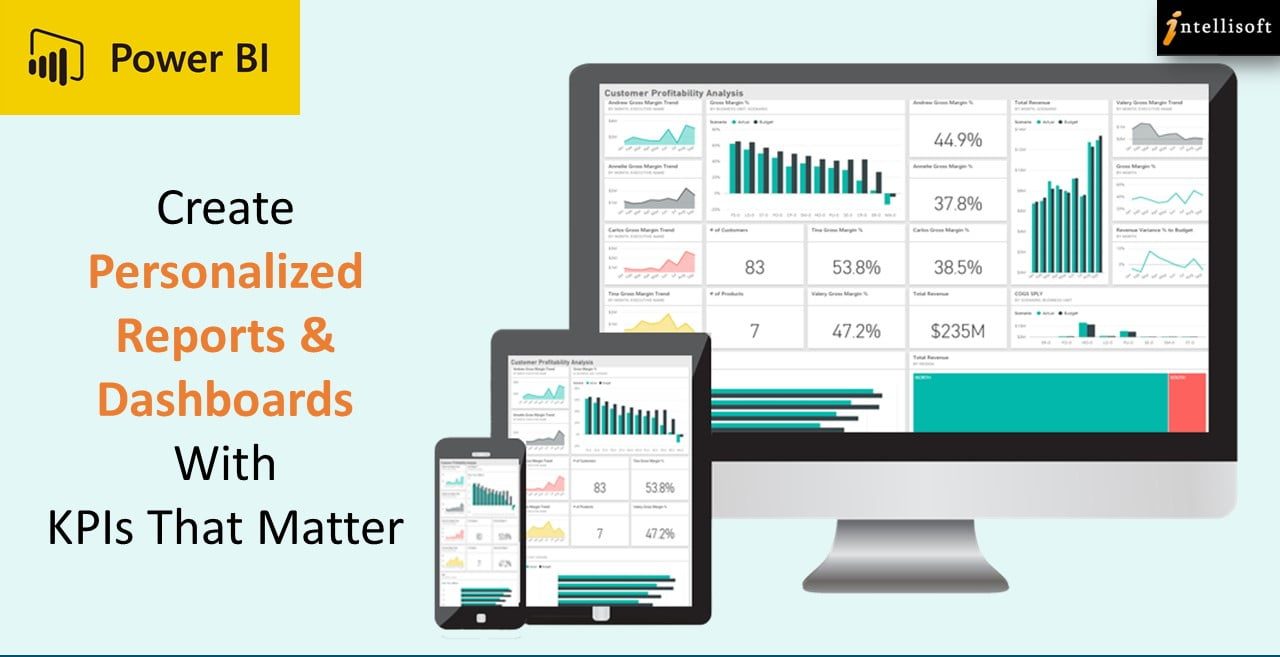
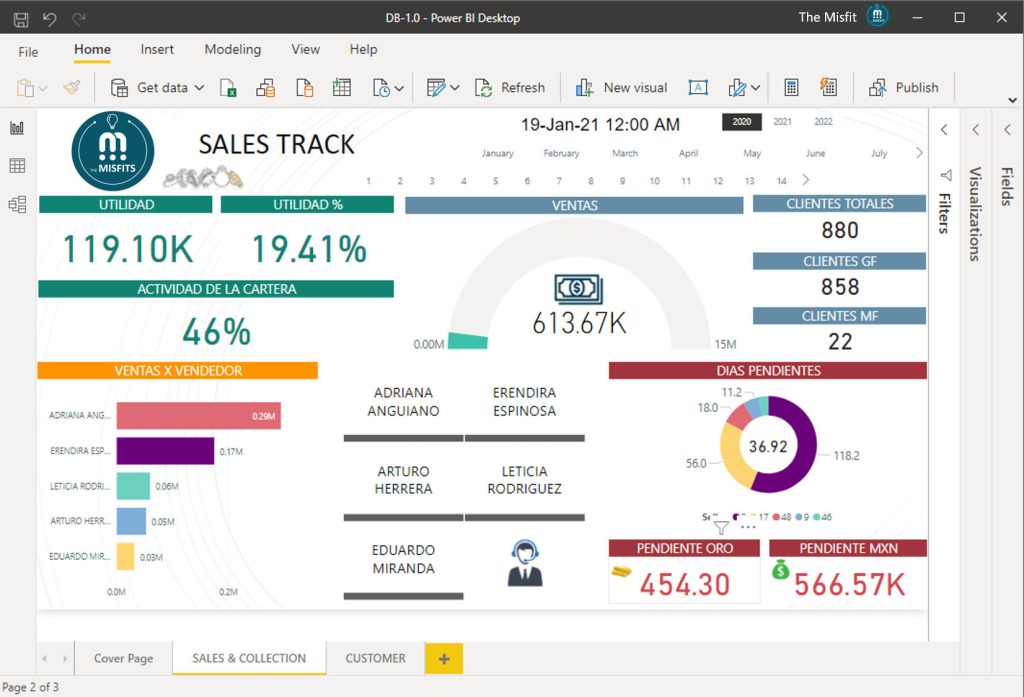
You can visualize data and create personalized reports & dashboards with KPIs that matter in your Business.

It is very popular among Data analysts because of the Speed, Accuracy, Consistency, and Security. You can set the report to refresh automatically, and inform the key stakeholders to view it on their i-Pads and Mobile phones.

The reports and insights can be collaborated effectively across all the different Software’s like Excel, SalesForce, SharePoint, SAP, Oracle Database, and even Microsoft Teams. This allows the whole team to get involved in Data Driven decision making.

Extensive Connections & Flexibility in Power BI

Microsoft Power BI has a growing Library of 100+ connectors that comes for Free and connects it to various Cloud based platforms like SQL, Salesforce and SharePoint.

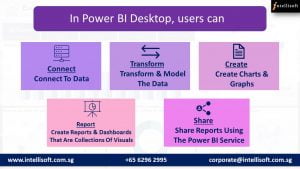
In Power BI Desktop, users can:

What Power BI Can Do: Benefits of Microsoft Power BI
  • Connect to data
  • Transform and model the data
  • Create charts and graphs
  • Create reports and dashboards that are collections of visuals
  • Share reports with others using the Power BI service

What’s covered in Power BI Training?

This PowerBI MasterClass teaches the skills a business analyst needs to know in order to successfully use Power BI, Write DAX Measures and Use Power Query to Clean and Load data.

The course starts out first by highlighting the key Advanced Excel functionality useful for data analysis, and then moves to Power BI tools. We cover Microsoft Power Query, Power Pivot & Power BI – all built into the new Power BI Desktop Application.

This Practical, Hands-on workshop covers:

  1. Importing and creating relationships between tables of data.
  2. Understanding the optimal data structure to use in PowerBI.
  3. Writing basic Data Analysis eXpressions (DAX) formulas to extract business insights.
  4. Then writing more advanced DAX formulas that use the power of DAX to extract additional business insights from the data that are not immediately obvious (yet are inherently available).
  5. An introduction and overview of Power Query, how to use the tool to build data extraction and cleaning scripts, and why it is so great.
  6. Helping Excel professionals move from being a normal user in Excel to being a Power BI analyst, covering the differences between the tools and how to start using Power BI Dashboards effectively.

You Can Learn Power BI in a Classroom Setting

Unlike the other Basic computing software’s, Power BI should be learnt and mastered through a proper Training or a Master Class to make you understand the Power BI suite of products available from Microsoft, and be a Power Ninja in analyzing, visualizing & understanding Business Intelligence Reporting.

You should attend a Focused, instructor-led power packed program that make you

Focused Instructor Led Power BI Course in Singapore
  1. Understand Power Query & DAX, and how to apply it to your job.
  2. Achieve better and faster results than with existing Microsoft tools.
  3. Produce valuable KPI metrics for your business that never existed before.
  4. Learn best tips & tricks to solve complex problems & create stunning work.

Where can I Attend Power BI Course in Singapore?

Intellisoft Systems offers you an intensive Power BI Training in Singapore for 2 days.

Our expert approach in this classroom training course makes it accessible to become an Excel Pro.

At the end of the 2 days, you will be well on you way to becoming a Power BI, Power Pivot and Power Query Ninja!

What are the Pre-Requisites to Learning Power Query, Power Pivot & Power BI

You can easily learn Power BI f you have Basic knowledge of Excel, and can write simple formulas like SUM, IF, Nested IF, and:

Note: Anyone with a Database, BI, Programming, or similar experience are quite qualified to take this course, even if lacking in Excel experience.

Thousands of people like you have attended our training & started analyzing data, in Sales, Customer Service, Finance, Logistics, HR, Business & other functions in no time.

Gain Valuable Insights by Visualizing Data Quickly!

Whether you work in Banking, Marine & Offshore, Telecom, Networking, IT, Manufacturing, Services, Government or Healthcare, you must tap on the Best and Most Useful software for Data Analysis & Business Intelligence – POWER BI.

Go Beyond Excel Pivot Tables, Learn Power BI now!

Where: Intellisoft Systems, Singapore

You can Register Online or contact us to block seats for you while you get internal approvals.

Individual Singaporean can use their SkillsFuture Funds to offset the course fees.

Why wait? Join Intellisoft now! Please call or Email me to reserve your spot on this Power Pivot and Power BI for Excel Training Program.

Like us on Facebook, Follow us on Instagram and Do Check out our LinkedIn for more updates on the Courses & Grants!

P.S: Looking for cool Careers? Check out the Top 5 Cool Careers in the Job market!

Article Written by Vinai Prakash, MBA, PMP, GAP, ACTA Certified

Additional Resources for Power BI

Training Courses

Data Analytics & Visualization with Power BI

Learn Microsoft Power BI Suite For Better Data Analysis & Reporting

Power BI Tips, Tricks & Video Tutorials

Power BI Tip #2: Reference Query Results in Another Query With Power Query [Video Tutorial]

Microsoft Power BI: Super Charge Your Data Analysis Process

Power BI Tip #6: Fixing The Vertical Axis in Power BI Visualisations

Power BI Tip #5: All About Slicer Controls in Power BI

Power BI Tip#4: Enter Data Into Power BI Quickly [Video]

Power BI Tip #3: Quick Formatting of Power BI Visuals

Are You Microsoft Office Proficient?

Microsoft Office Training in Singapore

Every job seeker would have this word written in their resume Microsoft Office Proficiency.  

What Exactly is Microsoft Office Proficiency?

A Microsoft Office Proficient should be able to create an error-free, beautifully formatted document with header, footer, page number & Page breaks.

In Excel, they should be able to handle a large volume of data, format, sort, filter and create Pivot Tables for better visualization of Data.

In PowerPoint, the ability to make aesthetically appealing stellar presentation with graphics, images, GIFs, Animation is considered good proficiency.

Handling Microsoft Outlook like a pro to manage emails, create separate folders, track tasks, manage calendar, set reminder, marking them complete, and most important, getting things done quickly with these productivity tools.

This should not be overwhelming. It should be easy to do, and management expects everyone to be proficient in Microsoft Office.

It has been years since the Microsoft Skills have become mandatory for every person coming into the workforce – whether administration, data handling, HR or even the Managerial Position.

A research by IDC concludes that Microsoft Office is one of the top three skills desired by any employers next to oral and written communication Skills.

Possessing Microsoft Skills not only merely helpful in typing docs and tabulating number, rather they help us to get more productive, efficient and handle and present data professionally effectively than ever. Microsoft Office is the most effective, accessible, and easy to use software’s.

Lear Microsoft Office Skills at Intellisoft

Microsoft Word:

It has been used by many people as just a notepad or a typing software’s. But in real, it can do wonders in creating professional Documents.

If we can spend some time in learning a bit more than what the Home Tab has, it can considerably reduce the time we spend on making documents.

Word is useful to create better Proposals, Reports, Agenda, Meeting Minutes & more.

Microsoft Excel:

Excel is often used in accounting and finance for its ability to calculate and compute complex numbers. Even non-financial businesses use Excel because of its unbeatable ability to organize data in tables & for updating, organizing, and displaying the data nicely.

It is highly used in administration and managerial level to analyze data quickly and present to management.

It even supports Visual Basic Applications to create macros to automate functions that increase efficiency.

In fact, the Pivot Tables and Dashboards are inevitable when it comes to analysis and reporting. You must up your proficiency in Excel to master these functions.

Microsoft PowerPoint:

Everyone would have made a basic presentation in Schools and workplaces to present the work. But PowerPoint comes handy to make it visually appealing and effective.

Its intelligence in generating different design ideas for the slides is becoming so popular nowadays. Other than just suggestion, it allows you to use the plenty of shapes and icons that are in-built and even allows you to import illustrations and graphics from the internet while working.

In short, anyone can make a stellar presentation with a quick guidance and practice.

It is always wise to have a most sough after skill in hand to increase employability & cement a position in job industry.

While Microsoft Office is filled with short cuts and methods to create attractive and easy to manage documents, a comprehensive hands-on training can help you to master the hooks and corners of the Microsoft Office package within just 3 days.

Simply follow the step-by-step instructions and learn the art of creating professional business documents easily every time.

With this training you will be able to Create Impressive Proposals, Charts & Presentations to Woo Clients.

View the detailed Course Outline

Companies can apply for SDF FUNDING & Individuals can apply for SkillsFuture Credits to offset the Training Fees.

If you have questions on Funding or need an official quotation/course brochure, please contact me on 9343-2080 or drop us an Email.

Like us on Facebook, Follow us on Instagram and Do Check out our LinkedIn for more updates on the Courses & Grants!

P.S: Don’t forget to check out our Amazing Article on Best Practices For Managing Emails With Microsoft Outlook to Manage Emails like a Pro!

What is SQL & Why You Should Learn It

Learn SQL to query any database quickly in Singapore
SQL training in Singapore

SQL stands for Structured Query Language. It is the language used to interact with any RDBMS (Relational Database Management System) like Oracle, SQL Server, MySQL, PostgreSQL.

Attending a SQL training course will teach you how to query SQL databases, step by step. The most common types of requests are where you want to pick out some rows or records from a database table. You want to analyze data yourself.

To extract the data from any database, we can write a SELECT query, to extract that data from the table within the database.

A single table SQL query is pretty easy to write. It almost reads like English. You can qualify which columns you want, and what you want to filter out, based on your criteria.

Once you execute the query, the results from the database are picked up and displayed almost instantly. Retrieval of SQL data from a database is usually extremely fast.

A multiple-table SQL query requires you to understand the relationships between the different tables within the database, the primary key and secondary keys of the various tables, and then carefully do the joining of the common fields between the different tables.

Learn SQL to query any database quickly in Singapore
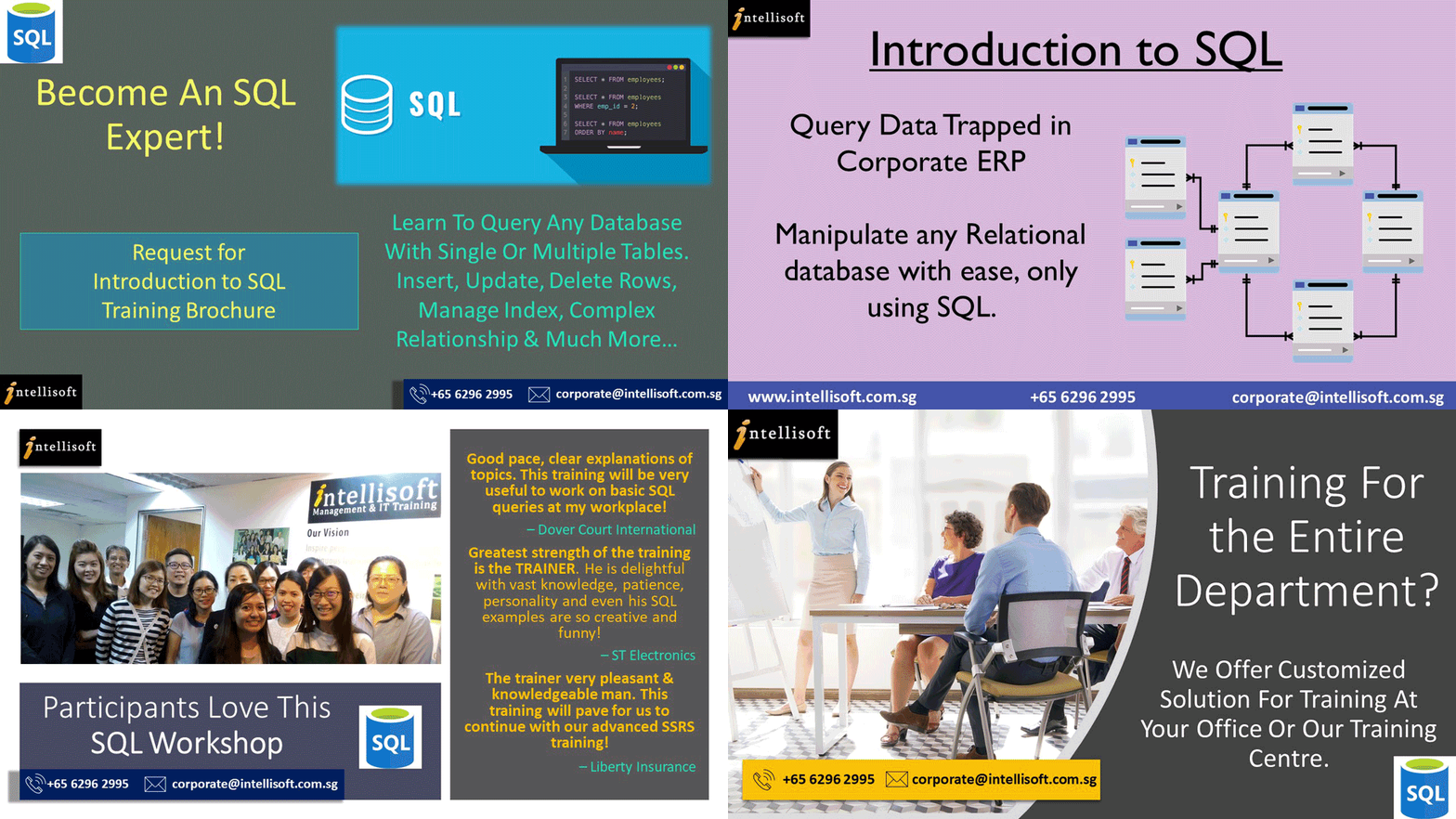
Introduction to SQL course in Singapore. Learn to query any database with SQL quickly in 2 days at Intellisoft Systems Singapore.

Once the common fields are linked between the tables, a data model is created. The common fields help to essentially create a long flat row, where you can pick any columns (or field) from any table in the combined row. This is the power of SQL. It is the reason almost everyone wants to learn SQL.

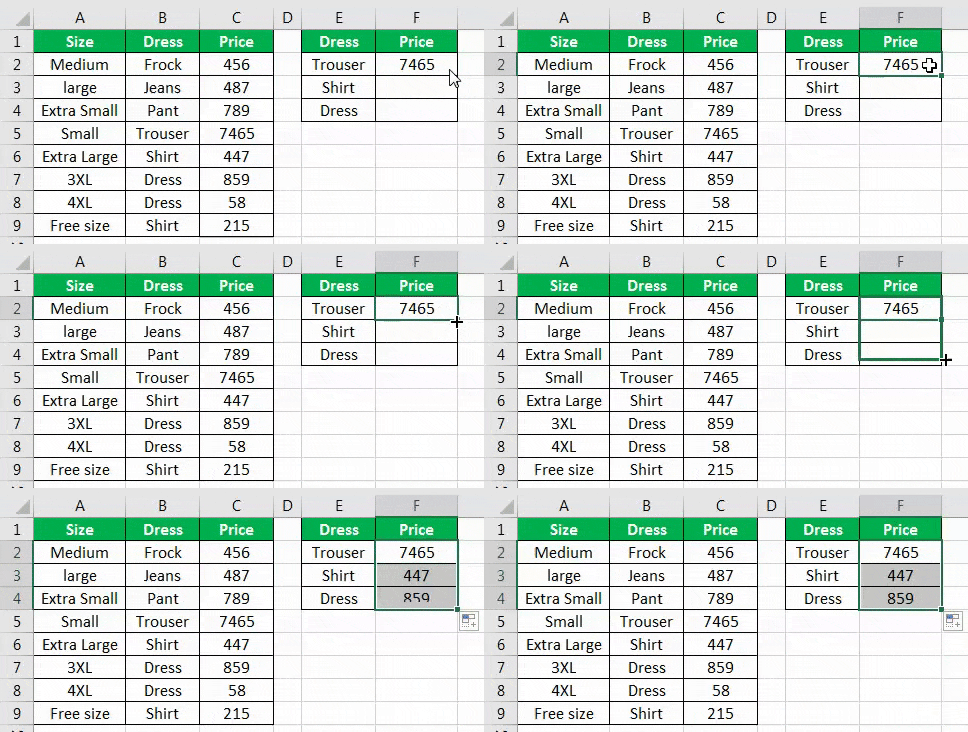
Multiple table queries are more useful, and they are similar to writing multiple VLOOKUPs in Excel to get to the Master & Transaction data in a single row.

Writing Multiple table SQL queries is where most people get stuck… because of the various ways to join – right join, left join, inner join, outer join etc.

This is where attending a SQL Training Course comes in handy. By joining a short 2 day SQL workshop, you can understand the fundamentals of SQL.

You will be able to do use these SQL Commands after attending a SQL workshop in Singapore:

  • How to insert data into a database table with the SQL INSERT statement,
  • how to delete records from any table by writing a SQL DELETE statement.
  • how to modify any data in any table within the SQL Database using the UPDATE statemet,
  • how to retrieve any number of columns from a single or multiple related tables, based on any selection criteria, with the SELECT SQL Statement.

If you can attend a classroom training course for SQL, I would seriously recommend it. The reason is that in a Classroom SQL Course, you can ask questions on the spot, and there is an expert SQL trainer to assist you too.

Check out our SQL Training Course in Singapore for Classroom Training

In our most popular SQL course in Singapore, we cover SQL statements like SELECT, INSERT, UPDATE, DELETE, CREATE TABLE, CREATE INDEX, CREATE VIEW, DROP, JOINS, and much more.

SQL is a very standard language, simple & business-like. It is like talking to someone in English. Pretty simple & straightforward. And it does not feel like learning a new language. It is pretty intuitive and easy to learn. A two day SQL workshop is more than sufficient to get you going on your journey to pick any data from your corporate databases.

A standard SQL based on the American National Standards Institute ANSI is best because you can then apply the standard SQL on any ANSI Relational Database.

The version of SQL is not really important, as most modern SQL database systems are up to date with the latest ANSI standards.

What is SQL & Why You Should Learn SQL

Click & Find Why You Should Learn SQL

Free Tips, Tutorials & Training Grants Info

Learn from expert tips, tricks and resources for Excel, PowerPoint, Photoshop, Python, Power BI, Project Management, IT, Soft Skills & more with our Email Newsletter.
Plus get the latest news on Grants. Join Today!

Found What You Were
Looking For?

Just Tell us...

We're Here To Help You!